Diese Seite wurde automatisch übersetzt. Es kann daher zu Abweichungen oder Ungenauigkeiten im Text kommen. Verbindlich ist ausschließlich die Originalfassung. Rechtsansprüche aus Inhalten der übersetzten Version sind ausgeschlossen.

OGS extension with canteen 2026

New building with canteen after partial demolition, conversion and remediation of pollutants


In the project phase timeline, this project is in the construction planning phase.
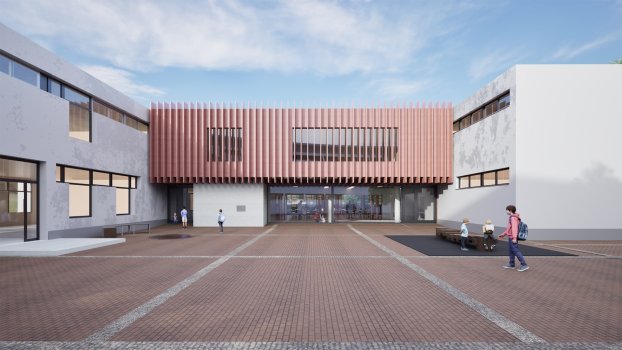
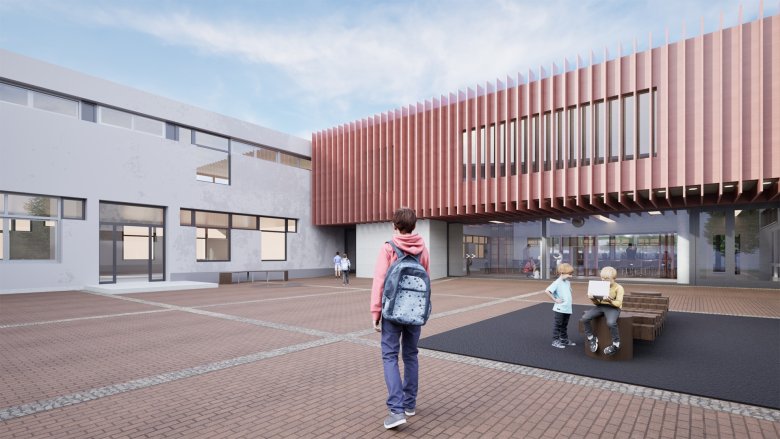
Courtyard view


Occasion and goal

Due to the increasing number of pupils and the target of having three pupils per class, the current space situation at GGS Richterich does not meet the necessary requirements. The loss of a dilapidated pavilion and the inadequate canteen situation exacerbate the spatial deficits.

The aim of the measure is therefore to provide sufficient classrooms and childcare facilities as well as an appropriate canteen by means of a structural extension.

  • Key data

    • Two-storey extension
    • GFA: 1,311m²
    • Architects: ARGE rheinpark_r + KG5

Description

Expansion
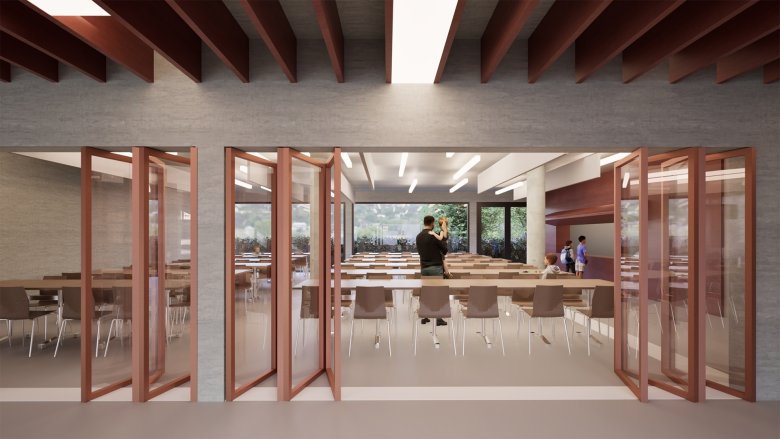
: In place of the single-story break hall, a dining hall measuring approximately 145 square meters will be built, along with a spacious hallway area that can continue to be used as a break hall in the future.

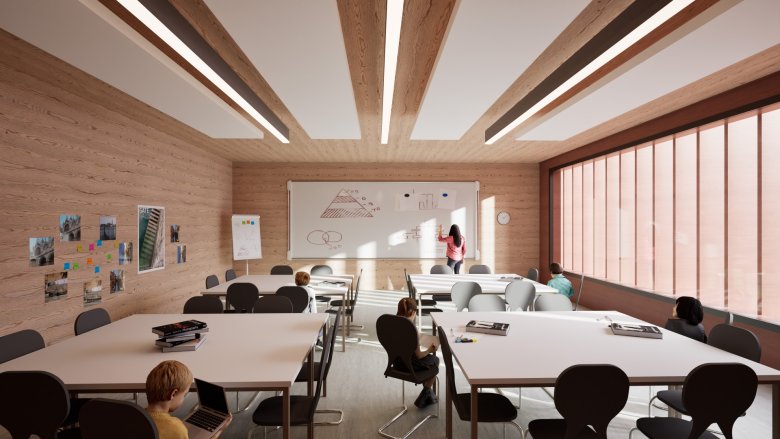
The floor above contains a classroom, a multi-purpose room, two group rooms, two meeting rooms, a teaching materials room, a checkroom and ladies' and men's rooms' toilets.
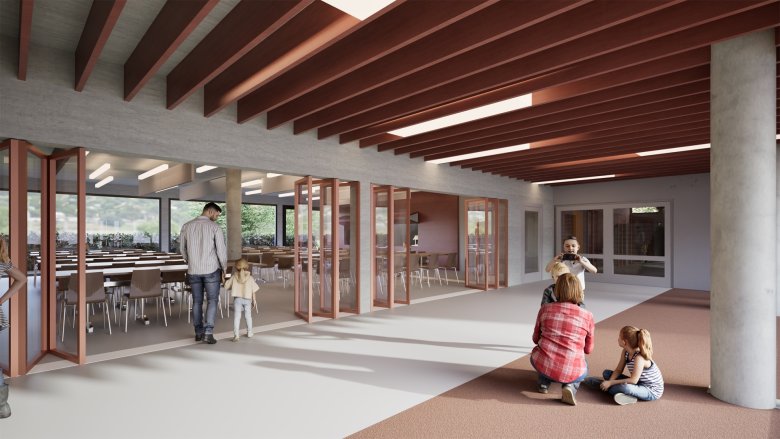
Break hall with a view of the canteen

Multifunctionality
: The cafeteria and break hall can be combined and used as a multipurpose auditorium.
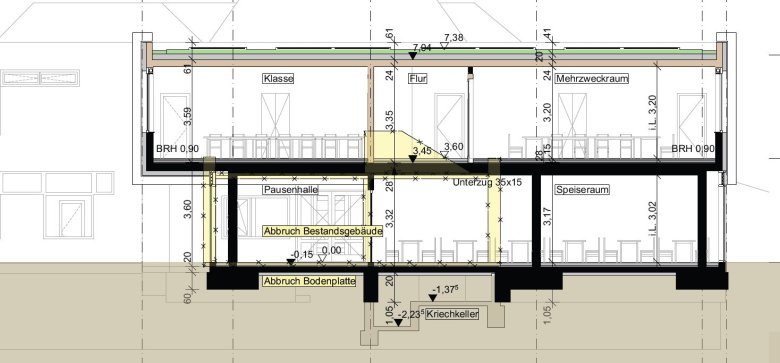

Cut
Cut


Accessibility and Accessibility
Improvements: The two-story addition provides a practical connection between the upper floors of the two existing wings. A new elevator also ensures accessibility, which was previously lacking.
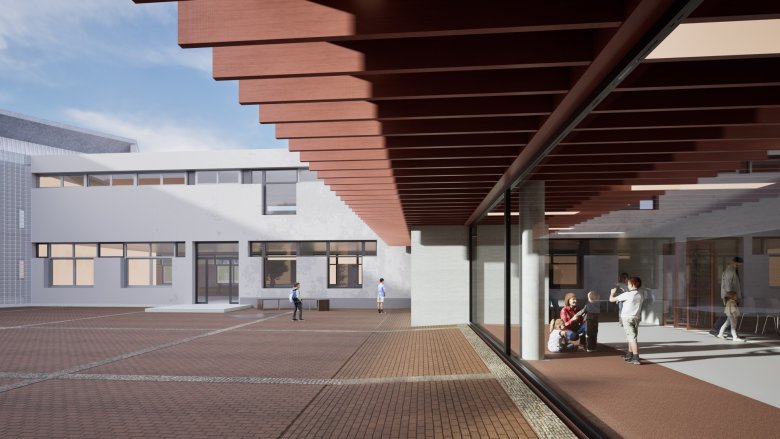
Façade and roof overhang on the first floor


Schoolyard
: Thanks to the compact, two-story design, the size of the schoolyard remains virtually unchanged from the existing layout.
  • Renderings

    Courtyard view
    Courtyard view
    Folding wall and view into the canteen
    Folding wall and view into the canteen
    Classroom on the upper floor
    Classroom on the upper floor
  • Further design information

    Ceiling heights
    : To ensure that the rooms planned for the upper floor of the addition are at the same level as the existing rooms, the ceiling height on both floors is set at a maximum of three meters.

    Implementation
    : Given the scale of the work required on the existing structure, relocating school operations is unavoidable.

  • Variants

    As part of the design development, two variants were developed, a two-storey and a single-storey solution with several structures on the schoolyard site.

    Both options were presented to the school. In their opinion, the decision-makers were in favor of the two-storey variant, as the advantages outweigh the disadvantages from an educational point of view and in terms of accessibility as well as the significantly lower space consumption of the schoolyard area.


Help with accessibility

  • General

    We make every effort to ensure that our websites are accessible. You can find details on this in our accessibility statement. You can send us suggestions for improvement using our"Report a barrier" feedback form.

  • Font size

    To adjust the font size, please use the following key combinations:

    Larger

    ⌘command
    +

    Smaller

    ⌘command

    Larger

    Ctrl
    +

    Smaller

    Ctrl
  • Keyboard navigation

    Use TAB and SHIFT + TAB to navigate through next/previous links, form elements and buttons.

    Use ENTER to open links and interact with elements.

  • Contrast mode

    Press the following key combination to reduce or increase the contrast:

    Enlarge

    ⌃control
    ⌥option
    ⌘command
    .

    Decrease

    ⌃control
    ⌥option
    ⌘command
    ,
    Note: The shortcuts must be activated in the system settings of the operating system.

    Press left ALT + left SHIFT + PRINT to quickly switch the high contrast mode on or off.

  • Invert colors

    Press the following key combination to switch the color inversion on and off:

    ⌃control
    ⌥option
    ⌘command
    8
    Note: The shortcuts must be activated in the system settings of the operating system.

    First activate the screen magnifier and then switch the color inversion on and off with the following key combinations:

    1. screen magnifier

    +

    2. invert colors

    Ctrl
    Old
    I
  • Screen magnifier

    Press the following key combinations to use the screen magnifier:

    Switch on/off

    ⌥option
    ⌘command
    8

    Enlarge view

    ⌥option
    ⌘command
    =

    Reduce view

    ⌥option
    ⌘command
    Note: The shortcuts must be activated in the system settings of the operating system.

    Switch on / Enlarge view

    +

    Reduce view