New hiking hub system in Aachen-Richterich: 33 kilometers of hiking trails with cross-border connections
Hiking around Aachen-Richterich and Horbach: this is now even easier thanks to the integration into the city-wide hiking hub system. Last year, a total of 33 kilometers of hiking trails were marked in the district. Now two more orientation boards have been added at Heinrich-Lehmann-Platz and at the Horbacher Straße/Oberdorfer Straße junction. All those involved celebrated the opening of the new junction system with district mayor Hans Peter Kehr on Friday, May 8.
New System Makes Navigation
Easier“With the inauguration of the long-planned hiking trail network, we have achieved an important goal. For us, it is essential that hiking enthusiasts can find their way even without a cell phone,” Kehr emphasized at the ceremony. In addition to the Aachen-Richterich District Office and the commissioned planner, the Climate and Environment Department played a key role in implementing the orientation system.
The new nodes can also be linked with other orientation systems from neighboring regions. Yvonne Moritz, head of the district authority, explained: "The Richterich hiking junctions should not be viewed in isolation, but are part of a cross-border system. With the completion here, we are creating a real gap closure."
An Inaugural Hike to
HorbachAfter the official opening, a group of eager hikers led by Werner Feil, co-initiator of the hiking trail network, set out on a loop hike. The route followed mostly flat paths through the varied Börde landscape for about five kilometers to Horbach. After a well-deserved break, the group set off again, hiking past several historic square farms through the fields back to the starting point at Heinrich-Lehmann-Platz. This route is a total of 8.5 kilometers long.
Digital Hiking
RoutesIf you’d like to plan your next hike right away, you can find the hiking map shown on the signs, as well as four suggested hikes, online at www.aachen.de/wandern.
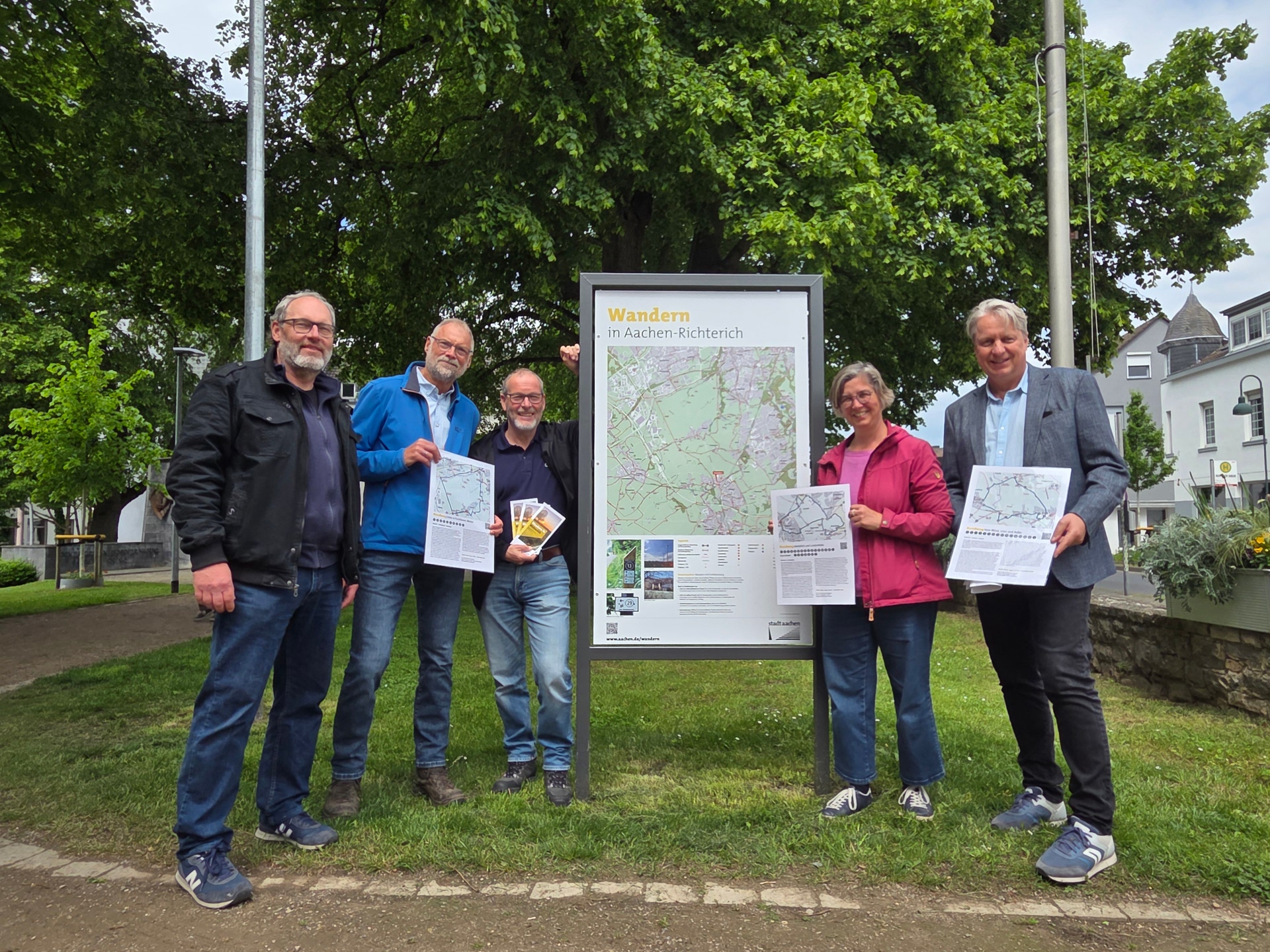
Proud of the new hiking hub system: (from left) planner Paul Dunkel, co-initiator Werner Feil, District Mayor Hans Peter Kehr, District Office Director Yvonne Moritz and Dirk Kinnius from the Climate and Environment Department.
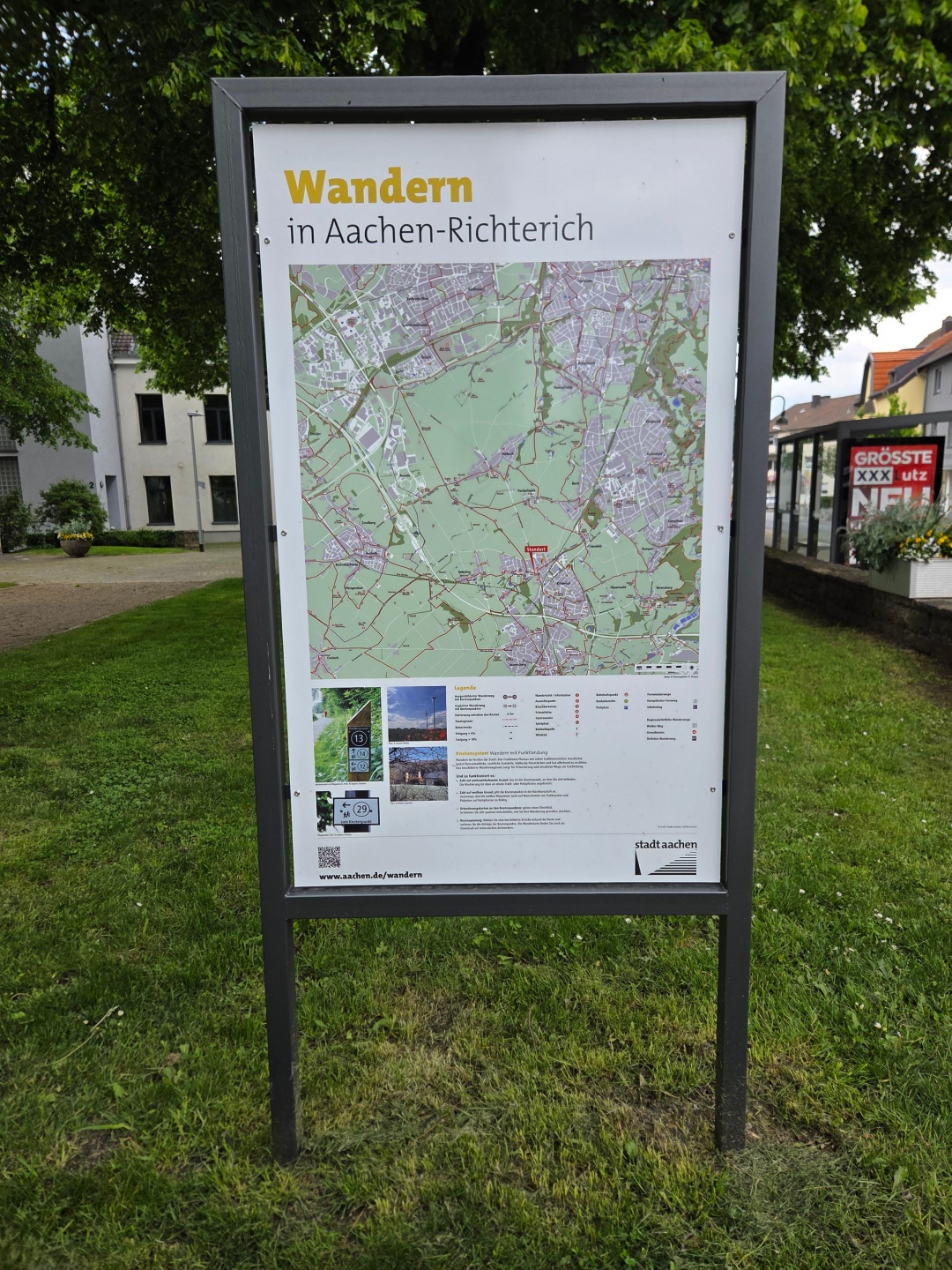
Two new orientation boards, like this one at Heinrich-Lehmann-Platz, make route planning easier and explain the junction system.
You can subscribe to our RSS feed for our press releases here https://www.aachen.de/rss-feed-pressemitteilungen/rss.xml