Collaboration with the Cologne University of Applied Sciences: Restoration of Parchment Documents from the Aachen City Archives
The Aachen City Archives preserve a very extensive collection of documents. Many of these archival materials still require conservation and restoration work. A long-standing partnership with the Technical University of Cologne, to which a certain number of documents are regularly sent for restoration, enables further progress in this area.
In October 2025, as part of this collaborative project, ten historical parchment documents from the Aachen City Archives were transferred to the Department of Restoration and Conservation of Written Documents, Graphic Art, Illumination, and Photography at the Cologne University of Applied Sciences. The documents come from the extensive Coels family archive, which spans many centuries. The oldest of the restored parchment documents is dated December 20, 1445, and the most recent is dated July 6, 1776.
The documents all exhibited various signs of damage that had developed over the course of the past centuries. They were soiled, warped from water damage, shrunken, and discolored, and had creases and holes. The red, green, and brown wax seals had partially fallen off or were damaged and also had to be restored and secured. The goal was to restore the documents so that they would not suffer further damage from use and could be stored unfolded and flat. Now they can also be scanned. The restored documents were mounted individually on acid-free cardboard and placed in archival folders.
The students—who are aspiring conservators and are working on archival materials under the guidance of Prof. Dr. Pataki-Hundt—all have at least one year of practical experience in the conservation of archival materials made of paper, parchment, and leather. In thematic practical sessions, students restore items such as parchment documents, and each step is documented both photographically and in writing.
The parchment document shown here is dated May 13, 1486. It is only 7.5 cm high and 28 cm wide, and has nine parchment tabs to which wax seals were once attached; only one green wax seal is still partially preserved.
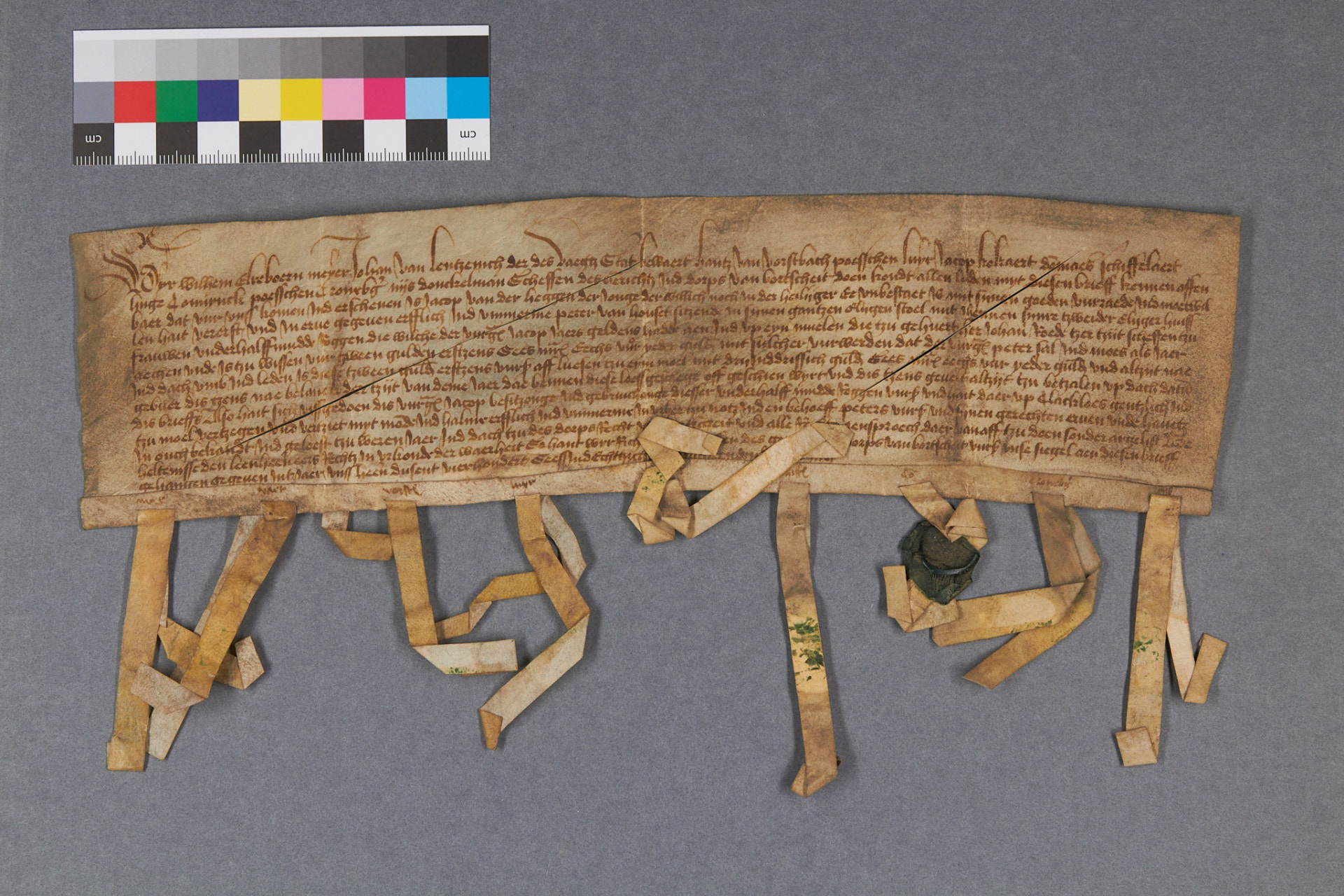
The document dated May 13, 1486, before restoration, with creases.
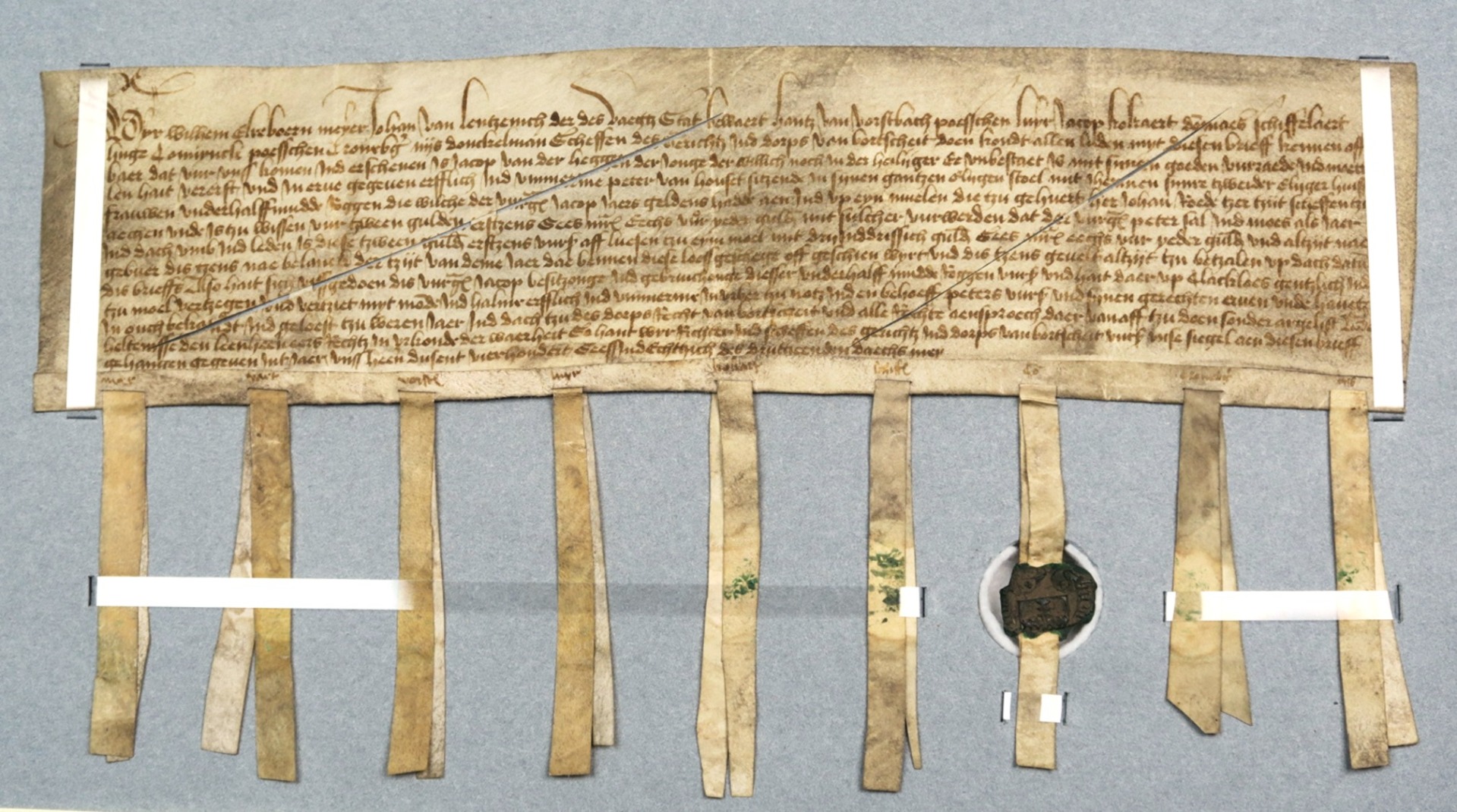
View of the cleaned, smoothed document after restoration, mounted on acid-free cardboard using Melinex strips (plastic films without plasticizers). The wax seal is recessed. The document was mounted on the cardboard to prevent it from shifting.
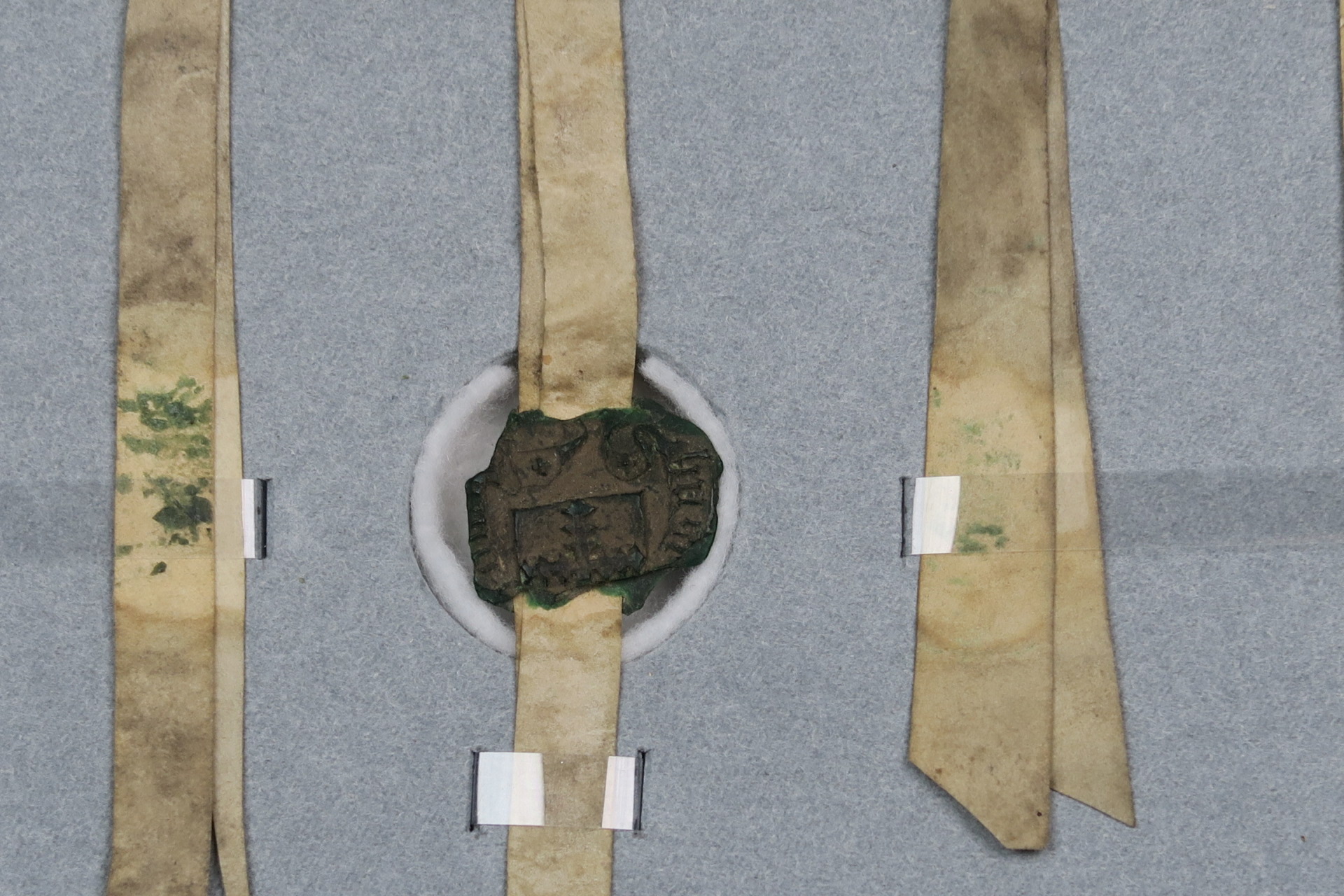
Detail of Hugo Connynck's wax seal featuring a serrated cross.
You can subscribe to our RSS feed for our press releases here https://www.aachen.de/rss-feed-pressemitteilungen/rss.xml