Art in the Neighborhood: Students Create a Large Mural for the City Public Works Department
Bright orange and green—matching the colors of Aachen’s municipal utilities—the meter-high letters stand out on the building’s facade on Freunder Weg, making it clear from a distance who works here. The “Stadtbetrieb” lettering, spray-painted in three dimensions, is complemented by motifs depicting the daily work of employees throughout the city of Aachen. It was created by 40 students from the Aachen-Ost School District as part of the “Kunst im Viertel” art project.
The school social work program was supported by community outreach efforts from the city’s Department of Youth and Schools, led by city school social worker Jan Bernhardt. The street art workshops were facilitated by artists Silke Franke and Ruth Anny-Malin, in cooperation with the Bleiberger Fabrik.
“The project gives all participating students the opportunity to experience self-efficacy, to see themselves as experts on their own neighborhood, and to take pride in identifying with it,” explains the social worker. “By helping to shape their own social environment, the young people learn important skills and competencies for their lives. This strengthens their motivation to make a lasting commitment to their own social environment.” And it strengthens a sense of community—both within the group and with others. “We’d stand here later—sometimes in the rain, sometimes in full sun, often with canopies and ladders—and were always warmly greeted and taken care of by the city department staff,” recalls Jan Bernhardt.
For weeks, the students worked on the mural, reached compromises on individual parts of the design, and created sketches. Lana Hunds still remembers well how long they spent beforehand discussing how to bring everyone’s ideas to life. “Each of us was able to contribute our own ideas. We collected and sorted everything on a large sheet of paper before we drew the first sketches,” says the 14-year-old. She was unable to participate in the spray-painting event, so she’s all the more delighted with the result at the official handover to the city agency. “It really turned out very stylish.”
“The experience with the young people is truly one of a kind,” says Jan Bernhardt. “It’s always very well received. However, we’ve never had a project like this before, because the area is so large. We had a lot of creative freedom and took full advantage of it.”
The result also puts a smile on the face of Indra Balsam, the operations manager of Stadtbetrieb, every morning. “It’s impressive what the young people have created here. I’m delighted by it every day—it captures, in an artistic way, what Stadtbetrieb Aachen stands for.” The employees of the municipal utility shared this sentiment as well. “I often hear people say how beautiful the painting turned out and ask if we could carry out a project like this somewhere else.” The students, at least, would be on board again. Because, as is abundantly clear, everyone had a great time.
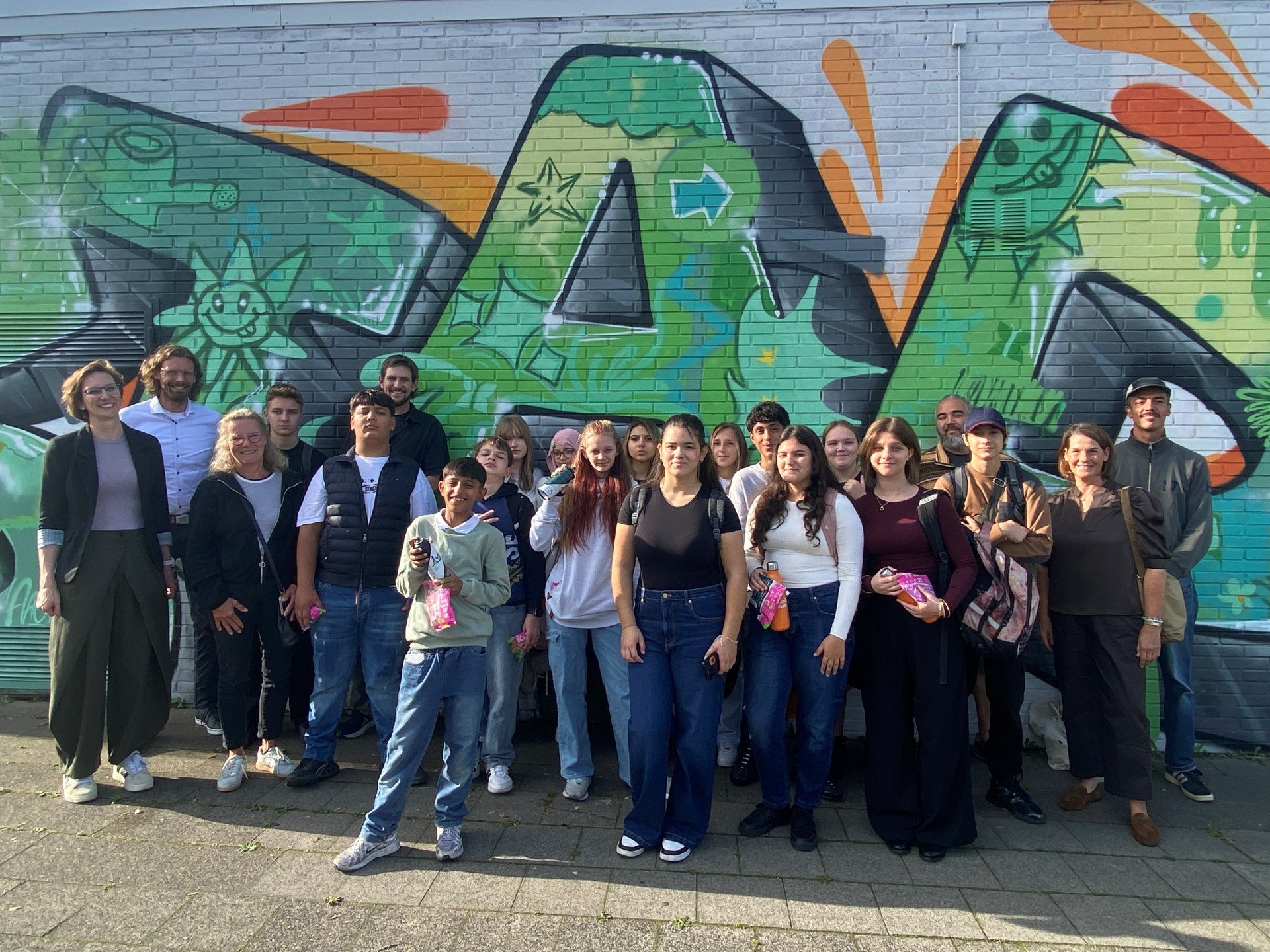
Forty students worked together to create the mural.
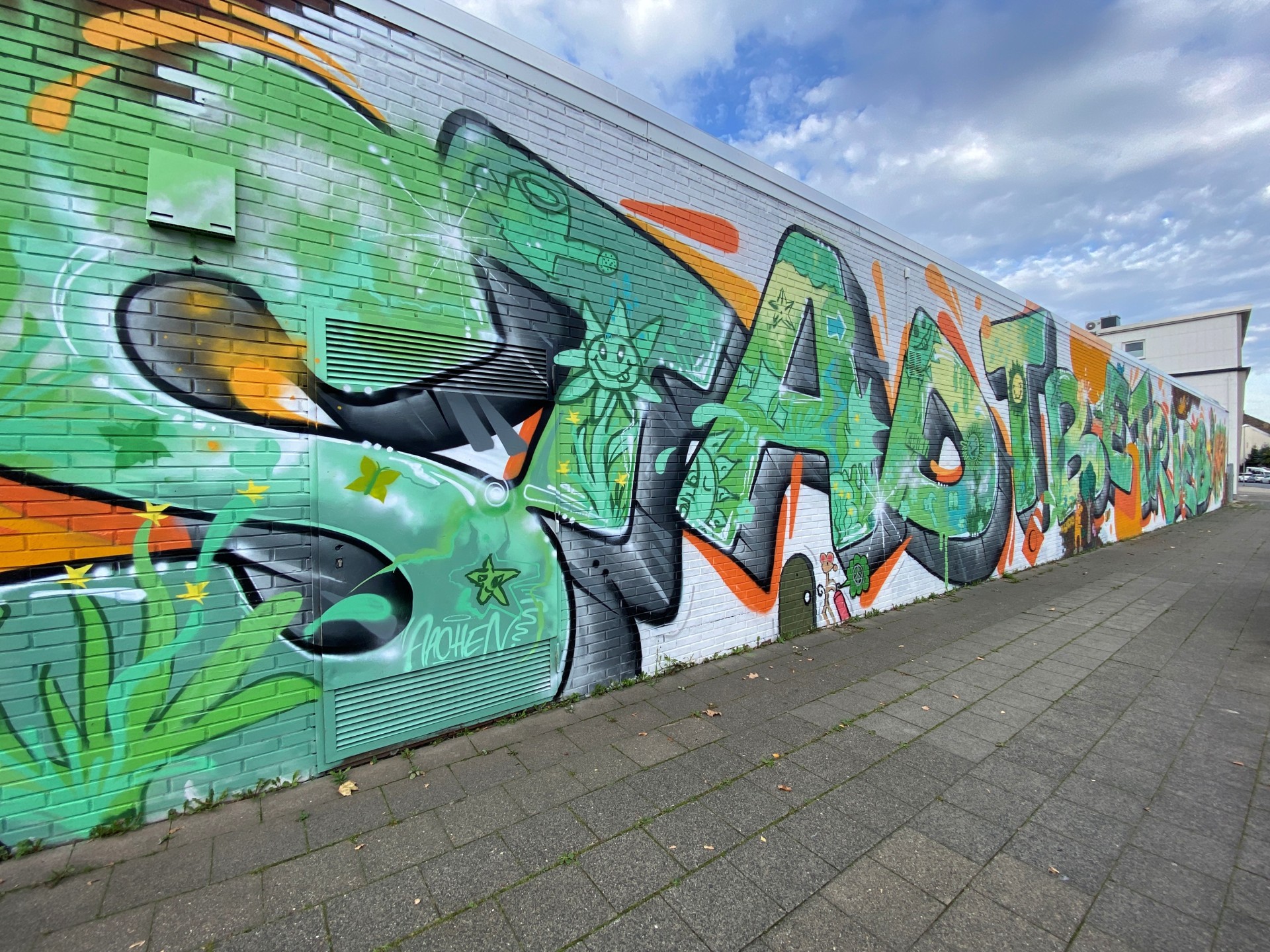
Graffiti covering a 40-meter stretch of wall: The graffiti extends the entire length of the building.
Graffiti covering a 40-meter stretch of wall: The graffiti extends the entire length of the building.
You can subscribe to our RSS feed for our press releases here https://www.aachen.de/rss-feed-pressemitteilungen/rss.xml