Art meets the classroom: primary school classes discover the Ludwig Forum for International Art
Lessons where modern art is exhibited: This became a reality for two primary school classes at Passstraße Catholic Primary School (KGS). Since September last year, they have been visiting the Ludwig Forum for International Art once a week, taking a look behind the scenes of the museum and becoming active themselves in the art workshop.
The museum as a place of well-being
The pilot project was developed as part of an educational partnership, as Pia vom Dorp, Head of the City of Aachen's Museum Service, explained at a press event. "We wanted to give children the opportunity to visit the museum regularly over a longer period of time. It was exciting to observe the children's development: How barriers were broken down, how the children moved around the museum and created art themselves," reported vom Dorp. One aim of the project is for children to get to know a museum as a trusting place where they feel comfortable.
Getting to know everyday museum life
The Ludwig Forum was particularly suitable for this: The space available in the established art workshop allows for independent work, even with large classes. In addition, the children can reach the museum on foot: a neighborly cooperation. The museum also has different materials and capacities than the school building, explained Ursula Milde-Reimertz, principal of KGS Passstraße. All the skills and content of the curriculum can be taught as part of "art lessons in the museum", she emphasized. The children were particularly impressed by the insights into everyday museum life: How does a work of art actually end up on the wall? What does the museum actually exhibit? Where are the works of art stored in the museum? Many of the primary school children were visiting an art museum for the first time as part of the project.
A colorful underwater world
During a lesson, the children first visit the museum, talk about the art exhibited there or get to know the work in the museum better. Then, always guided by their art teachers and the art educator from the Ludwig Forum, they go to the art workshop and get active themselves. There they draw, paint, model or even print. The first group of the project, consisting of a first and a fourth class, dealt with the topic "under water". The result was a colorful underwater world that was exhibited in the elementary school. A sculpture in the Ludwig Forum, a bear with a fish in its mouth, inspired the pupils to create a two-metre sculpture of a seal.
Now two new classes can look forward to art lessons in the museum for the next few months. They will be getting creative with the generic term "fantasy worlds". The museum and KGS Passstraße want to develop the project further together.
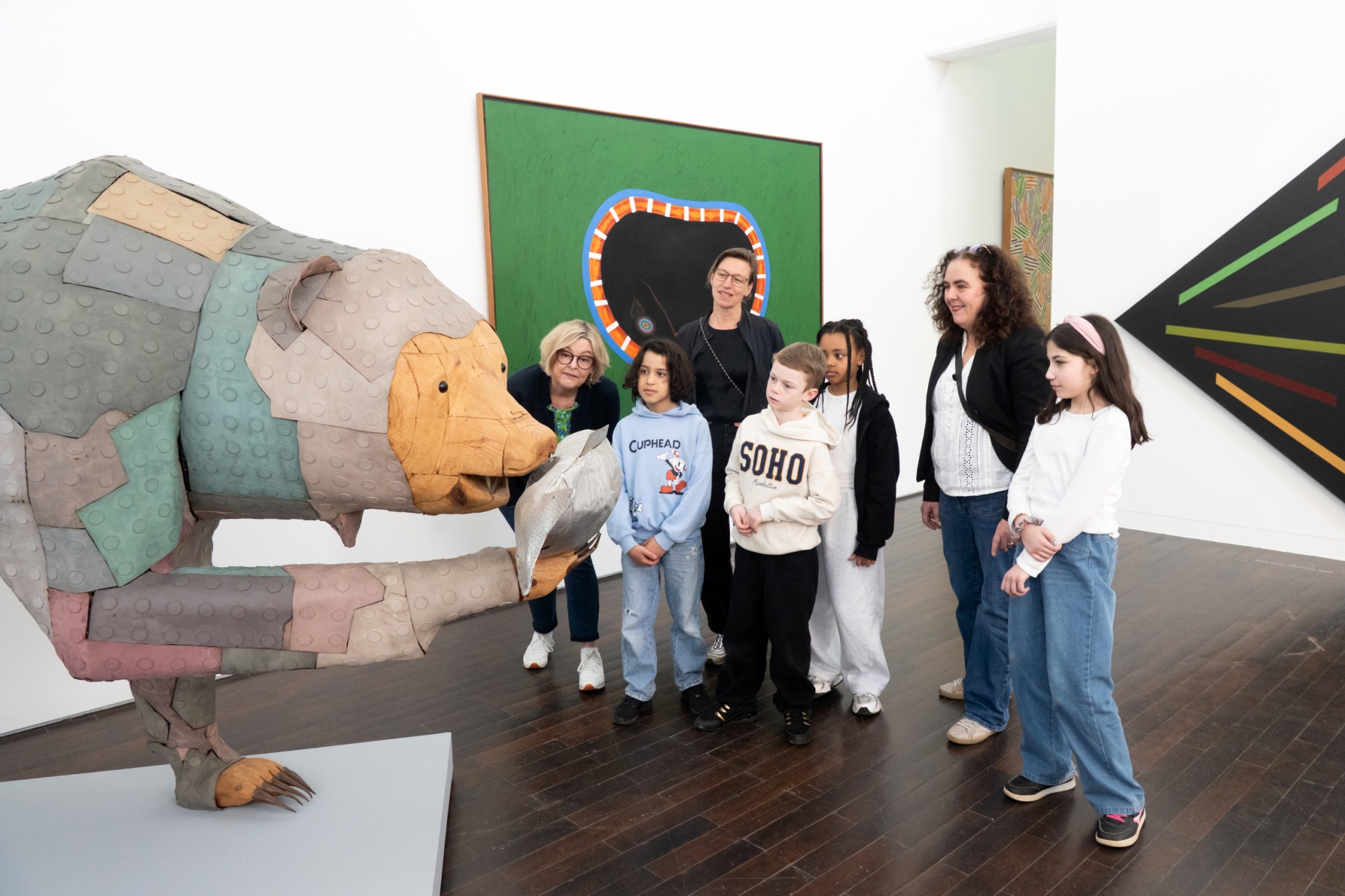
(back row from left) Pia vom Dorp, Head of the Museum Service of the City of Aachen, Petra Kather, responsible employee of the Museum Service and Ursula Milde-Reimertz, Headmistress of the KGS Passstraße, examine the sculpture "Der große Fischzug" (1990, Bertram Jesdinsky) with pupils of the pilot project, which inspired the primary school classes to create their underwater world, among other things.
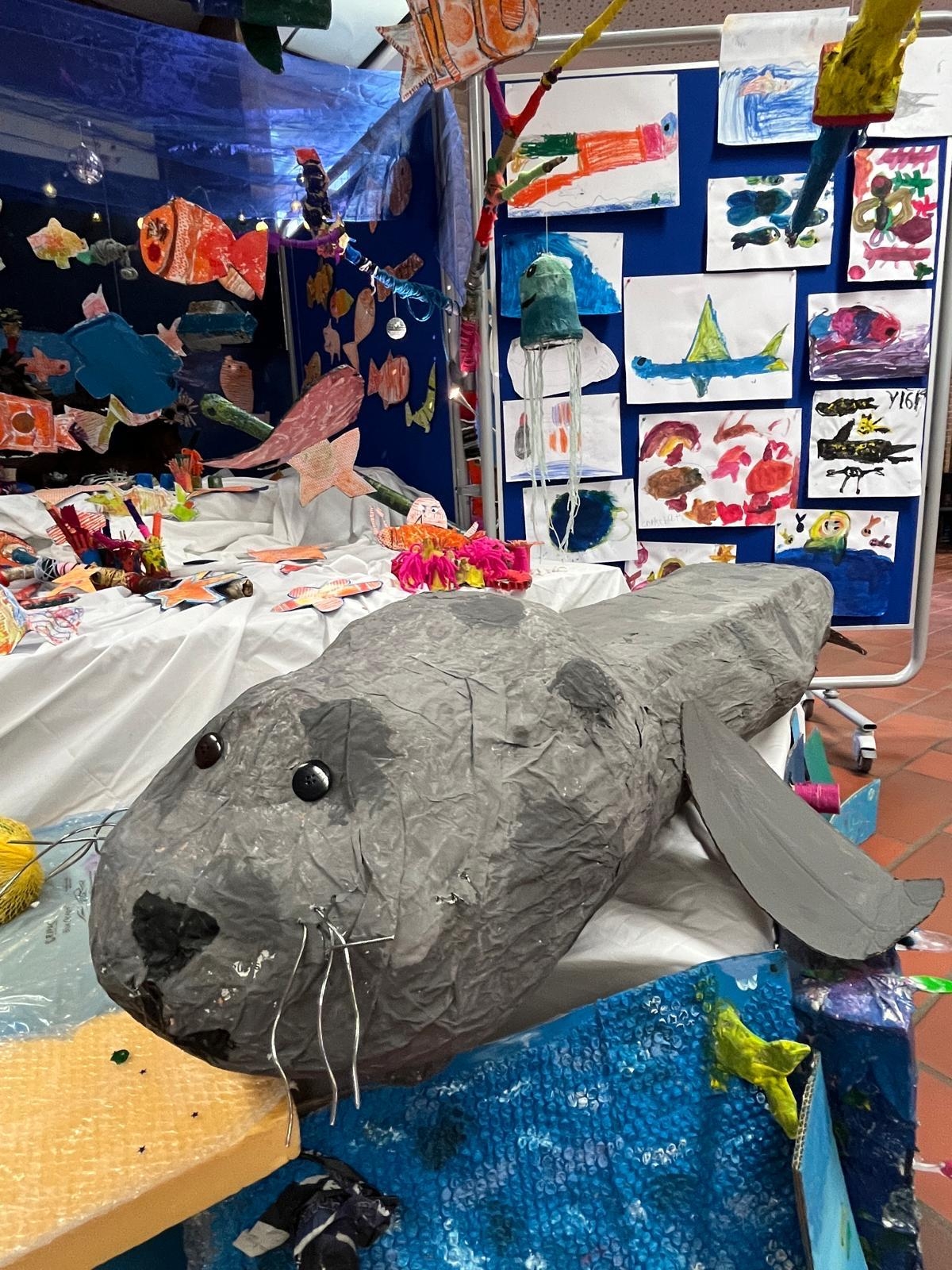
A colorful underwater world: The first months of "Art Lessons in the Museum" have resulted in a large exhibition in the KGS Passstraße with a large seal sculpture in the foreground.
You can subscribe to our RSS feed for our press releases here https://www.aachen.de/rss-feed-pressemitteilungen/rss.xml