ISEK Aachen Forst: New Bookcase at the Community Center
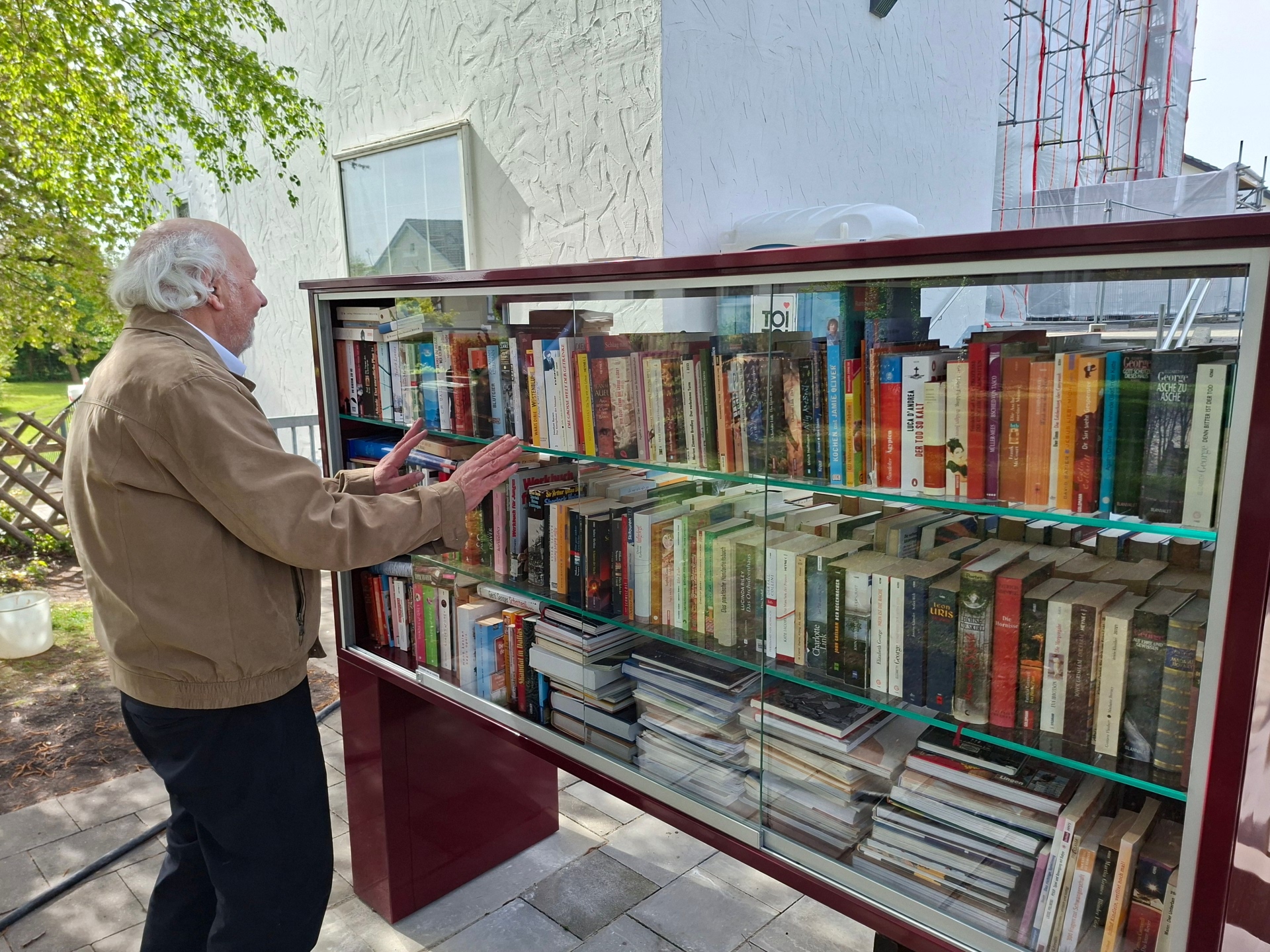
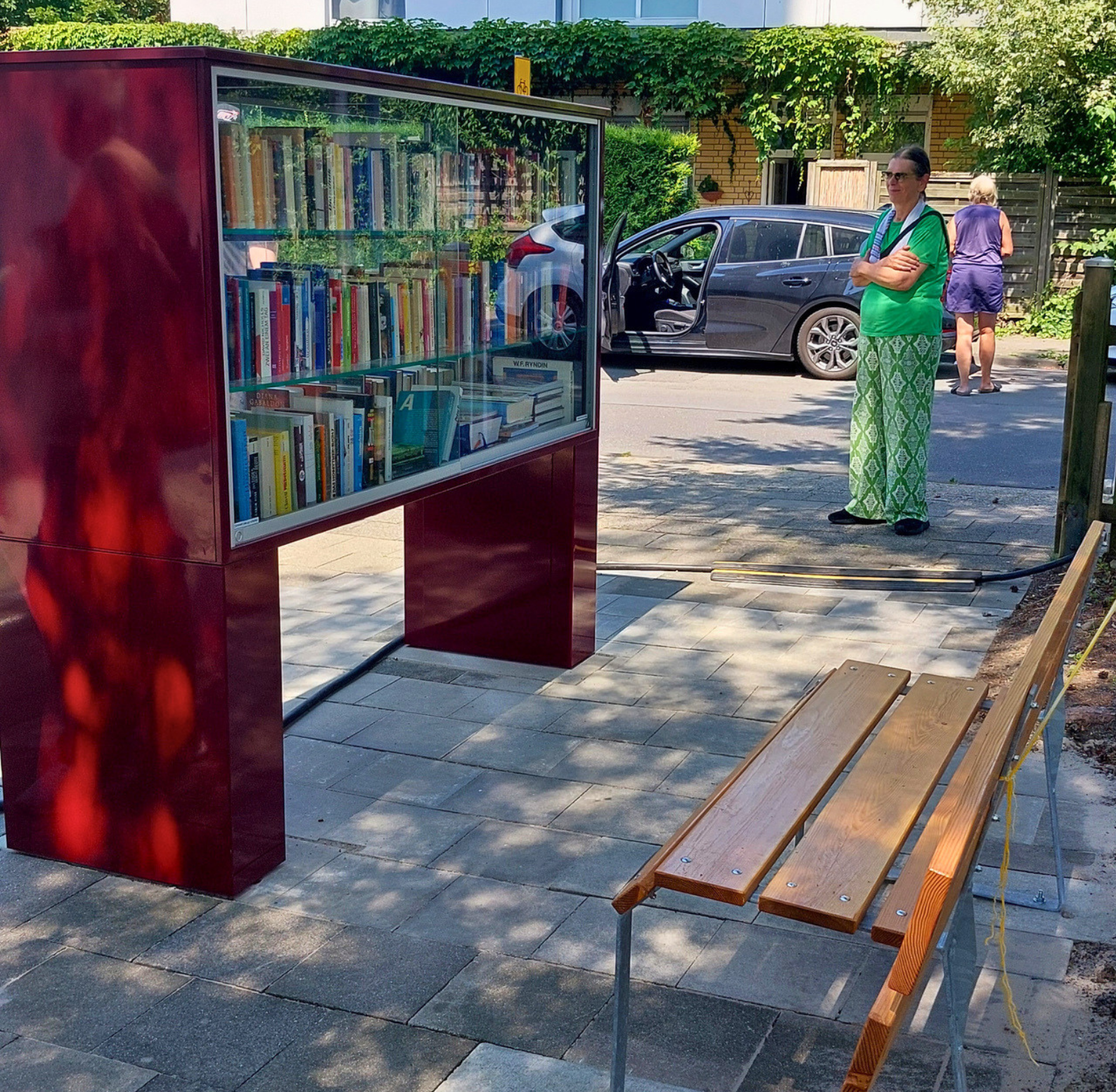
Finally, some new reading material for all bookworms and a new gathering spot in Aachen-Forst: a new bookcase and a very special bench now stand between the Forst Community Center and the Protestant Auferstehungskirche, right next to the inclusive neighborhood garden. The Lebenshilfe is located right next door. This is a place where neighbors can come together.
Inclusion plays a central role in this neighborhood. That is why this bookcase is deliberately different from many conventional public bookcases. Instead of a tall, vertical design with doors that are often difficult to operate and have stiff springs, it was built horizontally and equipped with smooth-gliding sliding doors. This allows people in wheelchairs to reach and use the books independently. The bookcase is one-of-a-kind and was designed by the community members themselves. The bookcase was financed as part of the Integrated Neighborhood Development Concept (ISEK) for Aachen-Forst using funds from the discretionary fund, and a volunteer from the community center serves as its sponsor.
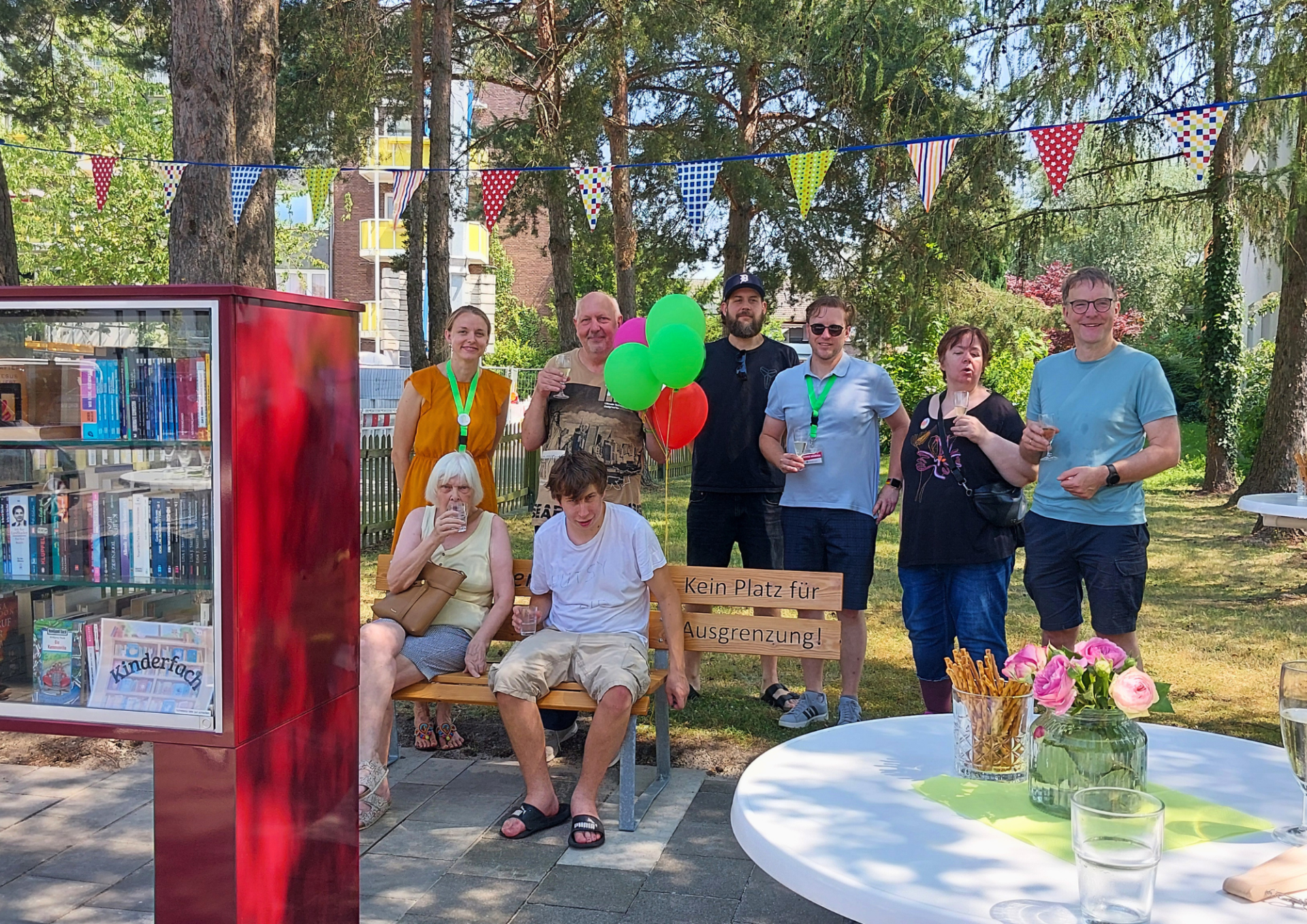
The bookcase is complemented by a unique bench from the “No Room for Exclusion” project run by Lebenshilfe Heinsberg. The bench was crafted in the woodshop of DeinWerk gGmbH, a workshop for people with mental health challenges operated by Lebenshilfe Heinsberg. Its striking design conveys a clear message: the right-hand seat is intentionally missing. The words “No Place for Exclusion” are milled into the backrest, while the remaining seat bears the inscription “Together in Forst.” This bench was funded by the municipal neighborhood fund; three more benches will be installed in the neighborhood.
Both projects share a common goal: a neighborhood where people can come together and participate, regardless of age, background, disability, or life circumstances. The new plaza at the Auferstehungskirche is intended to serve as a visible symbol of openness, inclusion, and neighborly cooperation.
You can subscribe to our RSS feed for our press releases here https://www.aachen.de/rss-feed-pressemitteilungen/rss.xml