Diese Seite wurde automatisch übersetzt. Es kann daher zu Abweichungen oder Ungenauigkeiten im Text kommen. Verbindlich ist ausschließlich die Originalfassung. Rechtsansprüche aus Inhalten der übersetzten Version sind ausgeschlossen.

Press releases

Bomb successfully defused

The explosive ordnance disposal service successfully defused the American aerial bomb at around 2.30 pm. After loading the bomb, the evacuated residents can return to their houses and apartments.

Aureliusstraße will remain closed to vehicles until 3.30 p.m. so that the residents can be brought back to the local retirement home by the fire department and aid organizations.

The bomb, weighing 250 kilograms, was found yesterday afternoon (January 21) during construction work on a building site at Franzstraße 58.

Therefore, an area within a radius of 400 meters around the bomb was evacuated in the morning. Around 6,200 people were affected. A total of around 200 people had gathered in the care center in the business area of the Tivoli. ASEAG drove those affected from the Tivoli back to the bus station and the Normaluhr free of charge until 3.30 pm.

There were 182 firefighters on site. Together with 118 members of aid organizations and a large number of police officers, they supported the 65 colleagues from the Safety and Order Department in evacuating the area.
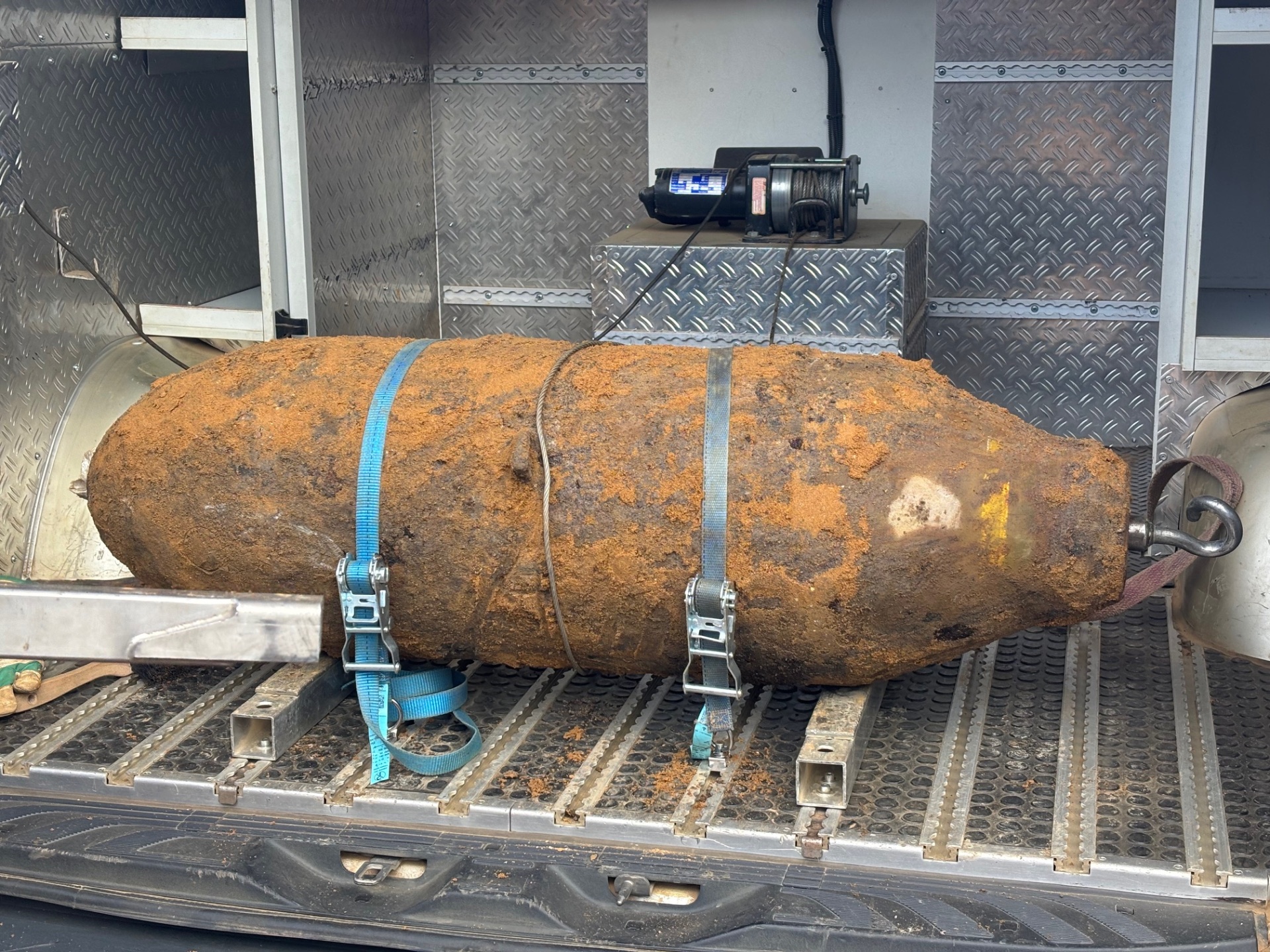
The defused bomb is removed by the NRW Explosive Ordnance Disposal Service.


You can subscribe to our RSS feed for our press releases here https://www.aachen.de/rss-feed-pressemitteilungen/rss.xml

Help with accessibility

  • General

    We make every effort to ensure that our websites are accessible. You can find details on this in our accessibility statement. You can send us suggestions for improvement using our"Report a barrier" feedback form.

  • Font size

    To adjust the font size, please use the following key combinations:

    Larger

    ⌘command
    +

    Smaller

    ⌘command
    –

    Larger

    Ctrl
    +

    Smaller

    Ctrl
    –
  • Keyboard navigation

    Use TAB and SHIFT + TAB to navigate through next/previous links, form elements and buttons.

    Use ENTER to open links and interact with elements.

  • Contrast mode

    Press the following key combination to reduce or increase the contrast:

    Enlarge

    ⌃control
    ⌥option
    ⌘command
    .

    Decrease

    ⌃control
    ⌥option
    ⌘command
    ,
    Note: The shortcuts must be activated in the system settings of the operating system.

    Press left ALT + left SHIFT + PRINT to quickly switch the high contrast mode on or off.

  • Invert colors

    Press the following key combination to switch the color inversion on and off:

    ⌃control
    ⌥option
    ⌘command
    8
    Note: The shortcuts must be activated in the system settings of the operating system.

    First activate the screen magnifier and then switch the color inversion on and off with the following key combinations:

    1. screen magnifier

    +

    2. invert colors

    Ctrl
    Old
    I
  • Screen magnifier

    Press the following key combinations to use the screen magnifier:

    Switch on/off

    ⌥option
    ⌘command
    8

    Enlarge view

    ⌥option
    ⌘command
    =

    Reduce view

    ⌥option
    ⌘command
    –
    Note: The shortcuts must be activated in the system settings of the operating system.

    Switch on / Enlarge view

    +

    Reduce view

    –