Diese Seite wurde automatisch übersetzt. Es kann daher zu Abweichungen oder Ungenauigkeiten im Text kommen. Verbindlich ist ausschließlich die Originalfassung. Rechtsansprüche aus Inhalten der übersetzten Version sind ausgeschlossen.

Press releases

Urban land-use planning for the fourth station: early participation begins on March 10

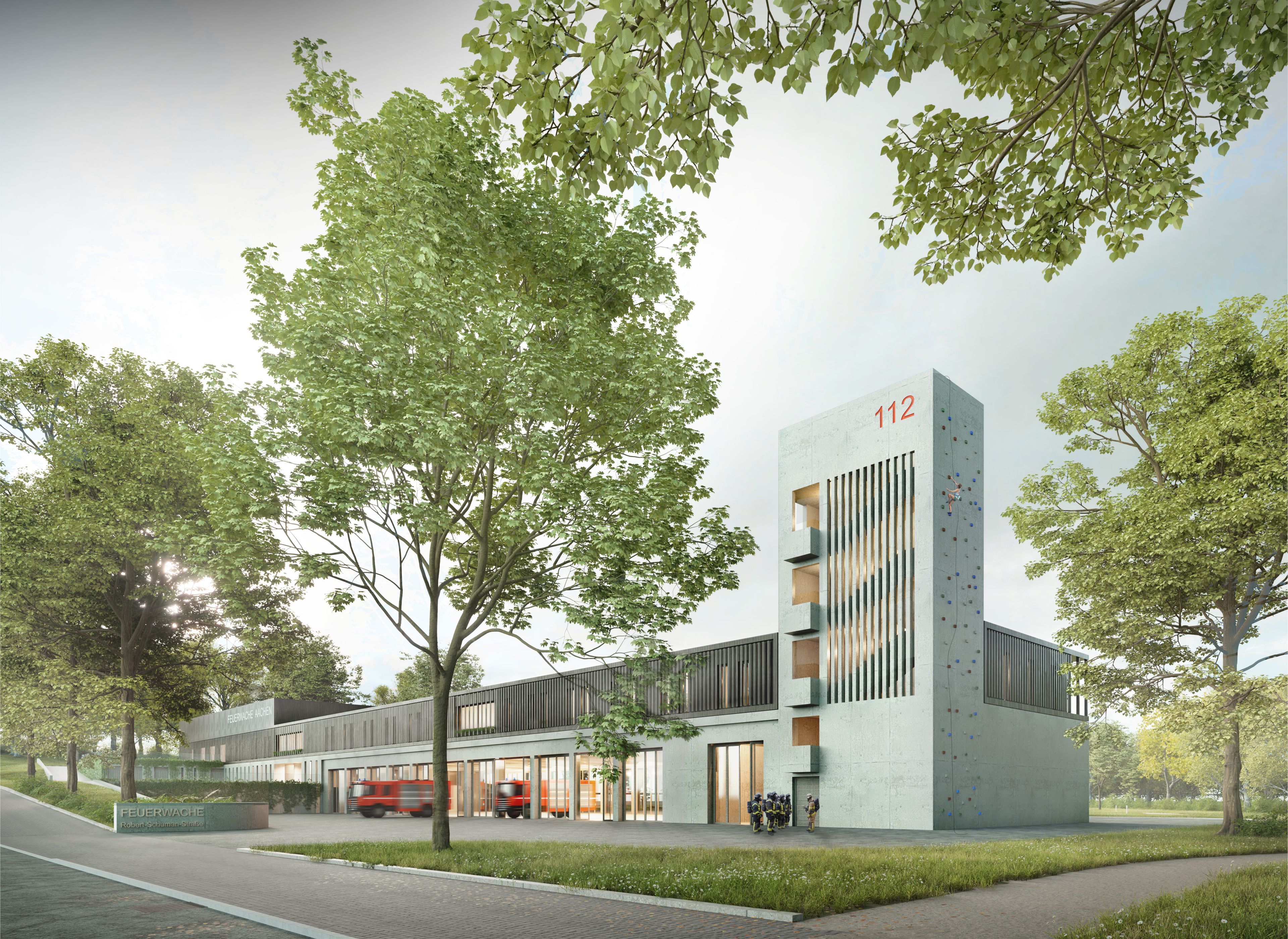
The city of Aachen is planning to build a "fourth fire and rescue station" in the Burtscheid district. After intensive consultations, politicians decided on the location between Siegelallee and Robert-Schuman-Straße in order to improve the provision of services to citizens in the south-western areas of the city in particular and thus meet the requirements of the fire protection requirement plan. This requires the amendment of the AACHEN*2030 land use plan and the creation of development plan no. 1021 "Siegelallee / Robert-Schuman-Straße".

The planning committee has therefore initiated early public participation. The early public participation period runs from Monday, March 10 to Friday, April 4. The plans are on display in the foyer of the Am Marschiertor administration building at Lagerhausstraße 20. Opening hours: Mondays to Fridays from 8 am to 6 pm, Fridays from 8 am to 3 pm.

There will also be an information event near the plan area in Burtscheid. On Tuesday, March 11, from 6 to 7 p.m. in the auditorium of the Katholische Hochschule NRW, Robert Schuman-Straße 25, citizens will have the opportunity to comment and discuss

The documents are also available online at www.aachen.de/bauleitplanung. Citizens also have the opportunity to submit comments on the plans there.

Further information and contact addresses can also be found online at www.aachen.de/bauleitplanung. You can also subscribe to the "Urban land-use planning" newsletter there to stay informed about current development planning procedures in the City of Aachen.

You can subscribe to our RSS feed for our press releases here https://www.aachen.de/rss-feed-pressemitteilungen/rss.xml

Help with accessibility

  • General

    We make every effort to ensure that our websites are accessible. You can find details on this in our accessibility statement. You can send us suggestions for improvement using our"Report a barrier" feedback form.

  • Font size

    To adjust the font size, please use the following key combinations:

    Larger

    ⌘command
    +

    Smaller

    ⌘command
    –

    Larger

    Ctrl
    +

    Smaller

    Ctrl
    –
  • Keyboard navigation

    Use TAB and SHIFT + TAB to navigate through next/previous links, form elements and buttons.

    Use ENTER to open links and interact with elements.

  • Contrast mode

    Press the following key combination to reduce or increase the contrast:

    Enlarge

    ⌃control
    ⌥option
    ⌘command
    .

    Decrease

    ⌃control
    ⌥option
    ⌘command
    ,
    Note: The shortcuts must be activated in the system settings of the operating system.

    Press left ALT + left SHIFT + PRINT to quickly switch the high contrast mode on or off.

  • Invert colors

    Press the following key combination to switch the color inversion on and off:

    ⌃control
    ⌥option
    ⌘command
    8
    Note: The shortcuts must be activated in the system settings of the operating system.

    First activate the screen magnifier and then switch the color inversion on and off with the following key combinations:

    1. screen magnifier

    +

    2. invert colors

    Ctrl
    Old
    I
  • Screen magnifier

    Press the following key combinations to use the screen magnifier:

    Switch on/off

    ⌥option
    ⌘command
    8

    Enlarge view

    ⌥option
    ⌘command
    =

    Reduce view

    ⌥option
    ⌘command
    –
    Note: The shortcuts must be activated in the system settings of the operating system.

    Switch on / Enlarge view

    +

    Reduce view

    –