Diese Seite wurde automatisch übersetzt. Es kann daher zu Abweichungen oder Ungenauigkeiten im Text kommen. Verbindlich ist ausschließlich die Originalfassung. Rechtsansprüche aus Inhalten der übersetzten Version sind ausgeschlossen.

Press releases

A drinking water dispenser for the city library

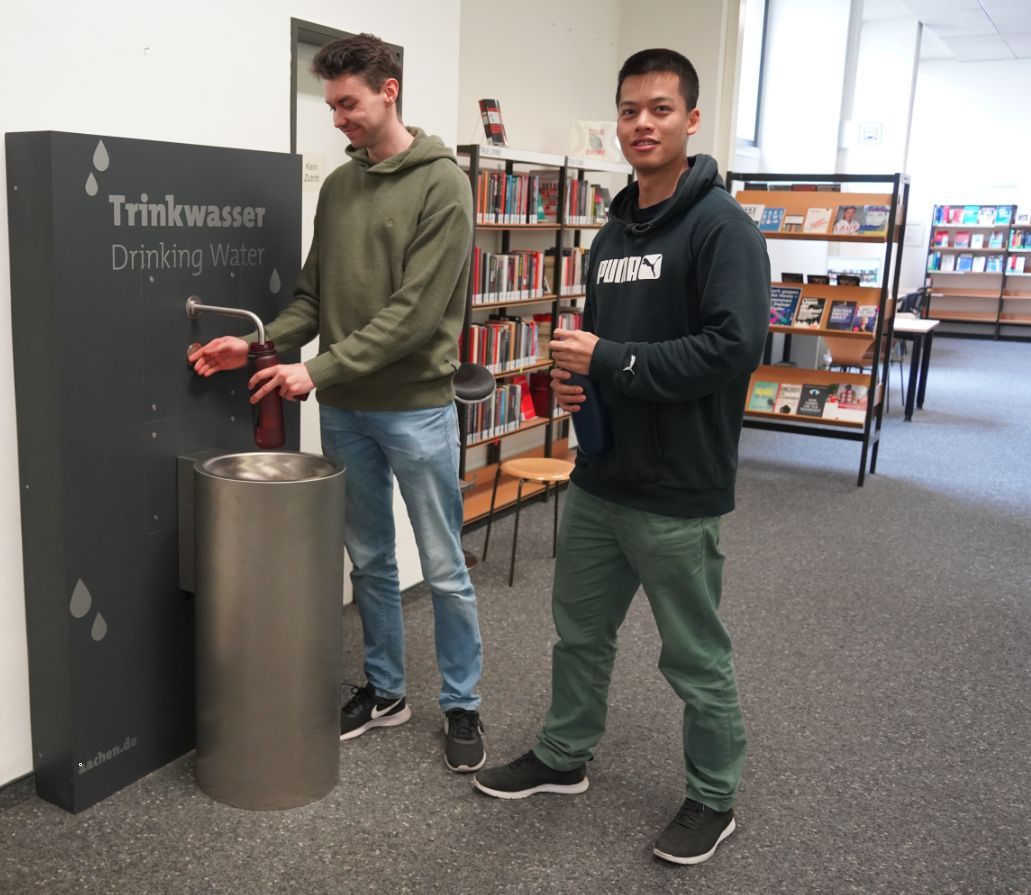
The administration has put a new drinking water dispenser into operation in the city library on Couvenstraße. From now on, visitors and employees of the city library can get fresh drinking water there free of charge. The drinking water dispenser is located on the second floor.

Here's how it works: anyone can draw drinking water from the tap using a container they have brought with them, ideally a reusable bottle, cup or glass, at any time during the library's opening hours and as often as they like.
There are now a total of nine public drinking water points in the city. The operation of all facilities is the responsibility of the municipal building management. In addition to the new location in the city library, there are further drinking water dispensers in the following municipal administration buildings (during the respective opening hours):

  • Katschhof administration building (Johannes-Paul-II.-Straße 1)
  • Administration building Lagerhausstraße 20
  • Administration building Hackländerstraße 1
  • Administration building Mozartstraße 2-10


The city has been providing four networked drinking water fountains in public areas for some time now. They are available around the clock. People can find the fountains with clean drinking water at the following locations:

  • Münsterplatz (the so-called Möschebrunnen)
  • Heinrich-Holland-Straße in Aachen-North
  • Alexanderstraße at the Hotmannspiefbrunnen fountain
  • Entrance from the Elisengarten in Ursulinerstraße


The provision of public drinking water stations is part of municipal services of general interest. With the new dispenser in the city library, a central and highly frequented location, the city of Aachen is specifically expanding its existing supply network.

You can subscribe to our RSS feed for our press releases here https://www.aachen.de/rss-feed-pressemitteilungen/rss.xml

Help with accessibility

  • General

    We make every effort to ensure that our websites are accessible. You can find details on this in our accessibility statement. You can send us suggestions for improvement using our"Report a barrier" feedback form.

  • Font size

    To adjust the font size, please use the following key combinations:

    Larger

    ⌘command
    +

    Smaller

    ⌘command

    Larger

    Ctrl
    +

    Smaller

    Ctrl
  • Keyboard navigation

    Use TAB and SHIFT + TAB to navigate through next/previous links, form elements and buttons.

    Use ENTER to open links and interact with elements.

  • Contrast mode

    Press the following key combination to reduce or increase the contrast:

    Enlarge

    ⌃control
    ⌥option
    ⌘command
    .

    Decrease

    ⌃control
    ⌥option
    ⌘command
    ,
    Note: The shortcuts must be activated in the system settings of the operating system.

    Press left ALT + left SHIFT + PRINT to quickly switch the high contrast mode on or off.

  • Invert colors

    Press the following key combination to switch the color inversion on and off:

    ⌃control
    ⌥option
    ⌘command
    8
    Note: The shortcuts must be activated in the system settings of the operating system.

    First activate the screen magnifier and then switch the color inversion on and off with the following key combinations:

    1. screen magnifier

    +

    2. invert colors

    Ctrl
    Old
    I
  • Screen magnifier

    Press the following key combinations to use the screen magnifier:

    Switch on/off

    ⌥option
    ⌘command
    8

    Enlarge view

    ⌥option
    ⌘command
    =

    Reduce view

    ⌥option
    ⌘command
    Note: The shortcuts must be activated in the system settings of the operating system.

    Switch on / Enlarge view

    +

    Reduce view