Diese Seite wurde automatisch übersetzt. Es kann daher zu Abweichungen oder Ungenauigkeiten im Text kommen. Verbindlich ist ausschließlich die Originalfassung. Rechtsansprüche aus Inhalten der übersetzten Version sind ausgeschlossen.

Press releases

Tim Berresheim in the city library

The newly designed display case in the city library provides a fascinating insight into the art project "New strength from old roots", which artist Tim Berresheim has been working on for months together with pupils from the Grundschule am Fischmarkt, Kaiser-Karls-Gymnasium and VHS Aachen College.

Under Berresheim's guidance, the young participants in the project explored their own environment in an artistic way and worked with new technologies such as augmented reality and 3D scans. At the opening of the showcase, Heinrich Brötz, City Councillor for Education, Youth and Culture, said: "With his artistic approach, Tim Berresheim not only establishes connections between analog and digital, but also between the historical roots of our city and the perceptions of children, teenagers and young adults. Under his guidance, they themselves become cultural actors, contribute their perspectives and create entirely new worlds."

The showcase in the city library presents some of the resulting works and offers exciting insights into the artistic creative process of the project. QR codes also make this process tangible.

The exhibition can be seen until spring 2025 during the regular opening hours of the city library.
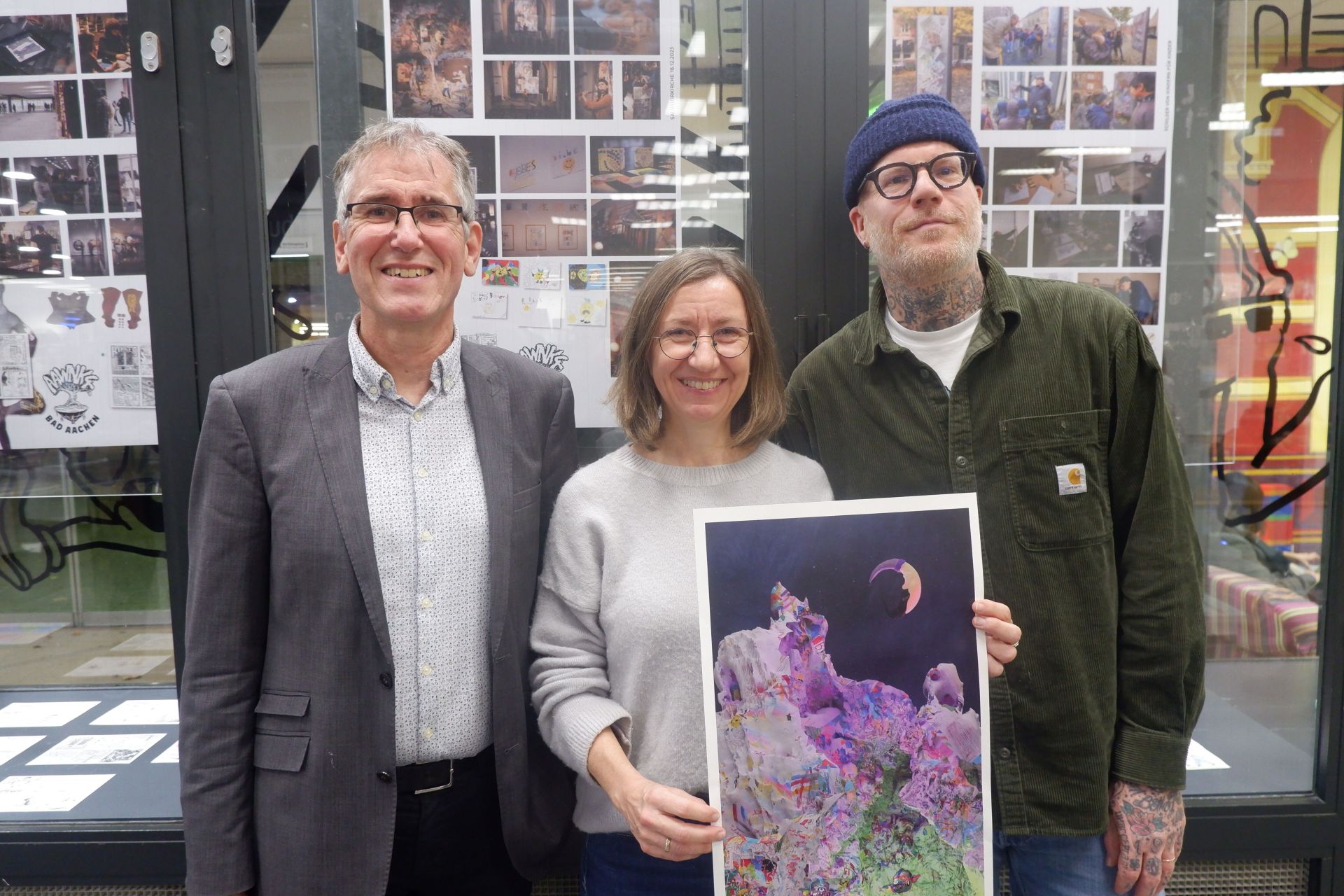
(from left to right) Heinrich Brötz, Alderman for Education, Youth and Culture of the City of Aachen, the Director of the City Library Doris Reinwald and the artist Tim Berresheim have now opened the newly designed display case in the City Library as part of the art project "New strength from old roots".


You can subscribe to our RSS feed for our press releases here https://www.aachen.de/rss-feed-pressemitteilungen/rss.xml

Help with accessibility

  • General

    We make every effort to ensure that our websites are accessible. You can find details on this in our accessibility statement. You can send us suggestions for improvement using our"Report a barrier" feedback form.

  • Font size

    To adjust the font size, please use the following key combinations:

    Larger

    ⌘command
    +

    Smaller

    ⌘command
    –

    Larger

    Ctrl
    +

    Smaller

    Ctrl
    –
  • Keyboard navigation

    Use TAB and SHIFT + TAB to navigate through next/previous links, form elements and buttons.

    Use ENTER to open links and interact with elements.

  • Contrast mode

    Press the following key combination to reduce or increase the contrast:

    Enlarge

    ⌃control
    ⌥option
    ⌘command
    .

    Decrease

    ⌃control
    ⌥option
    ⌘command
    ,
    Note: The shortcuts must be activated in the system settings of the operating system.

    Press left ALT + left SHIFT + PRINT to quickly switch the high contrast mode on or off.

  • Invert colors

    Press the following key combination to switch the color inversion on and off:

    ⌃control
    ⌥option
    ⌘command
    8
    Note: The shortcuts must be activated in the system settings of the operating system.

    First activate the screen magnifier and then switch the color inversion on and off with the following key combinations:

    1. screen magnifier

    +

    2. invert colors

    Ctrl
    Old
    I
  • Screen magnifier

    Press the following key combinations to use the screen magnifier:

    Switch on/off

    ⌥option
    ⌘command
    8

    Enlarge view

    ⌥option
    ⌘command
    =

    Reduce view

    ⌥option
    ⌘command
    –
    Note: The shortcuts must be activated in the system settings of the operating system.

    Switch on / Enlarge view

    +

    Reduce view

    –