Diese Seite wurde automatisch übersetzt. Es kann daher zu Abweichungen oder Ungenauigkeiten im Text kommen. Verbindlich ist ausschließlich die Originalfassung. Rechtsansprüche aus Inhalten der übersetzten Version sind ausgeschlossen.

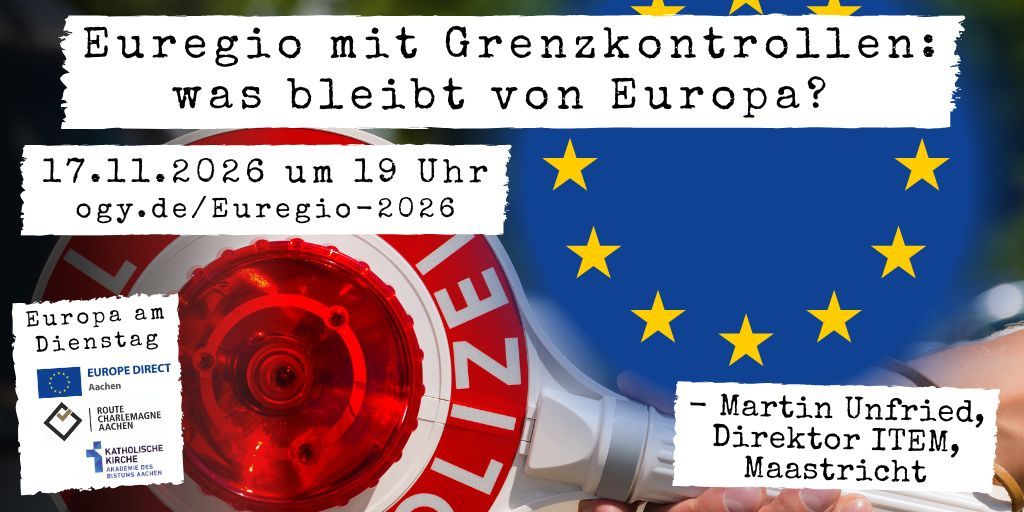
Euregio with Border Controls: What Will Remain of Europe? The State of Cross-Border Cooperation in 2026
11/26/17_EaD_Euregio_1024x512 - 1
Winfried Brömmel, © Europe Direct
Europe

Category: Europe

Euregio with Border Controls: What Will Remain of Europe? The State of Cross-Border Cooperation in 2026

If you’re unlucky, you’ll be stuck in traffic at the border between Maastricht and Aachen, because the federal police are diverting traffic there and occasionally checking passports. Border controls are the new normal in the Euregio, even though we had actually hoped to live together without borders ever since Schengen. This

year, the Euregio Maas-Rhein turns 50. This is the organization based in Eupen that has coordinated many cross-border projects over the past decades. Has it been successful? Where do we stand after all these years of cooperation along the Belgian, Dutch, and German borders? What is the state of the cross-border labor market, cooperation among universities, or collaboration between fire departments? What about the sense of “Euregio” among people living between Liège, Maastricht, and Aachen?

Martin Unfried ITEM 200Martin Unfried is the director of ITEM, the Institute for Transnational and Euregional Cooperation and Mobility, at Maastricht University. For more than 10 years, he has been conducting research on issues of cross-border cooperation in the European Union. His starting point is this: Europe’s border regions serve as a test case for the European Union. It is particularly here that citizens should be able to see the added value the EU brings to their daily lives.

Recent projects have focused, among other things, on the consequences of border controls, cooperation in the medical sector, cross-border mobility, and the cross-border labor market. He grew up in Baden-Württemberg and has been living in Maastricht for 30 years.

Questions from the audience are welcome. Catharina Gottschalk will moderate the event. She is the coordinator for Euregional and International Development at the City of Aachen.

Date: November 17, 2026

Time:19:00 - 21:00

Not specified

Organizer

Europe Direct

europedirect@mail.aachen.de

  • Europe Direct
  • Europe

Help with accessibility

  • General

    We make every effort to ensure that our websites are accessible. You can find details on this in our accessibility statement. You can send us suggestions for improvement using our"Report a barrier" feedback form.

  • Font size

    To adjust the font size, please use the following key combinations:

    Larger

    ⌘command
    +

    Smaller

    ⌘command
    –

    Larger

    Ctrl
    +

    Smaller

    Ctrl
    –
  • Keyboard navigation

    Use TAB and SHIFT + TAB to navigate through next/previous links, form elements and buttons.

    Use ENTER to open links and interact with elements.

  • Contrast mode

    Press the following key combination to reduce or increase the contrast:

    Enlarge

    ⌃control
    ⌥option
    ⌘command
    .

    Decrease

    ⌃control
    ⌥option
    ⌘command
    ,
    Note: The shortcuts must be activated in the system settings of the operating system.

    Press left ALT + left SHIFT + PRINT to quickly switch the high contrast mode on or off.

  • Invert colors

    Press the following key combination to switch the color inversion on and off:

    ⌃control
    ⌥option
    ⌘command
    8
    Note: The shortcuts must be activated in the system settings of the operating system.

    First activate the screen magnifier and then switch the color inversion on and off with the following key combinations:

    1. screen magnifier

    +

    2. invert colors

    Ctrl
    Old
    I
  • Screen magnifier

    Press the following key combinations to use the screen magnifier:

    Switch on/off

    ⌥option
    ⌘command
    8

    Enlarge view

    ⌥option
    ⌘command
    =

    Reduce view

    ⌥option
    ⌘command
    –
    Note: The shortcuts must be activated in the system settings of the operating system.

    Switch on / Enlarge view

    +

    Reduce view

    –