Diese Seite wurde automatisch übersetzt. Es kann daher zu Abweichungen oder Ungenauigkeiten im Text kommen. Verbindlich ist ausschließlich die Originalfassung. Rechtsansprüche aus Inhalten der übersetzten Version sind ausgeschlossen.

Reading – “A Language of Love”
Culture

Category: Culture

Reading – “A Language of Love”

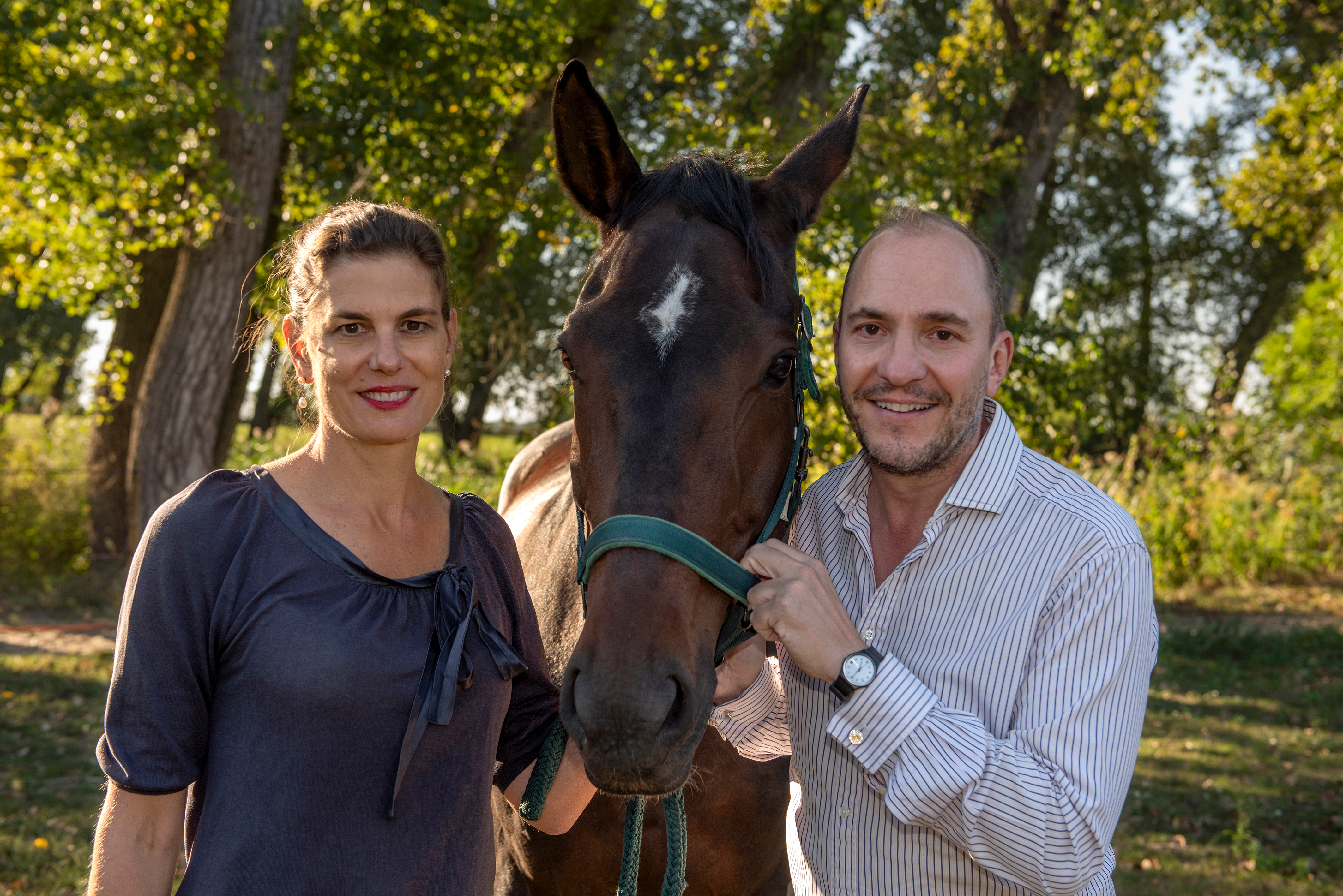
Loretta Würtenberger and Hubertus Graf Zedtwitz talk about love in its many forms: their love for their horses, for the nature around them, and, on a friendly level, for one another. Accompanied by Hubertus, her trainer and friend, Loretta seeks harmony with her beloved horse—the dark-brown Hanoverian mare Grace. During the many hours spent in the riding arena, she soon realizes that riding is not about command and obedience, but about friendship and connection. Equestrian terms such as “contact,” “aids,” “looseness,” or “responsiveness” become metaphors in her exchanges with Hubertus. Together they discover that the language of horsemanship is, in truth, a language of love. Their learning process becomes a journey: into the history of the more than five-millennia-long symbiosis between horse and human, into philosophy, architecture, and literature, and time and again into art, in which the horse is omnipresent. But engaging with Grace is above all a journey to oneself: for only when Hubertus and Loretta have found their own individual rhythm can they find the rhythm with their counterpart—be it horse or human.

Date: August 14, 2026

Time:19:30 - 21:00

Organizer

City of Aachen Cultural Services - Event Management

Veranstaltungsmanagement@mail.aachen.de

serviceportal.aachen.de

  • World Equestrian Games

Help with accessibility

  • General

    We make every effort to ensure that our websites are accessible. You can find details on this in our accessibility statement. You can send us suggestions for improvement using our"Report a barrier" feedback form.

  • Font size

    To adjust the font size, please use the following key combinations:

    Larger

    ⌘command
    +

    Smaller

    ⌘command
    –

    Larger

    Ctrl
    +

    Smaller

    Ctrl
    –
  • Keyboard navigation

    Use TAB and SHIFT + TAB to navigate through next/previous links, form elements and buttons.

    Use ENTER to open links and interact with elements.

  • Contrast mode

    Press the following key combination to reduce or increase the contrast:

    Enlarge

    ⌃control
    ⌥option
    ⌘command
    .

    Decrease

    ⌃control
    ⌥option
    ⌘command
    ,
    Note: The shortcuts must be activated in the system settings of the operating system.

    Press left ALT + left SHIFT + PRINT to quickly switch the high contrast mode on or off.

  • Invert colors

    Press the following key combination to switch the color inversion on and off:

    ⌃control
    ⌥option
    ⌘command
    8
    Note: The shortcuts must be activated in the system settings of the operating system.

    First activate the screen magnifier and then switch the color inversion on and off with the following key combinations:

    1. screen magnifier

    +

    2. invert colors

    Ctrl
    Old
    I
  • Screen magnifier

    Press the following key combinations to use the screen magnifier:

    Switch on/off

    ⌥option
    ⌘command
    8

    Enlarge view

    ⌥option
    ⌘command
    =

    Reduce view

    ⌥option
    ⌘command
    –
    Note: The shortcuts must be activated in the system settings of the operating system.

    Switch on / Enlarge view

    +

    Reduce view

    –