
The town hall is a stop on the Route Charlemagne.
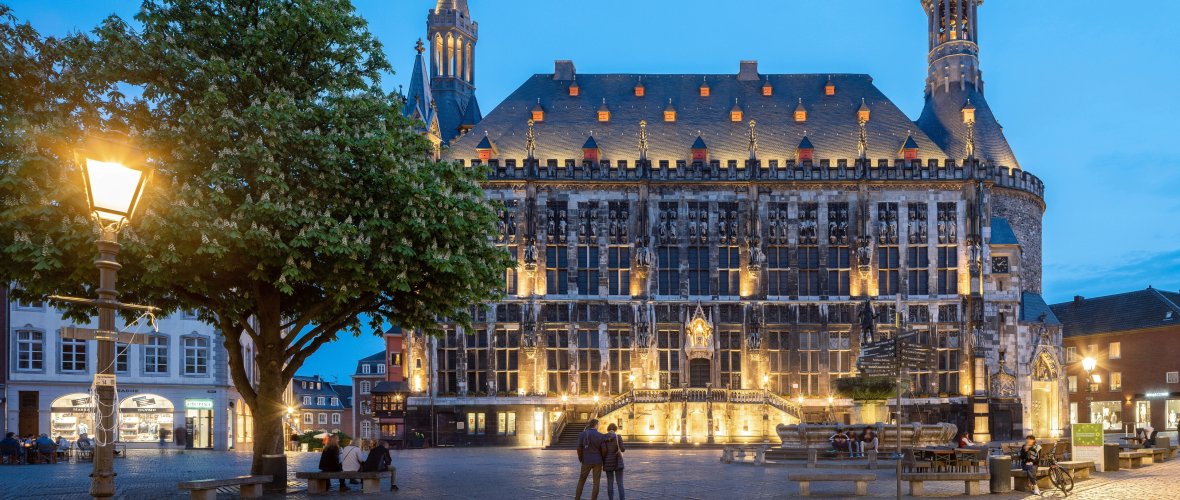
© 2019 by Joerg Hempel
Visits:
Daily 10.00 - 18.00
Saturday and Sunday 10.30: Guided tours for individual guests (01.04. - 31.12.):
Meeting point: Foyer of the town hall
Duration: approx. 1.5 hours
Guided tours:
Group registration
Tourist Info Elisenbrunnen
0241 18029-50
booking@aachen-tourismus.de
www.aachen-tourismus.de
Bus: Line 4 (Pontstraße), all lines to the Elisenbrunnen stop.
Parking garage: Rathaus, Dom, Markt, Annastraße.
Access/parking facilities: Barrier-free access with door intercom
(portal of the Marienturm to the right of the staircase) with barrier-free toilet.
Town hall closing times
Day | Period | Rooms |
|---|
| Friday, October 16 | from 1 pm | Coronation Hall | |
| Wednesday, October 21 | all day | Coronation Hall | |
| Thursday, October 22 | all day | Coronation Hall | |
| Friday, October 23 | all day | Coronation Hall | |
| Saturday, October 24 | all day | Coronation Hall | |
| Sunday, October 25 | until 12 o'clock | Coronation Hall | |
| Friday, October 30 | from 1 pm | Coronation Hall | |
| Saturday, October 31 | all day | Coronation Hall | |
| Sunday, November 1 | all day | Whole house | |
| Wednesday, November 4 | from 3 pm | Coronation Hall | |
| Friday, November 6 | all day | Coronation Hall | |
| Wednesday, November 11 | all day | Whole house | |
| Tuesday, November 17 | from 1 pm | Coronation Hall | |
| Wednesday, November 18 | from 1 pm | Coronation Hall | |
| Thursday, November 19 | all day | Coronation Hall | |
| Friday, November 20 | from 2 pm | Coronation Hall | |
| Sunday, November 22 | all day | Coronation Hall | |
| Monday, November 23 | until 2:00 p.m. | Coronation Hall | |
| Tuesday, November 24 | from 12 o'clock | Coronation Hall | |
| Friday, November 27 | from 2 pm | Coronation Hall | |
| Saturday, November 28 | from 2 pm | Coronation Hall | |
| Sunday, November 29 | from 2 pm | Coronation Hall | |