Diese Seite wurde automatisch übersetzt. Es kann daher zu Abweichungen oder Ungenauigkeiten im Text kommen. Verbindlich ist ausschließlich die Originalfassung. Rechtsansprüche aus Inhalten der übersetzten Version sind ausgeschlossen.

Discover bus & train


How do I get to school safely by bus? Which bus should I take? And how do I read a timetable?

Children and young people often face completely new challenges when it comes to using public transport - and this is precisely where our projects come in. In cooperation with schools, we impart important knowledge about public transport, promote sustainable mobility and support a safe, environmentally friendly journey to school.


"Your Perfect Bus" Drawing Contest

What does the ideal bus look like? And what makes a good bus stop?

As part of a painting contest, children up to and including age 14 are invited to bring their ideas to life creatively. They can design their own bus and a matching bus stop—there are no limits to their imagination. Family gift certificates for the Aachen Zoo and the Ludwig Forum will be raffled off among all submitted entries. 

Participation

Starting August 1, 2026, coloring sheets and crayons will be available in the children's section of the Aachen City Library:

Aachen
City Library, Couvenstraße 15,
52062 Aachen

The terms and conditions of participation and the privacy policy are available for download on the City of Aachen’s participation portal. You can also download and print the coloring page there.

The finished artwork can be dropped off in the lobby of the city library by September 20.

Painting Classes at the City Library

During the summer break, three accompanying painting sessions will take place at the city library:

  • Wednesday, August 12, 2026, 2:00–3:00 p.m.
  • Wednesday, August 19, 2026, 2:00–3:00 p.m.
  • Thursday, September 3, 2026, 2:00–3:00 p.m.

A staff member from the Mobility and Transportation Department is on site to help the children with their drawing. 

Raffle

The drawing will take place on September 20, 2026, at 3:00 p.m. at the Aachen City Library as part of European Mobility Week. In-person attendance is not required. The winners, or their legal guardians, will be notified by email.
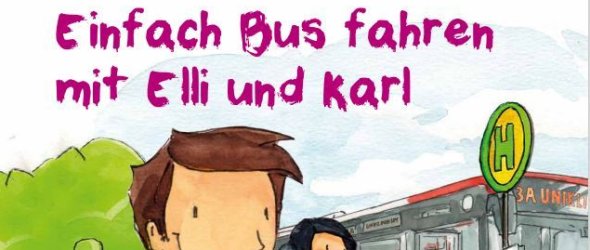
Explorer free ticket

The transition to secondary school is a big step for children, not only in the classroom but also on the way. For many, it's the first time they are regularly traveling to school by bus or train. This can be quite exciting and sometimes unsettling.

  • How do I find the right stop?
  • Where do I have to change?
  • What do I do if I get lost?

Such questions occupy many children - and often their parents too.

This is exactly where the Entdecker-Freiticket comes in. It offers all fourth-graders the opportunity to try out their new way to school free of charge and at their leisure, ideally together with their parents or a trusted companion. The ticket is valid on a freely selectable day before starting at the new school. This allows children to get to know their new school route by bus and train before the first day of school and familiarize themselves with timetables, stops and changes.

The project is carried out in cooperation with AVV and ASEAG and has been in existence since 2018. It has proven to be an effective support for the change of school in recent years.

The tickets are distributed via the elementary school before the summer vacations. Parents receive an information letter from the school containing the ticket - along with other helpful materials on safe behavior on public transport.

Contact us

No employees found.

Help with accessibility

  • General

    We make every effort to ensure that our websites are accessible. You can find details on this in our accessibility statement. You can send us suggestions for improvement using our"Report a barrier" feedback form.

  • Font size

    To adjust the font size, please use the following key combinations:

    Larger

    ⌘command
    +

    Smaller

    ⌘command

    Larger

    Ctrl
    +

    Smaller

    Ctrl
  • Keyboard navigation

    Use TAB and SHIFT + TAB to navigate through next/previous links, form elements and buttons.

    Use ENTER to open links and interact with elements.

  • Contrast mode

    Press the following key combination to reduce or increase the contrast:

    Enlarge

    ⌃control
    ⌥option
    ⌘command
    .

    Decrease

    ⌃control
    ⌥option
    ⌘command
    ,
    Note: The shortcuts must be activated in the system settings of the operating system.

    Press left ALT + left SHIFT + PRINT to quickly switch the high contrast mode on or off.

  • Invert colors

    Press the following key combination to switch the color inversion on and off:

    ⌃control
    ⌥option
    ⌘command
    8
    Note: The shortcuts must be activated in the system settings of the operating system.

    First activate the screen magnifier and then switch the color inversion on and off with the following key combinations:

    1. screen magnifier

    +

    2. invert colors

    Ctrl
    Old
    I
  • Screen magnifier

    Press the following key combinations to use the screen magnifier:

    Switch on/off

    ⌥option
    ⌘command
    8

    Enlarge view

    ⌥option
    ⌘command
    =

    Reduce view

    ⌥option
    ⌘command
    Note: The shortcuts must be activated in the system settings of the operating system.

    Switch on / Enlarge view

    +

    Reduce view