Diese Seite wurde automatisch übersetzt. Es kann daher zu Abweichungen oder Ungenauigkeiten im Text kommen. Verbindlich ist ausschließlich die Originalfassung. Rechtsansprüche aus Inhalten der übersetzten Version sind ausgeschlossen.

New Process for Identifying Topics

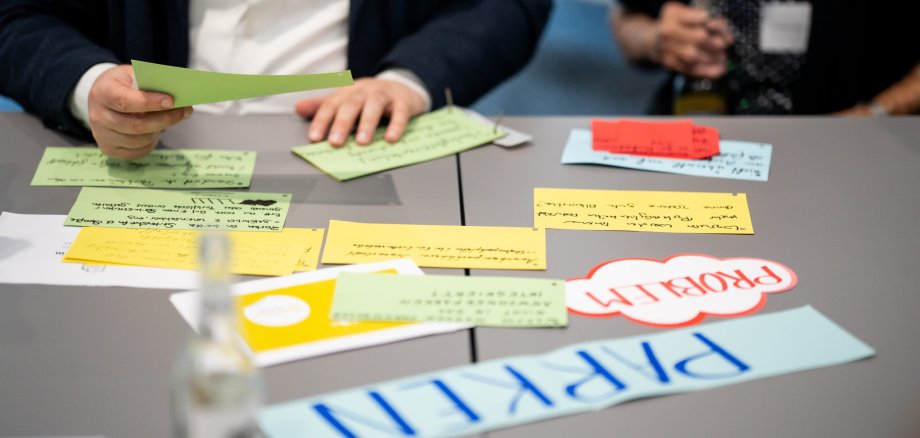
At the City Council meeting on December 17, 2025, the Aachen City Council accepted the 2025 Citizens’ Council report on “Balanced Mobility in Aachen” and resolved to proceed with implementing the recommendations.

At the same time, under the agenda item “Further Development of the Aachen Citizens’ Council—Adjustments to the Topic Selection and Procedural Structure,” a new proposal for the future topic selection process in 2026 was presented.

This proposal aims to make the Citizens’ Assembly even more effective: In the future, suitable topics will be developed to a greater extent by the administration and, at the same time, linked to input from the public. The goal is to address topics that are both highly feasible from a technical standpoint and accurately reflect the concerns of Aachen’s residents.

The new, revised proposal for identifying topics will be presented publicly on January 27, 2026, at 5:00 p.m. in the Council Chamber at the Bürgerforum, where it will be discussed and decided upon together with citizens and politicians.

Those interested can find more information about the meetings in our council information system (Allris).

Help with accessibility

  • General

    We make every effort to ensure that our websites are accessible. You can find details on this in our accessibility statement. You can send us suggestions for improvement using our"Report a barrier" feedback form.

  • Font size

    To adjust the font size, please use the following key combinations:

    Larger

    ⌘command
    +

    Smaller

    ⌘command

    Larger

    Ctrl
    +

    Smaller

    Ctrl
  • Keyboard navigation

    Use TAB and SHIFT + TAB to navigate through next/previous links, form elements and buttons.

    Use ENTER to open links and interact with elements.

  • Contrast mode

    Press the following key combination to reduce or increase the contrast:

    Enlarge

    ⌃control
    ⌥option
    ⌘command
    .

    Decrease

    ⌃control
    ⌥option
    ⌘command
    ,
    Note: The shortcuts must be activated in the system settings of the operating system.

    Press left ALT + left SHIFT + PRINT to quickly switch the high contrast mode on or off.

  • Invert colors

    Press the following key combination to switch the color inversion on and off:

    ⌃control
    ⌥option
    ⌘command
    8
    Note: The shortcuts must be activated in the system settings of the operating system.

    First activate the screen magnifier and then switch the color inversion on and off with the following key combinations:

    1. screen magnifier

    +

    2. invert colors

    Ctrl
    Old
    I
  • Screen magnifier

    Press the following key combinations to use the screen magnifier:

    Switch on/off

    ⌥option
    ⌘command
    8

    Enlarge view

    ⌥option
    ⌘command
    =

    Reduce view

    ⌥option
    ⌘command
    Note: The shortcuts must be activated in the system settings of the operating system.

    Switch on / Enlarge view

    +

    Reduce view