Diese Seite wurde automatisch übersetzt. Es kann daher zu Abweichungen oder Ungenauigkeiten im Text kommen. Verbindlich ist ausschließlich die Originalfassung. Rechtsansprüche aus Inhalten der übersetzten Version sind ausgeschlossen.

Citizens' Council Presents Ten Specific Recommendations for a Cleaner City

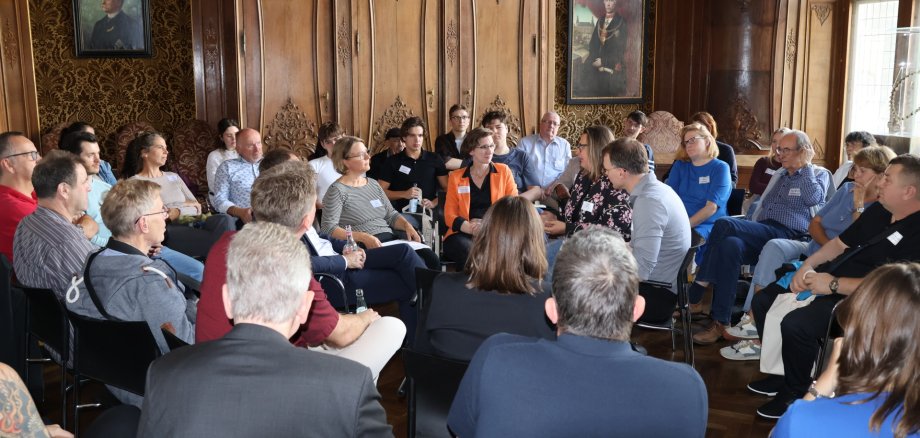
The 2026 Citizens’ Report was presented and discussed on Tuesday, November 24, at the Citizens’ Forum in the City Council Chamber of City Hall. It became clear that a clean cityscape cannot be achieved through increased cleaning efforts alone. It requires favorable conditions, clear information, practical solutions, and, above all, people who work together for the good of their city.

The participants shared insights into their experiences, described specific challenges and highlights, and explained how they felt about the collaborative counseling process.

The members then presented the ten recommendations they had developed. In doing so, they not only outlined the proposals but also explained how they had emerged during the deliberations and what goals they were intended to achieve.

Ten Recommendations for a Clean and Livable Aachen

The members of the Citizens’ Council did not settle for general demands. They developed specific ideas designed to make everyday life easier, reduce waste, protect the environment, and strengthen community bonds.

From a central citizen app and targeted information campaigns on better reusable options, increased use of the yellow bin and trash bag dispensers, as well as deposit rings, all the way to improving the city’s defect reporting system. What all these proposals have in common is the desire to foster personal responsibility and bring the city’s residents, the administration, and policymakers together around the same table. After all, a clean Aachen can only be achieved by working together.

You can find the 4th Citizens' Report, which includes the 10 recommendations, here.

Help with accessibility

  • General

    We make every effort to ensure that our websites are accessible. You can find details on this in our accessibility statement. You can send us suggestions for improvement using our"Report a barrier" feedback form.

  • Font size

    To adjust the font size, please use the following key combinations:

    Larger

    ⌘command
    +

    Smaller

    ⌘command
    –

    Larger

    Ctrl
    +

    Smaller

    Ctrl
    –
  • Keyboard navigation

    Use TAB and SHIFT + TAB to navigate through next/previous links, form elements and buttons.

    Use ENTER to open links and interact with elements.

  • Contrast mode

    Press the following key combination to reduce or increase the contrast:

    Enlarge

    ⌃control
    ⌥option
    ⌘command
    .

    Decrease

    ⌃control
    ⌥option
    ⌘command
    ,
    Note: The shortcuts must be activated in the system settings of the operating system.

    Press left ALT + left SHIFT + PRINT to quickly switch the high contrast mode on or off.

  • Invert colors

    Press the following key combination to switch the color inversion on and off:

    ⌃control
    ⌥option
    ⌘command
    8
    Note: The shortcuts must be activated in the system settings of the operating system.

    First activate the screen magnifier and then switch the color inversion on and off with the following key combinations:

    1. screen magnifier

    +

    2. invert colors

    Ctrl
    Old
    I
  • Screen magnifier

    Press the following key combinations to use the screen magnifier:

    Switch on/off

    ⌥option
    ⌘command
    8

    Enlarge view

    ⌥option
    ⌘command
    =

    Reduce view

    ⌥option
    ⌘command
    –
    Note: The shortcuts must be activated in the system settings of the operating system.

    Switch on / Enlarge view

    +

    Reduce view

    –