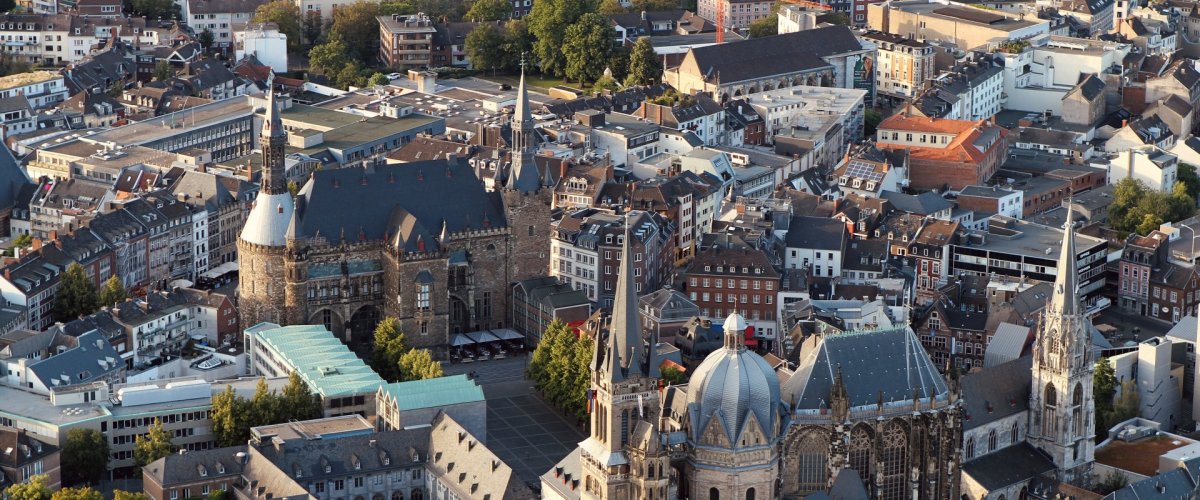
Facades of older apartment buildings
City of Aachen/Jane Kaimer
Diese Seite wurde automatisch übersetzt. Es kann daher zu Abweichungen oder Ungenauigkeiten im Text kommen. Verbindlich ist ausschließlich die Originalfassung. Rechtsansprüche aus Inhalten der übersetzten Version sind ausgeschlossen.

City management

City management

We are committed to ensuring that Aachen’s downtown remains a place worth loving and worth living in. To this end, we stand alongside all of you who wish to work with us to advance this goal.

Our aim is to strengthen the heart of our city as a place for modern commerce, social interaction, discovery, and collaborative shaping. We want to provide impetus and inspiration for new projects, forums for exchange, and events—for example, in addressing vacant properties or further enhancing the appeal of public spaces.

And “we” are many: business owners, property owners, residents, and stakeholders from the creative industries, academia, city government, and other sectors. Because a vibrant downtown can only be created through collaboration. For all of you who want to actively help shape the downtown area, we are your point of contact; we build bridges and facilitate connections—in keeping with our motto: Downtown. Together. Let’s Do It.

  • Together, we're revitalizing the downtown area

    We initiate, support, and promote events and activities to attract more people to the city center.

    More

  • We support new business ventures

    We bring property owners and prospective tenants together to revitalize retail spaces and bring new ideas to life. This increases the variety of offerings and creates new reasons to visit the downtown area.

    More

  • We strengthen networks and collaboration

    In particular, we connect and represent local business owners; we serve as a point of contact for property owners and other downtown stakeholders so that we can work together to promote the positive development of the downtown area.

    More

  • We Create Knowledge

    Facts and figures form the basis for well-informed decisions and help us evaluate the impact of our actions. In doing so, we keep the big picture in mind and act strategically to foster a vibrant Aachen.
    More

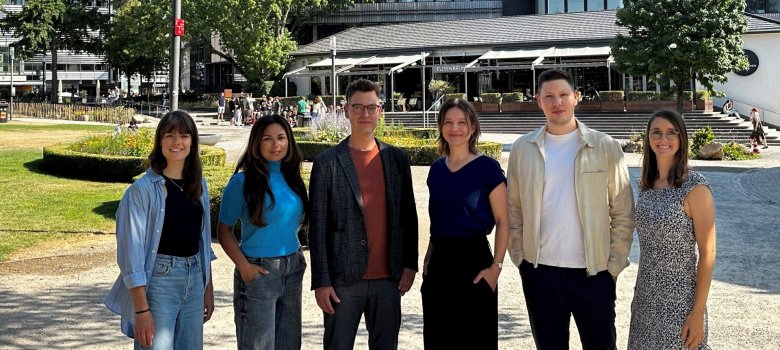
© Mathilda Komlev

City Management Department (FB 02/500) – from left to right: Christina Gampe, Dina Bharucha, Kai Hennes, Jennifer Niederau, Mounir El Malqi, Jalina Maaßen

Help with accessibility

  • General

    We make every effort to ensure that our websites are accessible. You can find details on this in our accessibility statement. You can send us suggestions for improvement using our"Report a barrier" feedback form.

  • Font size

    To adjust the font size, please use the following key combinations:

    Larger

    ⌘command
    +

    Smaller

    ⌘command
    –

    Larger

    Ctrl
    +

    Smaller

    Ctrl
    –
  • Keyboard navigation

    Use TAB and SHIFT + TAB to navigate through next/previous links, form elements and buttons.

    Use ENTER to open links and interact with elements.

  • Contrast mode

    Press the following key combination to reduce or increase the contrast:

    Enlarge

    ⌃control
    ⌥option
    ⌘command
    .

    Decrease

    ⌃control
    ⌥option
    ⌘command
    ,
    Note: The shortcuts must be activated in the system settings of the operating system.

    Press left ALT + left SHIFT + PRINT to quickly switch the high contrast mode on or off.

  • Invert colors

    Press the following key combination to switch the color inversion on and off:

    ⌃control
    ⌥option
    ⌘command
    8
    Note: The shortcuts must be activated in the system settings of the operating system.

    First activate the screen magnifier and then switch the color inversion on and off with the following key combinations:

    1. screen magnifier

    +

    2. invert colors

    Ctrl
    Old
    I
  • Screen magnifier

    Press the following key combinations to use the screen magnifier:

    Switch on/off

    ⌥option
    ⌘command
    8

    Enlarge view

    ⌥option
    ⌘command
    =

    Reduce view

    ⌥option
    ⌘command
    –
    Note: The shortcuts must be activated in the system settings of the operating system.

    Switch on / Enlarge view

    +

    Reduce view

    –