Diese Seite wurde automatisch übersetzt. Es kann daher zu Abweichungen oder Ungenauigkeiten im Text kommen. Verbindlich ist ausschließlich die Originalfassung. Rechtsansprüche aus Inhalten der übersetzten Version sind ausgeschlossen.

Press releases

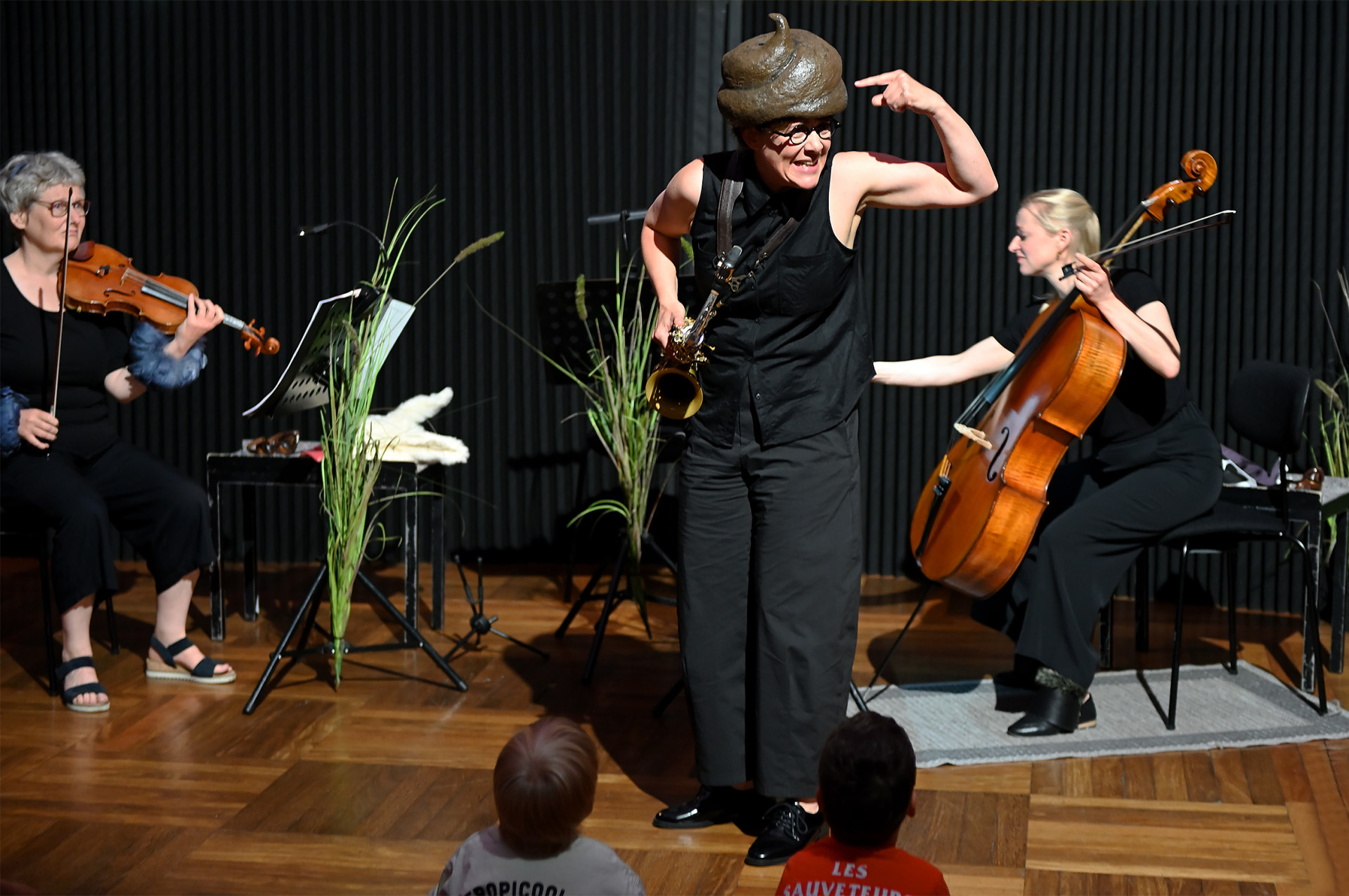
“The Little Mole Who Wanted to Know Who Pooped on His Head” – Cushion Concert at the Ludwig Forum

Someone actually pooped on Little Mole’s head—what a cheek! I wonder who it was? Little Mole wants to find out and sets off to ask the other animals. A musical mystery of a special kind—featuring saxophone, cello, and violin!

The Theater Aachen’s “Seat Cushion Concerts” are already well known throughout the city. Now, for the first time, this musical theater experience for preschoolers can also be seen at the Ludwig Forum—featuring an engaging accompanying program organized by the museum’s education department.

The first event begins at 9 a.m. with a group craft activity. The performance starts at 9:30 a.m., and at 10 a.m., the children will have the opportunity to learn about the instruments.

For the second performance, the craft activity begins at 10:30 a.m., and the show starts at 11:00 a.m.


“The Little Mole Who Wanted to Know Who Pooped on His Head” —
A seat-cushion concert for everyone ages 3 and up.
Loosely based on the picture book by Werner Holzwarth and Wolf Erlbruch

Date: Wednesday, July 15, 9:00 a.m. and 10:30 a.m
. Location: Mulde at the Ludwig Forum for International Art, Jülicher Straße 97-109, 52070 Aachen.
Admission: Children €5 per person, adults €7.50 per person.

For inquiries and reservations, please contact us at museumsdienst@mail.aachen.de or by phone at 0241-4324998.

You can subscribe to our RSS feed for our press releases here https://www.aachen.de/rss-feed-pressemitteilungen/rss.xml

Help with accessibility

  • General

    We make every effort to ensure that our websites are accessible. You can find details on this in our accessibility statement. You can send us suggestions for improvement using our"Report a barrier" feedback form.

  • Font size

    To adjust the font size, please use the following key combinations:

    Larger

    ⌘command
    +

    Smaller

    ⌘command

    Larger

    Ctrl
    +

    Smaller

    Ctrl
  • Keyboard navigation

    Use TAB and SHIFT + TAB to navigate through next/previous links, form elements and buttons.

    Use ENTER to open links and interact with elements.

  • Contrast mode

    Press the following key combination to reduce or increase the contrast:

    Enlarge

    ⌃control
    ⌥option
    ⌘command
    .

    Decrease

    ⌃control
    ⌥option
    ⌘command
    ,
    Note: The shortcuts must be activated in the system settings of the operating system.

    Press left ALT + left SHIFT + PRINT to quickly switch the high contrast mode on or off.

  • Invert colors

    Press the following key combination to switch the color inversion on and off:

    ⌃control
    ⌥option
    ⌘command
    8
    Note: The shortcuts must be activated in the system settings of the operating system.

    First activate the screen magnifier and then switch the color inversion on and off with the following key combinations:

    1. screen magnifier

    +

    2. invert colors

    Ctrl
    Old
    I
  • Screen magnifier

    Press the following key combinations to use the screen magnifier:

    Switch on/off

    ⌥option
    ⌘command
    8

    Enlarge view

    ⌥option
    ⌘command
    =

    Reduce view

    ⌥option
    ⌘command
    Note: The shortcuts must be activated in the system settings of the operating system.

    Switch on / Enlarge view

    +

    Reduce view