Diese Seite wurde automatisch übersetzt. Es kann daher zu Abweichungen oder Ungenauigkeiten im Text kommen. Verbindlich ist ausschließlich die Originalfassung. Rechtsansprüche aus Inhalten der übersetzten Version sind ausgeschlossen.

Press releases

Summer flowers brighten up the city of Aachen

Last week, pallets of petunias, geraniums, and daisies were unloaded on Monheimsallee, along with snapdragons, coneflowers, and ice begonias. The colors are coordinated in shades of purple and pink, with a few white accents. In total, there are around 25,000 flowers, which the gardeners from the Stadtgarten and Westpark green teams of Aachen’s municipal services will plant in the flower beds along the green strip of Monheimsallee and at the Eurogress within a short period of time.

The city’s various landscaping crews are currently out and about in all parts of the city, planting summer flowers in the municipal flower beds. In total, the city gardening team has grown around 130,000 plants, which are being planted gradually, including along the Vaals border, at Seilgraben, and on Komphausbadstraße. Summer flowers are also being planted in the districts and at cemeteries, and 20 lushly planted flower cascades are adding splashes of color to the city.
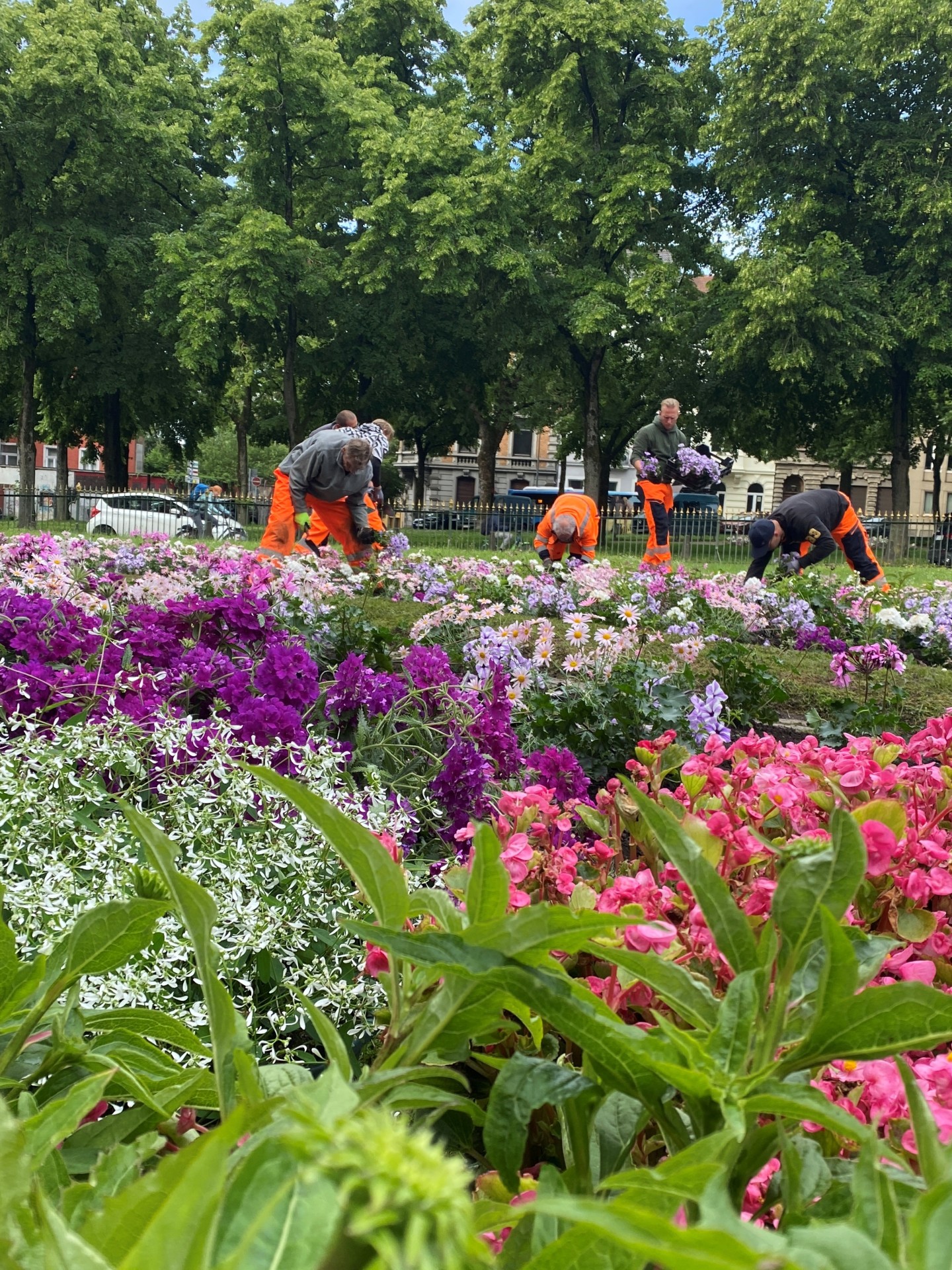
Summer Blooms in the City Garden: The City Department’s landscaping crews are bringing summer flowers to the city.


You can subscribe to our RSS feed for our press releases here https://www.aachen.de/rss-feed-pressemitteilungen/rss.xml

Help with accessibility

  • General

    We make every effort to ensure that our websites are accessible. You can find details on this in our accessibility statement. You can send us suggestions for improvement using our"Report a barrier" feedback form.

  • Font size

    To adjust the font size, please use the following key combinations:

    Larger

    ⌘command
    +

    Smaller

    ⌘command

    Larger

    Ctrl
    +

    Smaller

    Ctrl
  • Keyboard navigation

    Use TAB and SHIFT + TAB to navigate through next/previous links, form elements and buttons.

    Use ENTER to open links and interact with elements.

  • Contrast mode

    Press the following key combination to reduce or increase the contrast:

    Enlarge

    ⌃control
    ⌥option
    ⌘command
    .

    Decrease

    ⌃control
    ⌥option
    ⌘command
    ,
    Note: The shortcuts must be activated in the system settings of the operating system.

    Press left ALT + left SHIFT + PRINT to quickly switch the high contrast mode on or off.

  • Invert colors

    Press the following key combination to switch the color inversion on and off:

    ⌃control
    ⌥option
    ⌘command
    8
    Note: The shortcuts must be activated in the system settings of the operating system.

    First activate the screen magnifier and then switch the color inversion on and off with the following key combinations:

    1. screen magnifier

    +

    2. invert colors

    Ctrl
    Old
    I
  • Screen magnifier

    Press the following key combinations to use the screen magnifier:

    Switch on/off

    ⌥option
    ⌘command
    8

    Enlarge view

    ⌥option
    ⌘command
    =

    Reduce view

    ⌥option
    ⌘command
    Note: The shortcuts must be activated in the system settings of the operating system.

    Switch on / Enlarge view

    +

    Reduce view