Diese Seite wurde automatisch übersetzt. Es kann daher zu Abweichungen oder Ungenauigkeiten im Text kommen. Verbindlich ist ausschließlich die Originalfassung. Rechtsansprüche aus Inhalten der übersetzten Version sind ausgeschlossen.

Press releases

Lift truck and sweeper: Girls' Day at the Aachen municipal company

Girls' Day at Aachener Stadtbetrieb is a popular event: eleven girls signed up to get to know the wide range of job profiles: They decided in advance which of the exciting training professions they would like to get to know better: If you love plants, are skilled with your hands and want to help shape the city of Aachen creatively, gardeners, for example, are the right place for you. The professions can be tried out in the fields of gardening and landscaping as well as cemetery gardening. And how do automotive mechatronics engineers work? How does recycling work? "We will open our doors and show you what we have to offer," said Indra Balsam, Operations Manager of the Aachen municipal utility. "Be curious, try things out and find out what you enjoy."

"Our city business is very diverse," said Lord Mayor Dr. Michael Ziemons in his welcoming address. "There's a lot to experience here, you'll have a great day.

Varied and diverse

At the stations selected in advance, the participants had the opportunity to get a closer look at the different areas of work at the municipal company. During the subsequent tour of the company premises, the participants had the opportunity to drive a pallet truck and take a look at a road sweeper and a waste collection vehicle.

Many of the participants had specifically chosen to visit the municipal company on Girls' Day. The wide range of opportunities was clearly emphasized by the schoolgirls during the feedback round: they spoke enthusiastically about driving pallet trucks, getting to know plants and, above all, the diversity of the city and the many friendly employees on site.
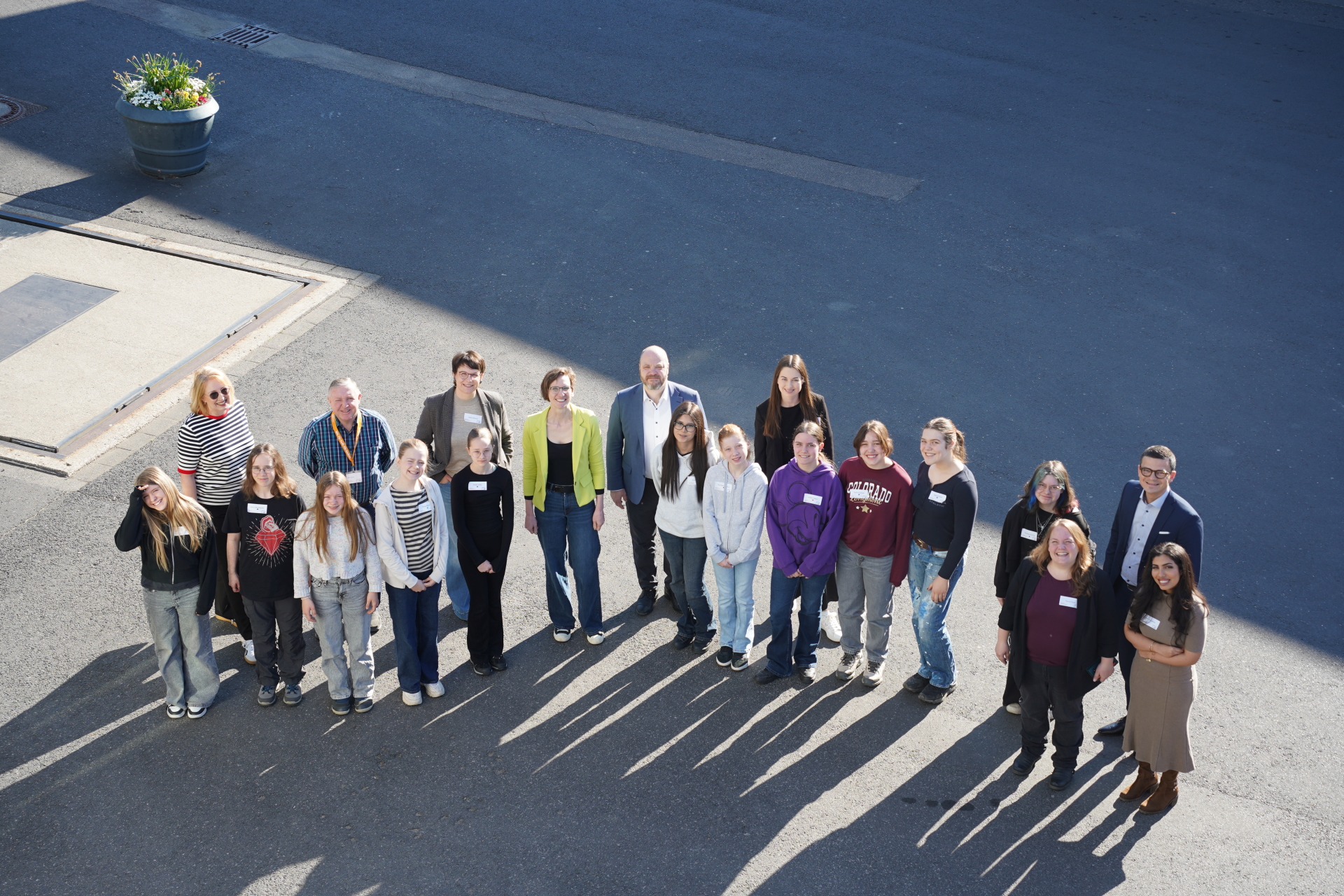
Eleven girls explored various areas of city operations on Girls' Day.


You can subscribe to our RSS feed for our press releases here https://www.aachen.de/rss-feed-pressemitteilungen/rss.xml

Help with accessibility

  • General

    We make every effort to ensure that our websites are accessible. You can find details on this in our accessibility statement. You can send us suggestions for improvement using our"Report a barrier" feedback form.

  • Font size

    To adjust the font size, please use the following key combinations:

    Larger

    ⌘command
    +

    Smaller

    ⌘command

    Larger

    Ctrl
    +

    Smaller

    Ctrl
  • Keyboard navigation

    Use TAB and SHIFT + TAB to navigate through next/previous links, form elements and buttons.

    Use ENTER to open links and interact with elements.

  • Contrast mode

    Press the following key combination to reduce or increase the contrast:

    Enlarge

    ⌃control
    ⌥option
    ⌘command
    .

    Decrease

    ⌃control
    ⌥option
    ⌘command
    ,
    Note: The shortcuts must be activated in the system settings of the operating system.

    Press left ALT + left SHIFT + PRINT to quickly switch the high contrast mode on or off.

  • Invert colors

    Press the following key combination to switch the color inversion on and off:

    ⌃control
    ⌥option
    ⌘command
    8
    Note: The shortcuts must be activated in the system settings of the operating system.

    First activate the screen magnifier and then switch the color inversion on and off with the following key combinations:

    1. screen magnifier

    +

    2. invert colors

    Ctrl
    Old
    I
  • Screen magnifier

    Press the following key combinations to use the screen magnifier:

    Switch on/off

    ⌥option
    ⌘command
    8

    Enlarge view

    ⌥option
    ⌘command
    =

    Reduce view

    ⌥option
    ⌘command
    Note: The shortcuts must be activated in the system settings of the operating system.

    Switch on / Enlarge view

    +

    Reduce view