Diese Seite wurde automatisch übersetzt. Es kann daher zu Abweichungen oder Ungenauigkeiten im Text kommen. Verbindlich ist ausschließlich die Originalfassung. Rechtsansprüche aus Inhalten der übersetzten Version sind ausgeschlossen.

Press releases

"Refueling station for the soul": A new bookcase for Aachen-Laurensberg

Aachen-Laurensberg now has another place to go for all bookworms: In the green area on Philipp-Neri-Weg, opposite house number 9, a new public bookcase invites you to browse, swap and discover. All those involved celebrated the official opening with the deputy district mayor Petra Perschon-Adamy on Wednesday, April 22. She emphasized: "Bookcases are filling stations for the soul. But for free."

The purchase and construction of the bookcase was a real community process: on the initiative of Caritas Aachen, the Aachen-Laurensberg district council and the Kullen/Steppenberg/Vaalserquartier district conference decided to provide financial support for the bookcase. With further donations from "café4you", the project could be realized.

Volunteers from the Kullen Active Neighborhood maintain the exchange station, regularly check the contents and make sure everything is in order. The bookcase that has now been opened is already the third in Aachen-Laurensberg: reading enthusiasts have also been able to swap books easily at Roermonderstraße 319 and Laurensberger Straße 107 for more than ten years.
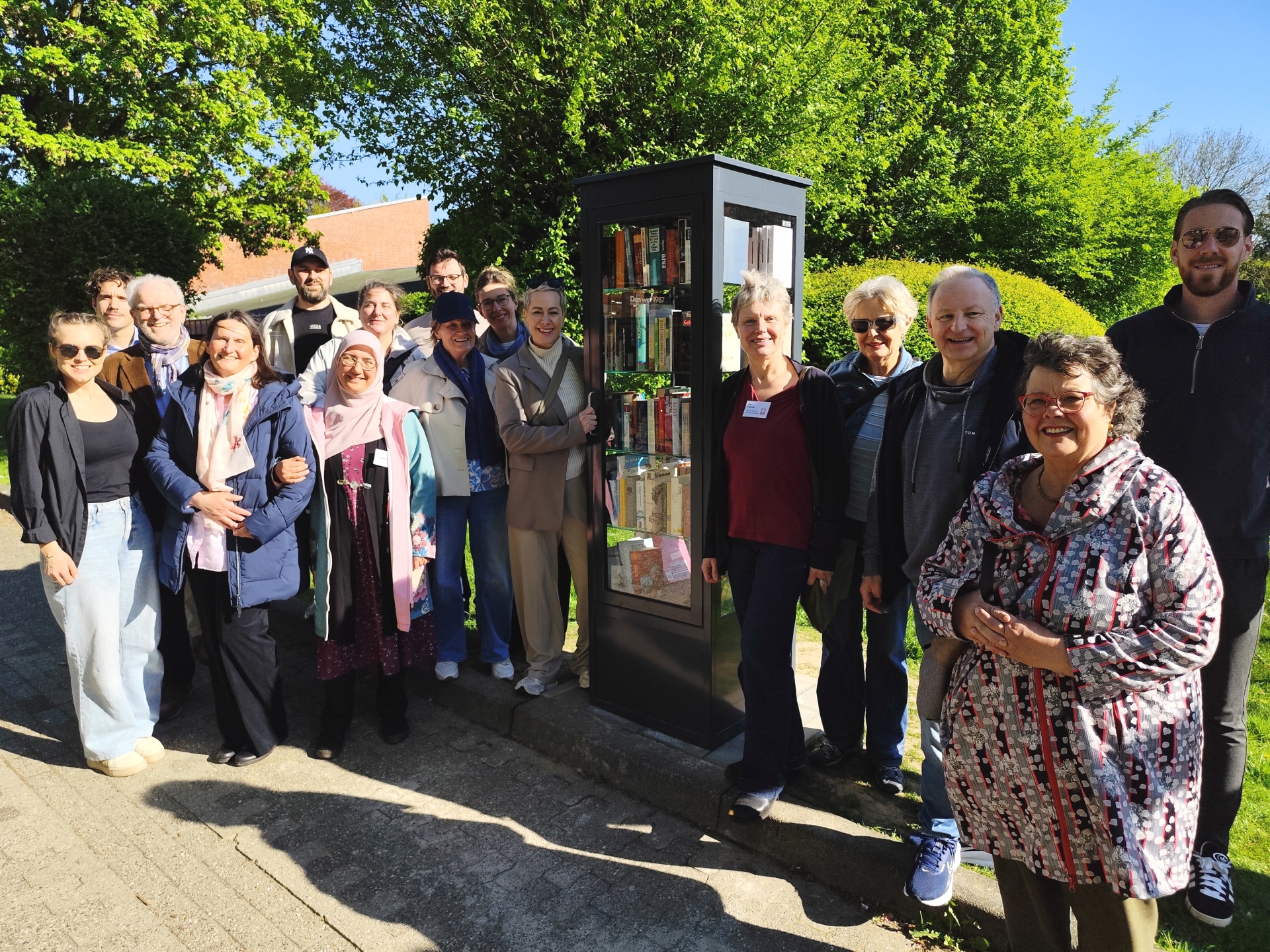
Beaming faces in bright sunshine: the opening of the new bookcase in Aachen-Laurensberg was duly celebrated.


You can subscribe to our RSS feed for our press releases here https://www.aachen.de/rss-feed-pressemitteilungen/rss.xml

Help with accessibility

  • General

    We make every effort to ensure that our websites are accessible. You can find details on this in our accessibility statement. You can send us suggestions for improvement using our"Report a barrier" feedback form.

  • Font size

    To adjust the font size, please use the following key combinations:

    Larger

    ⌘command
    +

    Smaller

    ⌘command
    –

    Larger

    Ctrl
    +

    Smaller

    Ctrl
    –
  • Keyboard navigation

    Use TAB and SHIFT + TAB to navigate through next/previous links, form elements and buttons.

    Use ENTER to open links and interact with elements.

  • Contrast mode

    Press the following key combination to reduce or increase the contrast:

    Enlarge

    ⌃control
    ⌥option
    ⌘command
    .

    Decrease

    ⌃control
    ⌥option
    ⌘command
    ,
    Note: The shortcuts must be activated in the system settings of the operating system.

    Press left ALT + left SHIFT + PRINT to quickly switch the high contrast mode on or off.

  • Invert colors

    Press the following key combination to switch the color inversion on and off:

    ⌃control
    ⌥option
    ⌘command
    8
    Note: The shortcuts must be activated in the system settings of the operating system.

    First activate the screen magnifier and then switch the color inversion on and off with the following key combinations:

    1. screen magnifier

    +

    2. invert colors

    Ctrl
    Old
    I
  • Screen magnifier

    Press the following key combinations to use the screen magnifier:

    Switch on/off

    ⌥option
    ⌘command
    8

    Enlarge view

    ⌥option
    ⌘command
    =

    Reduce view

    ⌥option
    ⌘command
    –
    Note: The shortcuts must be activated in the system settings of the operating system.

    Switch on / Enlarge view

    +

    Reduce view

    –