Diese Seite wurde automatisch übersetzt. Es kann daher zu Abweichungen oder Ungenauigkeiten im Text kommen. Verbindlich ist ausschließlich die Originalfassung. Rechtsansprüche aus Inhalten der übersetzten Version sind ausgeschlossen.

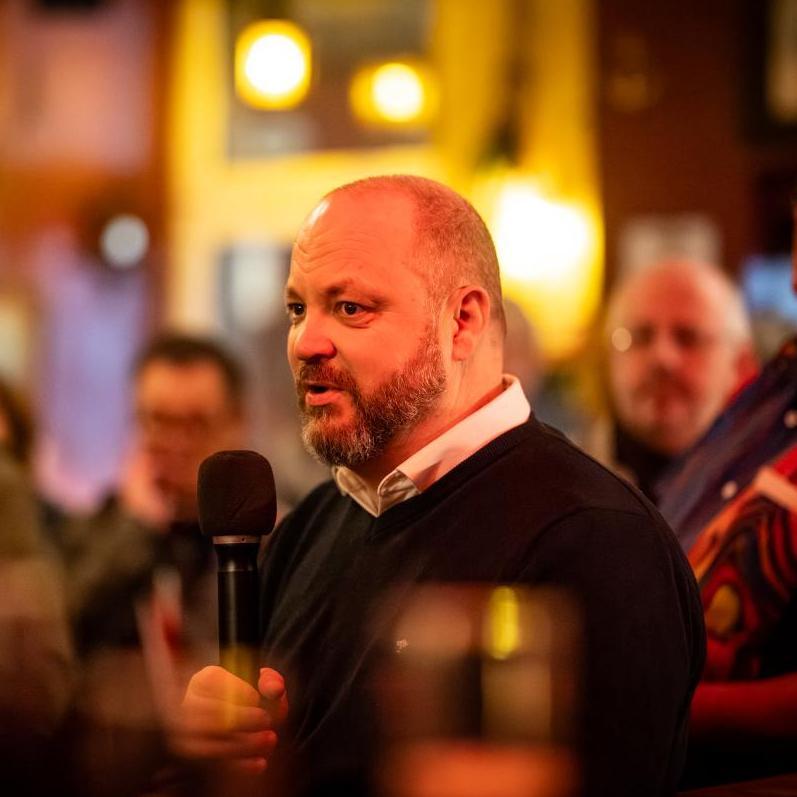
Pub Meet-and-Greet with Mayor Dr. Michael Ziemons
Citizen participation

Category: Citizen participation

Pub Meet-and-Greet with Mayor Dr. Michael Ziemons

Mayor Dr. Michael Ziemons is continuing the “pub meetings.” This tried-and-true format offers residents the opportunity to engage directly with the mayor. The goal is to foster a dialogue that is accessible, open, and close to the people. Through this format, Ziemons aims to strengthen direct contact and gain a better understanding of people’s concerns. By visiting different neighborhoods and community gathering places, he hopes to break down barriers and create more opportunities for casual conversation.

No registration is required.

All current dates for citizen consultation hours, the dialogue tour, and information on other participatory formats can be found here: https://www.aachen.de/buerger-innenbeteiligung/

Date: July 13, 2027

Time:18:30 - 21:00

  • Home page
  • Participation
  • Citizens' dialog
  • Dialog

Help with accessibility

  • General

    We make every effort to ensure that our websites are accessible. You can find details on this in our accessibility statement. You can send us suggestions for improvement using our"Report a barrier" feedback form.

  • Font size

    To adjust the font size, please use the following key combinations:

    Larger

    ⌘command
    +

    Smaller

    ⌘command
    –

    Larger

    Ctrl
    +

    Smaller

    Ctrl
    –
  • Keyboard navigation

    Use TAB and SHIFT + TAB to navigate through next/previous links, form elements and buttons.

    Use ENTER to open links and interact with elements.

  • Contrast mode

    Press the following key combination to reduce or increase the contrast:

    Enlarge

    ⌃control
    ⌥option
    ⌘command
    .

    Decrease

    ⌃control
    ⌥option
    ⌘command
    ,
    Note: The shortcuts must be activated in the system settings of the operating system.

    Press left ALT + left SHIFT + PRINT to quickly switch the high contrast mode on or off.

  • Invert colors

    Press the following key combination to switch the color inversion on and off:

    ⌃control
    ⌥option
    ⌘command
    8
    Note: The shortcuts must be activated in the system settings of the operating system.

    First activate the screen magnifier and then switch the color inversion on and off with the following key combinations:

    1. screen magnifier

    +

    2. invert colors

    Ctrl
    Old
    I
  • Screen magnifier

    Press the following key combinations to use the screen magnifier:

    Switch on/off

    ⌥option
    ⌘command
    8

    Enlarge view

    ⌥option
    ⌘command
    =

    Reduce view

    ⌥option
    ⌘command
    –
    Note: The shortcuts must be activated in the system settings of the operating system.

    Switch on / Enlarge view

    +

    Reduce view

    –