Diese Seite wurde automatisch übersetzt. Es kann daher zu Abweichungen oder Ungenauigkeiten im Text kommen. Verbindlich ist ausschließlich die Originalfassung. Rechtsansprüche aus Inhalten der übersetzten Version sind ausgeschlossen.

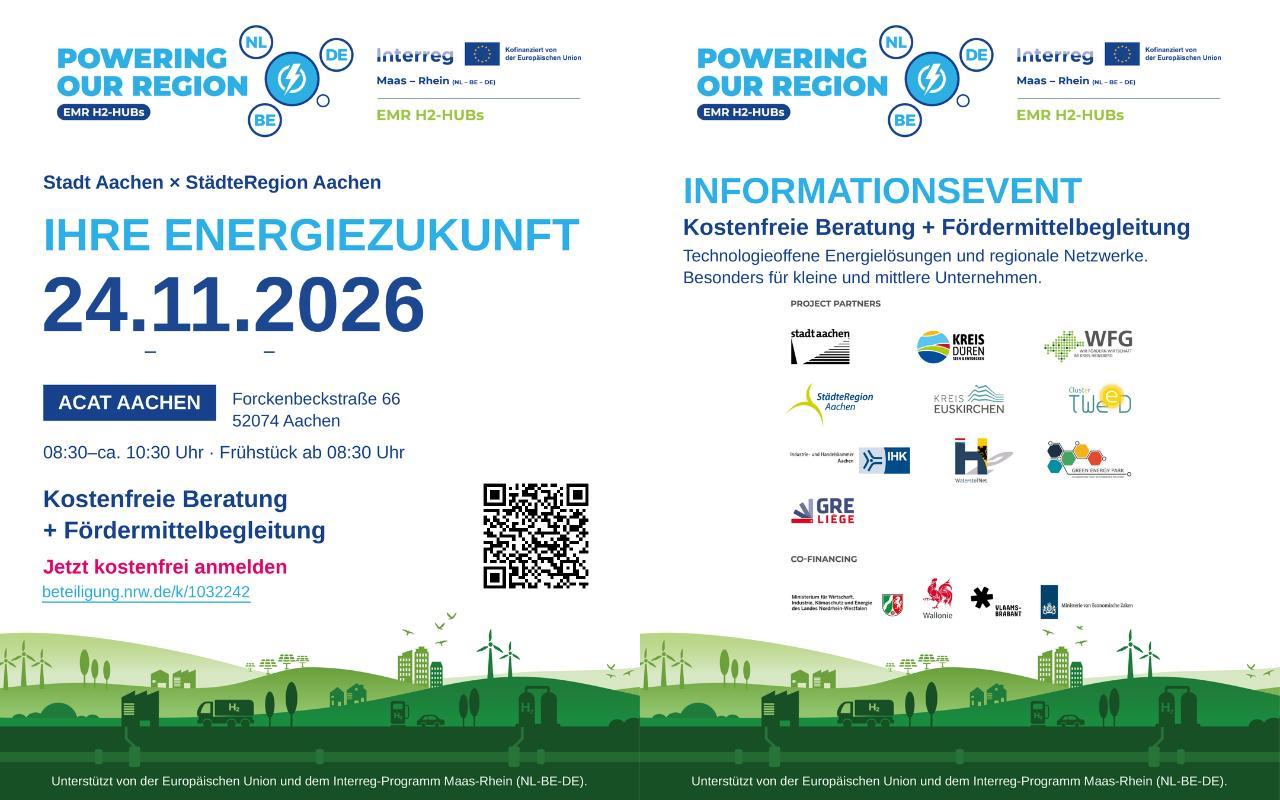
EMR H2-HUBs Information Event
Economy

Category: Economy

EMR H2-HUBs Information Event

How can your company reduce energy costs, strengthen energy security, and plan the right steps for future energy supply?

At this informational event on the Interreg project EMR H2-HUBs, you’ll learn how your company can benefit from free, personalized, and technology-neutral consulting. You’ll be shown potential transformation pathways and gain insights into how we can support your company in developing sustainable energy solutions. The EMR H2-HUBs project is supported by the European Union and the Interreg Meuse-Rhine (NL-BE-DE) program. In addition to the free energy consultation, companies participating in the project will be introduced to regional and Euregional networks and will receive support along their transformation path, including assistance with an individually tailored grant application.

The project focuses on hydrogen as a building block of the future energy supply. At the same time, we take a technology-neutral approach to determining which solutions—ranging from energy efficiency and storage to renewable energy and electrification—make technical and economic sense for your company.


You can register online at: https://beteiligung.nrw.de/portal/aachen/beteiligung/themen/1032242

Date:November 24, 2026

Time:8:30 a.m. - 12:00 p.m.

  • Consulting

Help with accessibility

  • General

    We make every effort to ensure that our websites are accessible. You can find details on this in our accessibility statement. You can send us suggestions for improvement using our"Report a barrier" feedback form.

  • Font size

    To adjust the font size, please use the following key combinations:

    Larger

    ⌘command
    +

    Smaller

    ⌘command
    –

    Larger

    Ctrl
    +

    Smaller

    Ctrl
    –
  • Keyboard navigation

    Use TAB and SHIFT + TAB to navigate through next/previous links, form elements and buttons.

    Use ENTER to open links and interact with elements.

  • Contrast mode

    Press the following key combination to reduce or increase the contrast:

    Enlarge

    ⌃control
    ⌥option
    ⌘command
    .

    Decrease

    ⌃control
    ⌥option
    ⌘command
    ,
    Note: The shortcuts must be activated in the system settings of the operating system.

    Press left ALT + left SHIFT + PRINT to quickly switch the high contrast mode on or off.

  • Invert colors

    Press the following key combination to switch the color inversion on and off:

    ⌃control
    ⌥option
    ⌘command
    8
    Note: The shortcuts must be activated in the system settings of the operating system.

    First activate the screen magnifier and then switch the color inversion on and off with the following key combinations:

    1. screen magnifier

    +

    2. invert colors

    Ctrl
    Old
    I
  • Screen magnifier

    Press the following key combinations to use the screen magnifier:

    Switch on/off

    ⌥option
    ⌘command
    8

    Enlarge view

    ⌥option
    ⌘command
    =

    Reduce view

    ⌥option
    ⌘command
    –
    Note: The shortcuts must be activated in the system settings of the operating system.

    Switch on / Enlarge view

    +

    Reduce view

    –