Diese Seite wurde automatisch übersetzt. Es kann daher zu Abweichungen oder Ungenauigkeiten im Text kommen. Verbindlich ist ausschließlich die Originalfassung. Rechtsansprüche aus Inhalten der übersetzten Version sind ausgeschlossen.

Klaus Paier, the Aachen Muralist: Lecture and Discussion with Dieter Weinkauf
Education

Category: Education

Klaus Paier, the Aachen Muralist: Lecture and Discussion with Dieter Weinkauf

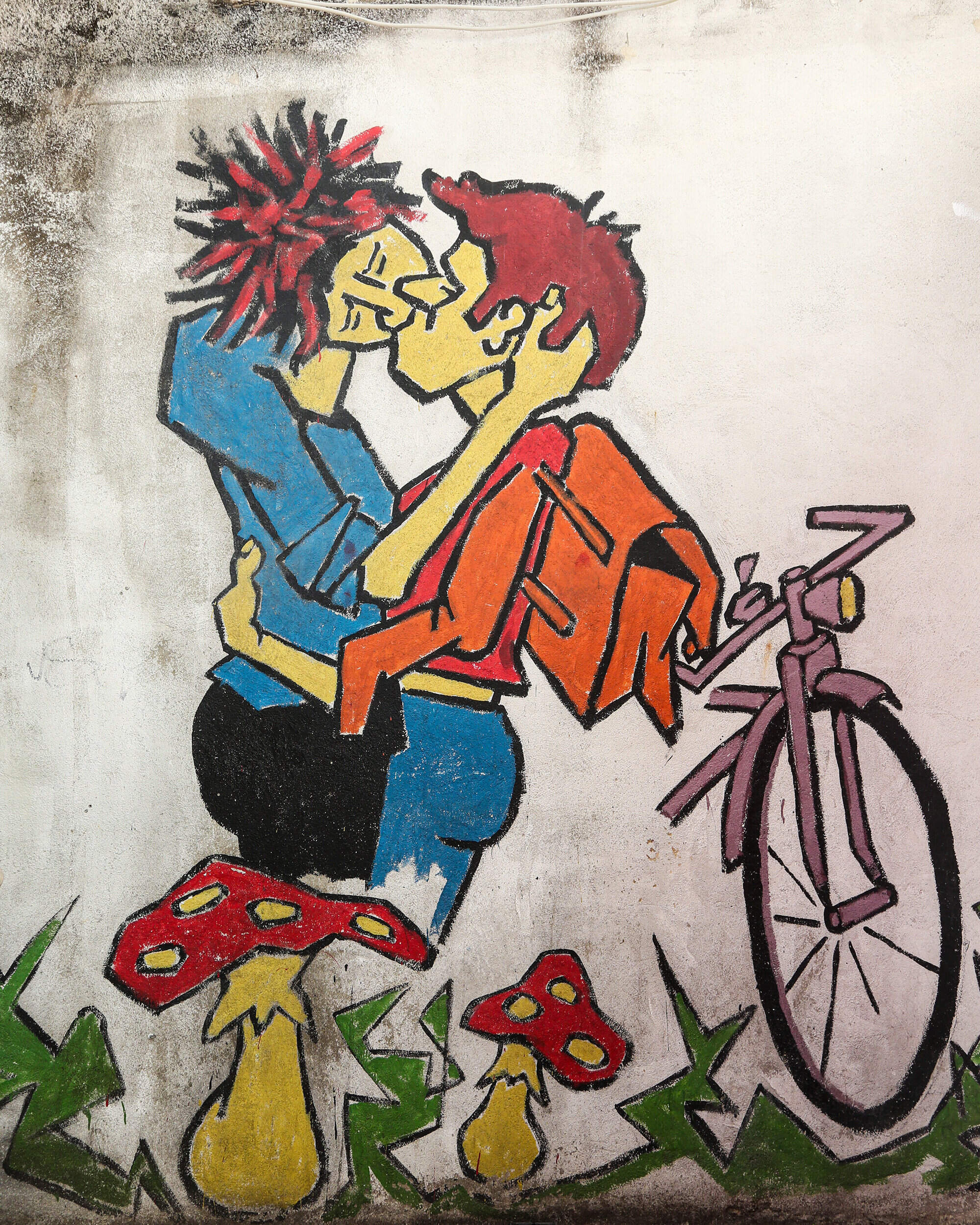
From 1978 to 1987, Klaus Paier was active in Aachen, illegally painting his text-and-image works on concrete walls and other surfaces in downtown Aachen, on the RWTH campus, and on squatted buildings. Paier deliberately chose themes and locations in public spaces intended to provoke thought, as well as topics that remain highly relevant today: real estate speculation, arms policy, nuclear power, homophobia, and issues within the education system. Almost all of his artworks no longer exist. Klaus Paier, a pioneer of modern street art, died in Cologne in 2009 and did not live to see his paintings honored. Three of his artworks have since been designated as historic landmarks in Aachen.

Dieter Weinkauf has studied Paier’s body of work in depth and documented the pieces photographically. In a slide presentation, numerous works—most of which no longer survive today—will be shown and discussed.

Admission is €9.00 (reduced rate €7.00). Tickets can be conveniently booked via the following link: https://www.vhs-aachen.de/kurssuche/kurs/Klaus-Paier-der-Aachener-Wandmaler/262-10360#inhalt

Date: December 11, 2026

Time:18:30 - 20:00

  • Education
  • Leisure time
  • Society
  • Information
  • Culture
  • Art
  • City history
  • Event

Help with accessibility

  • General

    We make every effort to ensure that our websites are accessible. You can find details on this in our accessibility statement. You can send us suggestions for improvement using our"Report a barrier" feedback form.

  • Font size

    To adjust the font size, please use the following key combinations:

    Larger

    ⌘command
    +

    Smaller

    ⌘command
    –

    Larger

    Ctrl
    +

    Smaller

    Ctrl
    –
  • Keyboard navigation

    Use TAB and SHIFT + TAB to navigate through next/previous links, form elements and buttons.

    Use ENTER to open links and interact with elements.

  • Contrast mode

    Press the following key combination to reduce or increase the contrast:

    Enlarge

    ⌃control
    ⌥option
    ⌘command
    .

    Decrease

    ⌃control
    ⌥option
    ⌘command
    ,
    Note: The shortcuts must be activated in the system settings of the operating system.

    Press left ALT + left SHIFT + PRINT to quickly switch the high contrast mode on or off.

  • Invert colors

    Press the following key combination to switch the color inversion on and off:

    ⌃control
    ⌥option
    ⌘command
    8
    Note: The shortcuts must be activated in the system settings of the operating system.

    First activate the screen magnifier and then switch the color inversion on and off with the following key combinations:

    1. screen magnifier

    +

    2. invert colors

    Ctrl
    Old
    I
  • Screen magnifier

    Press the following key combinations to use the screen magnifier:

    Switch on/off

    ⌥option
    ⌘command
    8

    Enlarge view

    ⌥option
    ⌘command
    =

    Reduce view

    ⌥option
    ⌘command
    –
    Note: The shortcuts must be activated in the system settings of the operating system.

    Switch on / Enlarge view

    +

    Reduce view

    –