Diese Seite wurde automatisch übersetzt. Es kann daher zu Abweichungen oder Ungenauigkeiten im Text kommen. Verbindlich ist ausschließlich die Originalfassung. Rechtsansprüche aus Inhalten der übersetzten Version sind ausgeschlossen.

Bicycle training" vacation games
Mobility and traffic

Category: Mobility and traffic

Bicycle training" vacation games

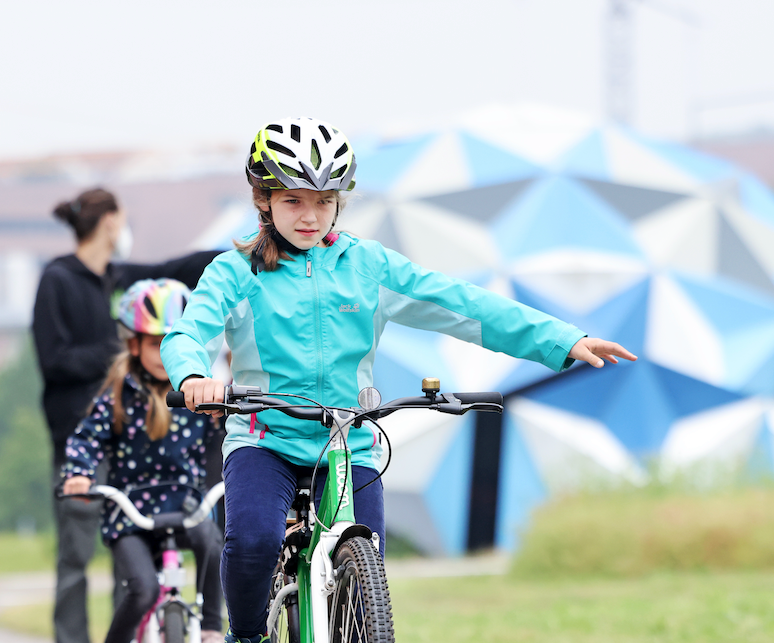
Vacations at last! Take part in the vacation games about cycling.

The "FahrRad in Aachen" campaign aims to make children fit for road traffic.

What do the traffic signs mean? What is the blind spot and why should you wear a bicycle helmet? These are just some of the questions we will discuss with you. You will then learn which components a bicycle must have in order to be roadworthy. However, you will spend most of your time on the bike. We will do various exercises with you to make you safe on the bike. Track lanes, ball sports and snail races are just a few of the many fun exercises we use to practise cycling. A seesaw and ramp are available for the more experienced. At the end, everyone receives a FahrRad in Aachen card game and a traffic sign pencil so that you can consolidate your knowledge at home. Children who register for two afternoons and are 7 years or older can take part in a bike tour on the second day.

Participation is free of charge. The Floriansdorf asks for €2 per child to help maintain the grounds. This can be paid on site. Please register with Dr. Stephanie Küpper, fahrrad-in-aachen@mail.aachen.de

Date:October 19, 2026

Time:14:00 - 17:00

Organizer

City of Aachen, "FahrRad in Aachen"

stephanie.kuepper@mail.aachen.de

fahrrad-in-aachen.de

  • Family

Help with accessibility

  • General

    We make every effort to ensure that our websites are accessible. You can find details on this in our accessibility statement. You can send us suggestions for improvement using our"Report a barrier" feedback form.

  • Font size

    To adjust the font size, please use the following key combinations:

    Larger

    ⌘command
    +

    Smaller

    ⌘command
    –

    Larger

    Ctrl
    +

    Smaller

    Ctrl
    –
  • Keyboard navigation

    Use TAB and SHIFT + TAB to navigate through next/previous links, form elements and buttons.

    Use ENTER to open links and interact with elements.

  • Contrast mode

    Press the following key combination to reduce or increase the contrast:

    Enlarge

    ⌃control
    ⌥option
    ⌘command
    .

    Decrease

    ⌃control
    ⌥option
    ⌘command
    ,
    Note: The shortcuts must be activated in the system settings of the operating system.

    Press left ALT + left SHIFT + PRINT to quickly switch the high contrast mode on or off.

  • Invert colors

    Press the following key combination to switch the color inversion on and off:

    ⌃control
    ⌥option
    ⌘command
    8
    Note: The shortcuts must be activated in the system settings of the operating system.

    First activate the screen magnifier and then switch the color inversion on and off with the following key combinations:

    1. screen magnifier

    +

    2. invert colors

    Ctrl
    Old
    I
  • Screen magnifier

    Press the following key combinations to use the screen magnifier:

    Switch on/off

    ⌥option
    ⌘command
    8

    Enlarge view

    ⌥option
    ⌘command
    =

    Reduce view

    ⌥option
    ⌘command
    –
    Note: The shortcuts must be activated in the system settings of the operating system.

    Switch on / Enlarge view

    +

    Reduce view

    –