Diese Seite wurde automatisch übersetzt. Es kann daher zu Abweichungen oder Ungenauigkeiten im Text kommen. Verbindlich ist ausschließlich die Originalfassung. Rechtsansprüche aus Inhalten der übersetzten Version sind ausgeschlossen.

Margit Palme and Ulrike Müller – Guided tour with curator Mailin Haberland
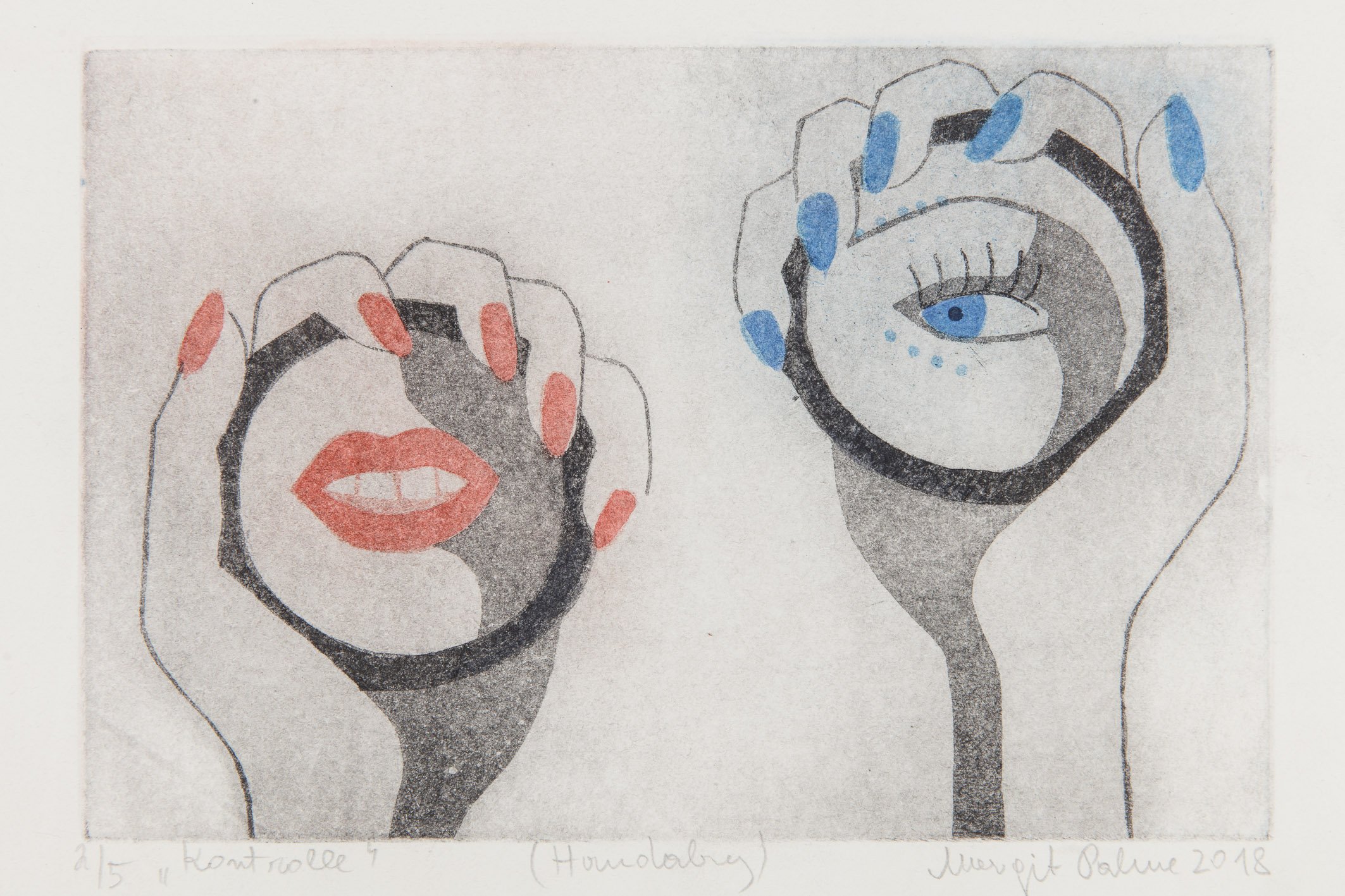
Margit Palme, Audit
Carl Brunn; www.carlbrunn.de, © Margit Palme, Untitled, 1996. Ludwig Forum for International Art, Aachen, donated by the artist’s daughter, Iris Barbara Kubowsky. Photo: Carl Brunn
Culture

Category: Culture

Margit Palme and Ulrike Müller – Guided tour with curator Mailin Haberland

Mailin Haberland guides visitors through the exhibition she curated, *Margit Palme*, and through *Double Wall Project: Ulrike Müller*.

Self-assured, expressive female figures are the protagonists in the prints by the Austrian painter and printmaker Margit Palme (1939–2025). Her aquatint works on paper were created over a period of six decades and are characterized by precise lines and a limited color palette. At the heart of her work—whose color palette increasingly aligned with the emerging aesthetics of Pop Art from the late 1960s onward—is the depiction of women.

The murals *Paper Body (ghost)* and *Paper Body (pointer)* by Ulrike Müller (both 2023) are temporary monumentalizations of two small-format collages, which were scaled up to fit the architecture of the Ludwig Forum and transferred to the wall as areas of color. On the occasion of Ulrike Müller’s solo exhibition *Monument to My Paper Body* (Dec. 9, 2023–Aug. 18,August 2024), the Double Wall Projects series (2004–08), initiated by Harald Kunde, was revived; in this series, artists were invited on an annually rotating basis to transform the museum’s two monumental walls into spaces for artistic intervention.

Organizer

Ludwig Forum for International Art

info@ludwigforum.de

ludwigforum.de

  • Museum
  • Art
  • Culture

Help with accessibility

  • General

    We make every effort to ensure that our websites are accessible. You can find details on this in our accessibility statement. You can send us suggestions for improvement using our"Report a barrier" feedback form.

  • Font size

    To adjust the font size, please use the following key combinations:

    Larger

    ⌘command
    +

    Smaller

    ⌘command
    –

    Larger

    Ctrl
    +

    Smaller

    Ctrl
    –
  • Keyboard navigation

    Use TAB and SHIFT + TAB to navigate through next/previous links, form elements and buttons.

    Use ENTER to open links and interact with elements.

  • Contrast mode

    Press the following key combination to reduce or increase the contrast:

    Enlarge

    ⌃control
    ⌥option
    ⌘command
    .

    Decrease

    ⌃control
    ⌥option
    ⌘command
    ,
    Note: The shortcuts must be activated in the system settings of the operating system.

    Press left ALT + left SHIFT + PRINT to quickly switch the high contrast mode on or off.

  • Invert colors

    Press the following key combination to switch the color inversion on and off:

    ⌃control
    ⌥option
    ⌘command
    8
    Note: The shortcuts must be activated in the system settings of the operating system.

    First activate the screen magnifier and then switch the color inversion on and off with the following key combinations:

    1. screen magnifier

    +

    2. invert colors

    Ctrl
    Old
    I
  • Screen magnifier

    Press the following key combinations to use the screen magnifier:

    Switch on/off

    ⌥option
    ⌘command
    8

    Enlarge view

    ⌥option
    ⌘command
    =

    Reduce view

    ⌥option
    ⌘command
    –
    Note: The shortcuts must be activated in the system settings of the operating system.

    Switch on / Enlarge view

    +

    Reduce view

    –