Diese Seite wurde automatisch übersetzt. Es kann daher zu Abweichungen oder Ungenauigkeiten im Text kommen. Verbindlich ist ausschließlich die Originalfassung. Rechtsansprüche aus Inhalten der übersetzten Version sind ausgeschlossen.

Now more than ever! Start of the semester at vhs Aachen
Education

Category: Education

Now more than ever! Start of the semester at vhs Aachen

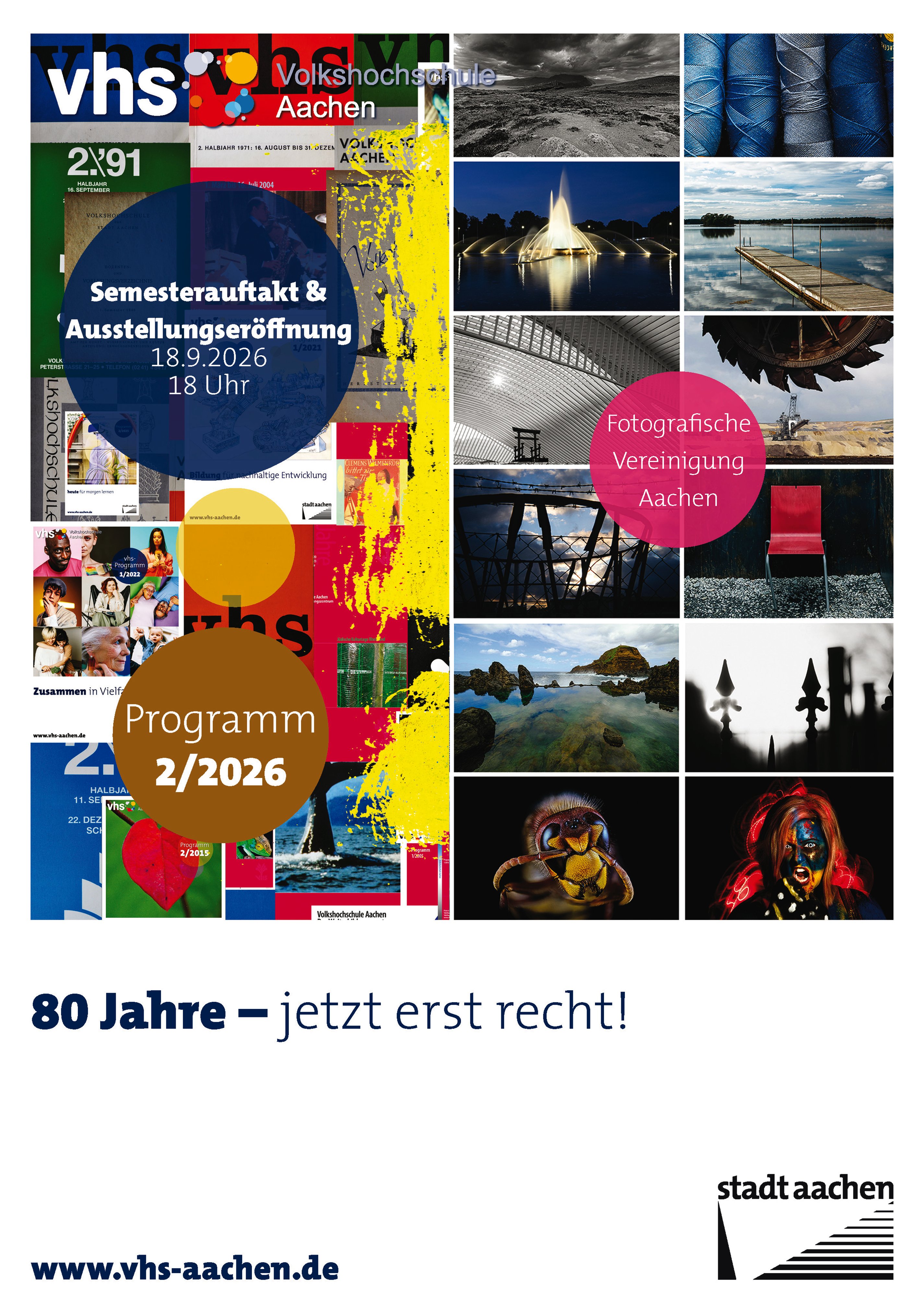
For 80 years, the Aachen Adult Education Center has been a place of learning, connection, and lively exchange. We would like to celebrate this special anniversary with you at the start of the semester. At the same time, we are marking another significant milestone with the opening of the exhibition celebrating the 75th anniversary of the Photographic Association. The works on display by its members invite you to discover something new, pause for a moment, and be inspired.
In addition to Dr. Beate Blüggel, Director of the vhs Aachen, Ulla Griepentrog, Mayor of the City of Aachen, will also welcome the guests. The opening will feature musical accompaniment by the akis Self-Help Choir, whose performance will add a special touch and may even encourage visitors to sing along. Afterward, everyone is invited to round out the evening with stimulating conversations and a convivial get-together.

Admission to the semester kickoff event is free.

Date: September 18, 2026

Time:18:00 - 21:00

Organizer

vhs Aachen

vhs-pr@mail.aachen.de

  • Aachen center
  • Exhibition
  • Education
  • Opening
  • Photography
  • Leisure time
  • Society
  • Culture

Help with accessibility

  • General

    We make every effort to ensure that our websites are accessible. You can find details on this in our accessibility statement. You can send us suggestions for improvement using our"Report a barrier" feedback form.

  • Font size

    To adjust the font size, please use the following key combinations:

    Larger

    ⌘command
    +

    Smaller

    ⌘command
    –

    Larger

    Ctrl
    +

    Smaller

    Ctrl
    –
  • Keyboard navigation

    Use TAB and SHIFT + TAB to navigate through next/previous links, form elements and buttons.

    Use ENTER to open links and interact with elements.

  • Contrast mode

    Press the following key combination to reduce or increase the contrast:

    Enlarge

    ⌃control
    ⌥option
    ⌘command
    .

    Decrease

    ⌃control
    ⌥option
    ⌘command
    ,
    Note: The shortcuts must be activated in the system settings of the operating system.

    Press left ALT + left SHIFT + PRINT to quickly switch the high contrast mode on or off.

  • Invert colors

    Press the following key combination to switch the color inversion on and off:

    ⌃control
    ⌥option
    ⌘command
    8
    Note: The shortcuts must be activated in the system settings of the operating system.

    First activate the screen magnifier and then switch the color inversion on and off with the following key combinations:

    1. screen magnifier

    +

    2. invert colors

    Ctrl
    Old
    I
  • Screen magnifier

    Press the following key combinations to use the screen magnifier:

    Switch on/off

    ⌥option
    ⌘command
    8

    Enlarge view

    ⌥option
    ⌘command
    =

    Reduce view

    ⌥option
    ⌘command
    –
    Note: The shortcuts must be activated in the system settings of the operating system.

    Switch on / Enlarge view

    +

    Reduce view

    –