Diese Seite wurde automatisch übersetzt. Es kann daher zu Abweichungen oder Ungenauigkeiten im Text kommen. Verbindlich ist ausschließlich die Originalfassung. Rechtsansprüche aus Inhalten der übersetzten Version sind ausgeschlossen.

Long table of diversity 2026
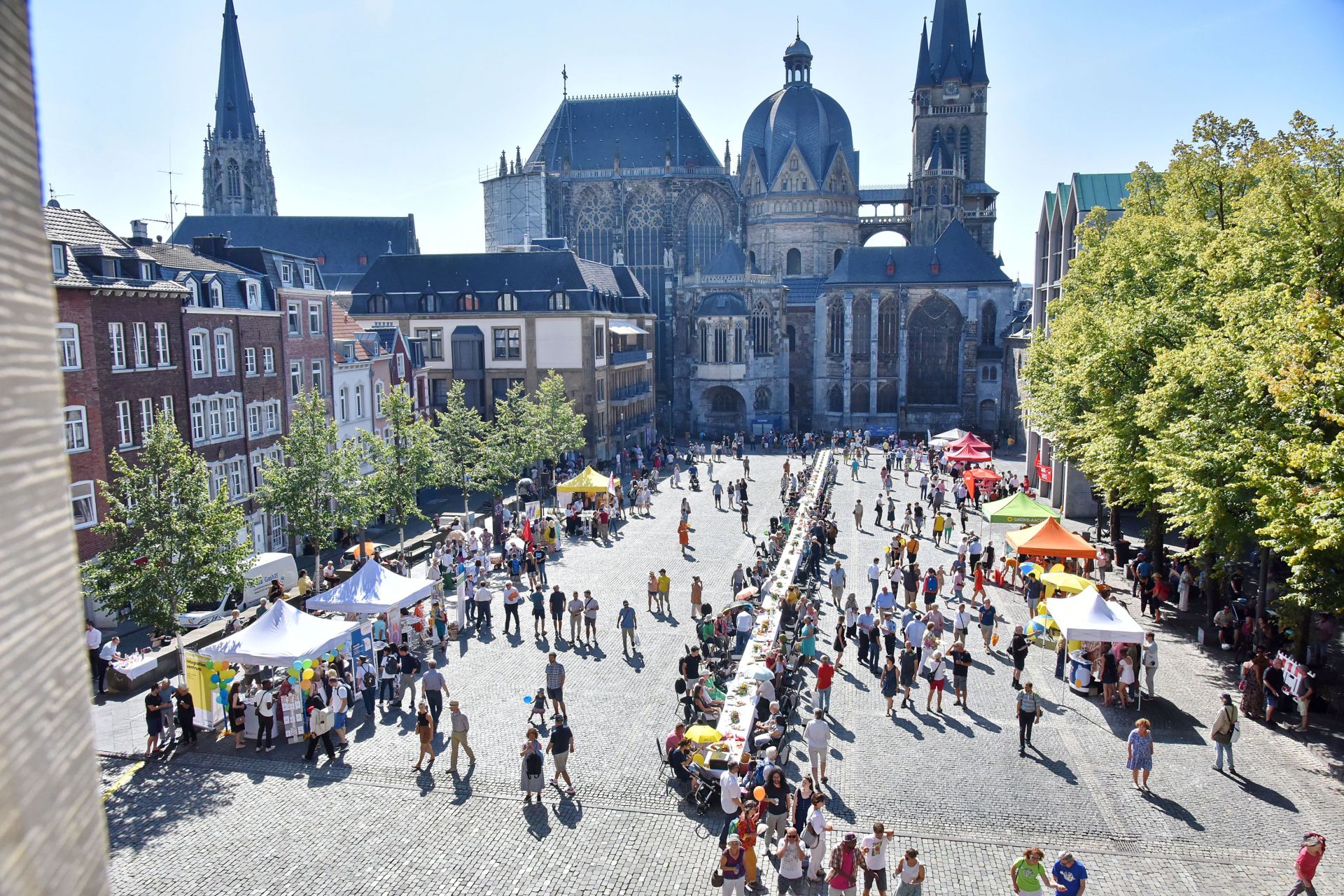
The long table of diversity on the Katschof, surrounded by many people. Taken from a window in the town hall.
Society

Category: Society

Long table of diversity 2026

The City of Aachen cordially invites all residents of Aachen to come together and send a message of respectful coexistence, active diversity, and social cohesion. The event brings together people of all generations, cultures, and backgrounds—for a large city picnic featuring music, conversations, information booths, and diverse encounters.

The Katschhof will once again become a place of encounter, exchange, and participation right in the heart of Aachen. A varied program awaits the public. “The ‘Long Table of Diversity’ showcases our vibrant urban community. It brings people together and stands for respectful coexistence in Aachen.”

“Diversity Award” and “Integration through Sport” Sponsorship
Award
In addition to the communal table, the event also includes the ceremonial presentation of the “Diversity Award,” which is sponsored by the City of Aachen and the Committee for Equal Opportunities and Integration (formerly the Integration Council).

This year, the city’s “Integration through Sport 2026” award will be presented for the first time as a separate category within the “Diversity Award.”

Join in and
experience the
gatheringAll clubs, organizations, and initiatives committed to diversity, participation, equal opportunity, and the promotion of democracy are cordially invited to become part of the “Market of Diversity” with an information or food booth. Take this opportunity to showcase your work and become part of the “Festival of Diversity.” The focus is on meeting others, exchanging ideas, and sharing experiences. Everyone is warmly invited to bring their own picnic. The table is set—come on by.

Interested groups, associations, and organizations can register by May 10 at the latest. Please note that booth spaces are limited and will only be allocated after the registration deadline. Therefore, we cannot guarantee a spot. If you’re interested, please send us an email at: Tafel-der-Vielfalt@mail.aachen.de.

Date:July 4, 2026

Time:from 12:00

  • Integration
  • Home page

Help with accessibility

  • General

    We make every effort to ensure that our websites are accessible. You can find details on this in our accessibility statement. You can send us suggestions for improvement using our"Report a barrier" feedback form.

  • Font size

    To adjust the font size, please use the following key combinations:

    Larger

    ⌘command
    +

    Smaller

    ⌘command

    Larger

    Ctrl
    +

    Smaller

    Ctrl
  • Keyboard navigation

    Use TAB and SHIFT + TAB to navigate through next/previous links, form elements and buttons.

    Use ENTER to open links and interact with elements.

  • Contrast mode

    Press the following key combination to reduce or increase the contrast:

    Enlarge

    ⌃control
    ⌥option
    ⌘command
    .

    Decrease

    ⌃control
    ⌥option
    ⌘command
    ,
    Note: The shortcuts must be activated in the system settings of the operating system.

    Press left ALT + left SHIFT + PRINT to quickly switch the high contrast mode on or off.

  • Invert colors

    Press the following key combination to switch the color inversion on and off:

    ⌃control
    ⌥option
    ⌘command
    8
    Note: The shortcuts must be activated in the system settings of the operating system.

    First activate the screen magnifier and then switch the color inversion on and off with the following key combinations:

    1. screen magnifier

    +

    2. invert colors

    Ctrl
    Old
    I
  • Screen magnifier

    Press the following key combinations to use the screen magnifier:

    Switch on/off

    ⌥option
    ⌘command
    8

    Enlarge view

    ⌥option
    ⌘command
    =

    Reduce view

    ⌥option
    ⌘command
    Note: The shortcuts must be activated in the system settings of the operating system.

    Switch on / Enlarge view

    +

    Reduce view