Diese Seite wurde automatisch übersetzt. Es kann daher zu Abweichungen oder Ungenauigkeiten im Text kommen. Verbindlich ist ausschließlich die Originalfassung. Rechtsansprüche aus Inhalten der übersetzten Version sind ausgeschlossen.

Terribly Beautiful Families – The Diverse World of Spiders
School

Category: School

Terribly Beautiful Families – The Diverse World of Spiders

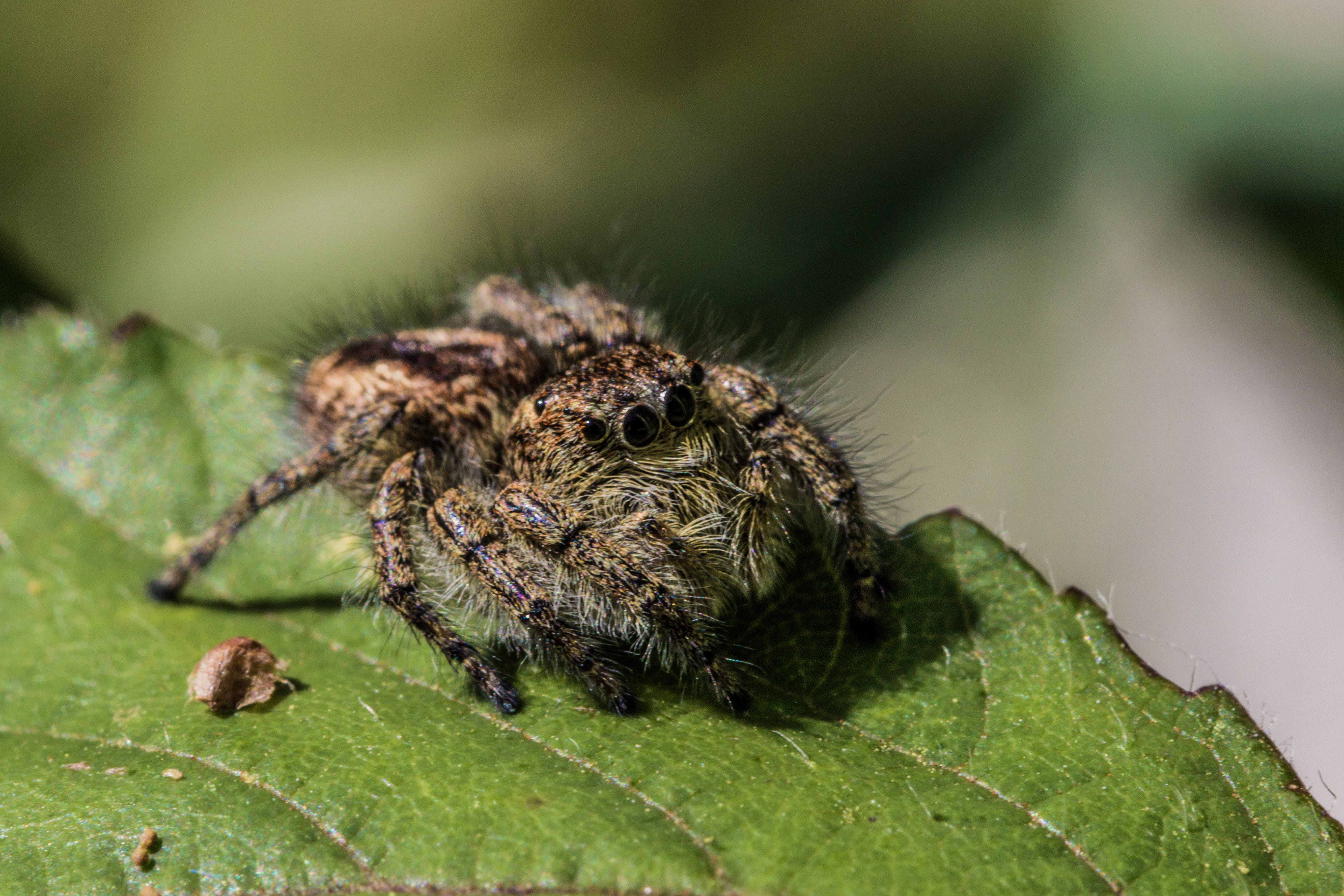
A spider lurks in its web—with glittering threads arranged in a circle—sitting in the center, waiting. That’s the typical image that comes to mind when we think of a spider. But what about other members of this diverse group of specialists, hunters, and ambush predators? Do all spiders sit in a web? (Spoiler alert: No!) How do spiders from different families catch their prey? How do they live?

And perhaps the most exciting question: Through what eyes do the species of different families view the world?

This workshop focuses on selected families of our native eight-legged creatures and will shine a spotlight on spiders as fascinating little characters in their own right. After all, spiders truly deserve the spotlight—as the versatile creatures that they are!So if

you bring along a sense of curiosity—and just a tiny bit of courage—you can get ready to step into the fascinating world of spider families and join us on a little journey into the colorful world of our eight-legged friends.

Target audience: Educators at elementary and secondary schools

Facilitator: Emi Cauda, geographer specializing in nature conservation and landscape ecology

Date:September 15, 2026

Time:14:30 - 16:30

Organizer

Education for Sustainable Development" team

bne@mail.aachen.de

aachen.de

  • Education
  • ESD

Help with accessibility

  • General

    We make every effort to ensure that our websites are accessible. You can find details on this in our accessibility statement. You can send us suggestions for improvement using our"Report a barrier" feedback form.

  • Font size

    To adjust the font size, please use the following key combinations:

    Larger

    ⌘command
    +

    Smaller

    ⌘command
    –

    Larger

    Ctrl
    +

    Smaller

    Ctrl
    –
  • Keyboard navigation

    Use TAB and SHIFT + TAB to navigate through next/previous links, form elements and buttons.

    Use ENTER to open links and interact with elements.

  • Contrast mode

    Press the following key combination to reduce or increase the contrast:

    Enlarge

    ⌃control
    ⌥option
    ⌘command
    .

    Decrease

    ⌃control
    ⌥option
    ⌘command
    ,
    Note: The shortcuts must be activated in the system settings of the operating system.

    Press left ALT + left SHIFT + PRINT to quickly switch the high contrast mode on or off.

  • Invert colors

    Press the following key combination to switch the color inversion on and off:

    ⌃control
    ⌥option
    ⌘command
    8
    Note: The shortcuts must be activated in the system settings of the operating system.

    First activate the screen magnifier and then switch the color inversion on and off with the following key combinations:

    1. screen magnifier

    +

    2. invert colors

    Ctrl
    Old
    I
  • Screen magnifier

    Press the following key combinations to use the screen magnifier:

    Switch on/off

    ⌥option
    ⌘command
    8

    Enlarge view

    ⌥option
    ⌘command
    =

    Reduce view

    ⌥option
    ⌘command
    –
    Note: The shortcuts must be activated in the system settings of the operating system.

    Switch on / Enlarge view

    +

    Reduce view

    –