Diese Seite wurde automatisch übersetzt. Es kann daher zu Abweichungen oder Ungenauigkeiten im Text kommen. Verbindlich ist ausschließlich die Originalfassung. Rechtsansprüche aus Inhalten der übersetzten Version sind ausgeschlossen.

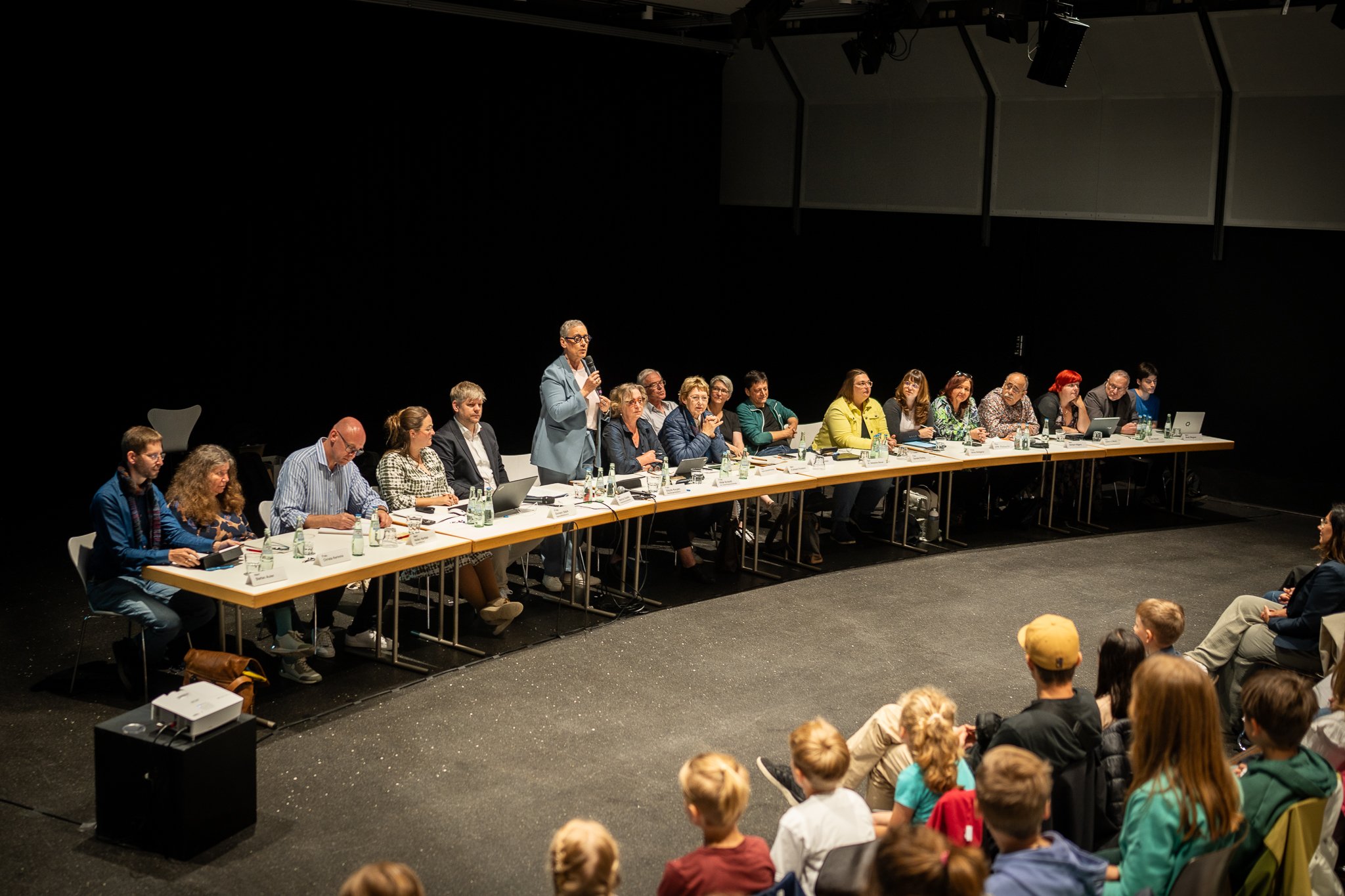
Meeting of the citizens' forum as a children's forum
Citizen participation

Category: Citizen participation

Meeting of the citizens' forum as a children's forum

The Children’s Forum offers children the opportunity to bring their concerns and ideas into local politics and to actively experience democratic processes.

The focus is on the ideas and concerns of Aachen elementary school students, who personally present their proposals and engage in dialogue with politicians and administrative officials. The Children’s Forum provides a platform for elementary school-aged children to voice their wishes directly to local policymakers. The goal of the event is to inspire young people to engage with democratic processes at an early age and to enable them to actively participate in shaping their community.

From January through March 2026, Aachen elementary schools were able to submit their ideas for a more child-friendly Aachen and vote together on which topics were particularly important to them. City staff have prepared the four selected proposals as administrative documents, and these now form the basis for political deliberation at the Children’s Forum.

All interested Aachen elementary school students, as well as their accompanying teachers and support staff, are cordially invited to attend the 2026 Children’s Forum.

Further information

Organizer

Doreen Stärk

buergerforum@mail.aachen.de

  • Citizens' forum

Help with accessibility

  • General

    We make every effort to ensure that our websites are accessible. You can find details on this in our accessibility statement. You can send us suggestions for improvement using our"Report a barrier" feedback form.

  • Font size

    To adjust the font size, please use the following key combinations:

    Larger

    ⌘command
    +

    Smaller

    ⌘command
    –

    Larger

    Ctrl
    +

    Smaller

    Ctrl
    –
  • Keyboard navigation

    Use TAB and SHIFT + TAB to navigate through next/previous links, form elements and buttons.

    Use ENTER to open links and interact with elements.

  • Contrast mode

    Press the following key combination to reduce or increase the contrast:

    Enlarge

    ⌃control
    ⌥option
    ⌘command
    .

    Decrease

    ⌃control
    ⌥option
    ⌘command
    ,
    Note: The shortcuts must be activated in the system settings of the operating system.

    Press left ALT + left SHIFT + PRINT to quickly switch the high contrast mode on or off.

  • Invert colors

    Press the following key combination to switch the color inversion on and off:

    ⌃control
    ⌥option
    ⌘command
    8
    Note: The shortcuts must be activated in the system settings of the operating system.

    First activate the screen magnifier and then switch the color inversion on and off with the following key combinations:

    1. screen magnifier

    +

    2. invert colors

    Ctrl
    Old
    I
  • Screen magnifier

    Press the following key combinations to use the screen magnifier:

    Switch on/off

    ⌥option
    ⌘command
    8

    Enlarge view

    ⌥option
    ⌘command
    =

    Reduce view

    ⌥option
    ⌘command
    –
    Note: The shortcuts must be activated in the system settings of the operating system.

    Switch on / Enlarge view

    +

    Reduce view

    –