Diese Seite wurde automatisch übersetzt. Es kann daher zu Abweichungen oder Ungenauigkeiten im Text kommen. Verbindlich ist ausschließlich die Originalfassung. Rechtsansprüche aus Inhalten der übersetzten Version sind ausgeschlossen.

Natural school grounds - a habitat for diversity
School

Category: School

Natural school grounds - a habitat for diversity

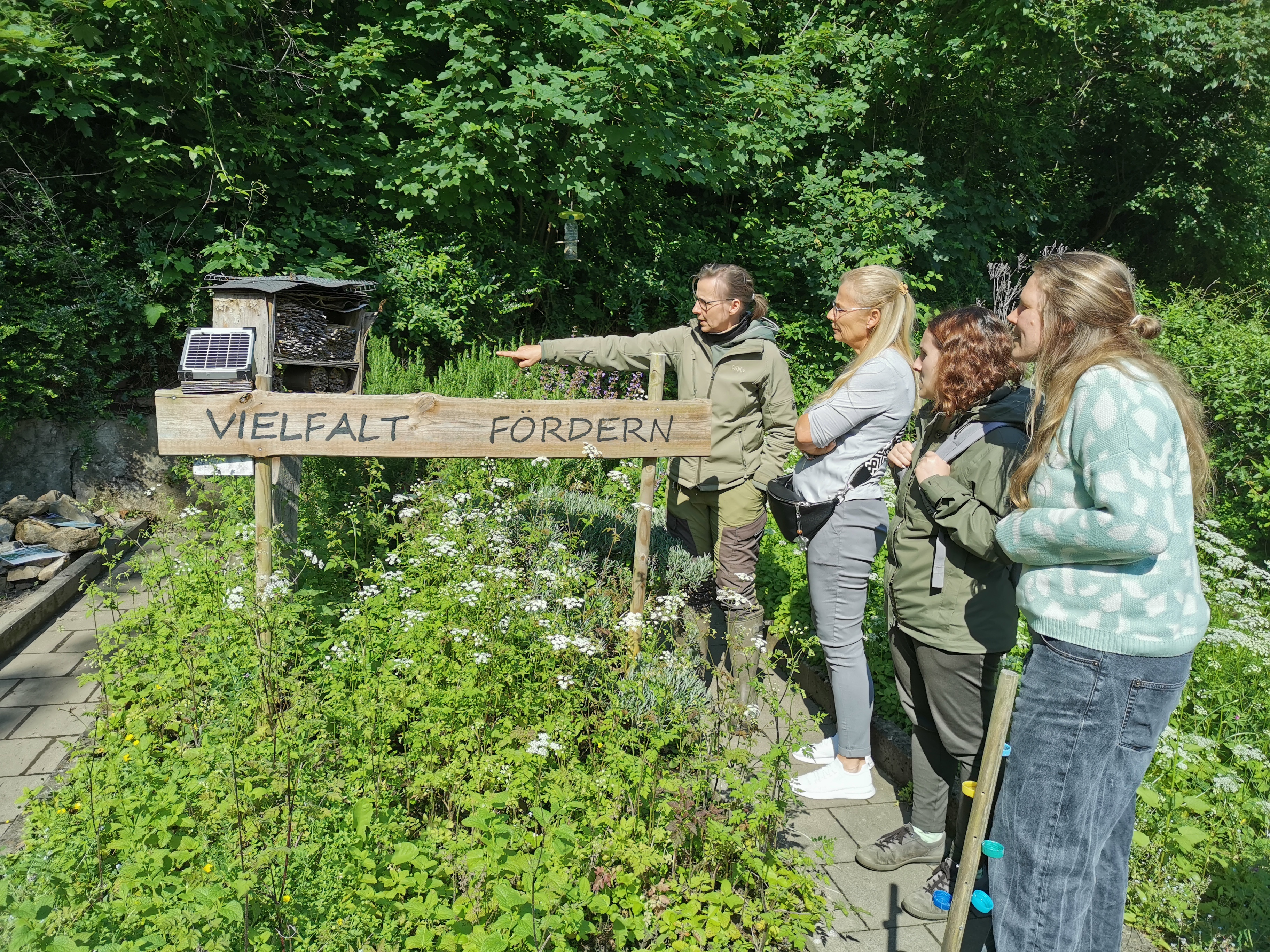
The school grounds are a place to relax, exchange ideas and try things out. But school grounds can do much more. How about creating a small trial and exploration garden this year or creating habitats for many animal species (e.g. beetle cellars, lean beds, various nesting aids for wild bees or birds)? You can not only watch a wide variety of plants grow, but also discover and get to know insects. You can achieve a lot with little material and design each school grounds individually. We will talk about how you currently use the grounds and how you could use them in the future. Every site has its own special features and possibilities. Using the example of the Amos-Comenius-Gymnasium, we will learn about a successful and sustainable nature schoolyard project. The participants will exchange ideas and learn from each other in a practical way. We have plenty of information material, e.g. on nature school yards, building nesting boxes and suitable plants on site.

Target group: Teachers at primary and secondary schools

Leader: Sabine Gaipl, certified biologist and biology teacher and initiator of compulsory elective area 2 "Biology school garden"

Organizer

Education for Sustainable Development" team

bne@mail.aachen.de

aachen.de

  • Education
  • ESD

Help with accessibility

  • General

    We make every effort to ensure that our websites are accessible. You can find details on this in our accessibility statement. You can send us suggestions for improvement using our"Report a barrier" feedback form.

  • Font size

    To adjust the font size, please use the following key combinations:

    Larger

    ⌘command
    +

    Smaller

    ⌘command

    Larger

    Ctrl
    +

    Smaller

    Ctrl
  • Keyboard navigation

    Use TAB and SHIFT + TAB to navigate through next/previous links, form elements and buttons.

    Use ENTER to open links and interact with elements.

  • Contrast mode

    Press the following key combination to reduce or increase the contrast:

    Enlarge

    ⌃control
    ⌥option
    ⌘command
    .

    Decrease

    ⌃control
    ⌥option
    ⌘command
    ,
    Note: The shortcuts must be activated in the system settings of the operating system.

    Press left ALT + left SHIFT + PRINT to quickly switch the high contrast mode on or off.

  • Invert colors

    Press the following key combination to switch the color inversion on and off:

    ⌃control
    ⌥option
    ⌘command
    8
    Note: The shortcuts must be activated in the system settings of the operating system.

    First activate the screen magnifier and then switch the color inversion on and off with the following key combinations:

    1. screen magnifier

    +

    2. invert colors

    Ctrl
    Old
    I
  • Screen magnifier

    Press the following key combinations to use the screen magnifier:

    Switch on/off

    ⌥option
    ⌘command
    8

    Enlarge view

    ⌥option
    ⌘command
    =

    Reduce view

    ⌥option
    ⌘command
    Note: The shortcuts must be activated in the system settings of the operating system.

    Switch on / Enlarge view

    +

    Reduce view