Diese Seite wurde automatisch übersetzt. Es kann daher zu Abweichungen oder Ungenauigkeiten im Text kommen. Verbindlich ist ausschließlich die Originalfassung. Rechtsansprüche aus Inhalten der übersetzten Version sind ausgeschlossen.

"Developing and designing housing projects together" Architecture and project development basics
Planning and building

Category: Planning and building

"Developing and designing housing projects together" Architecture and project development basics

Speaker: Gesine Appel, architect and partner at Büro baut architektur (realization of several Baugruppen projects in NRW)

Fit for concept processes - event series Stadtmacher*innen als Baugruppen und/oder Investoren

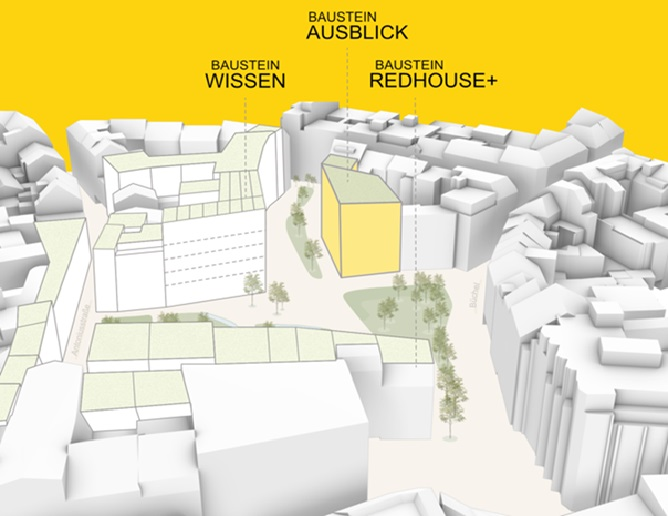
Do you want to live in a community with others and even build yourself? Are you a group, institution, investor or association that wants to create affordable living space for others (and for yourself)? Would you like to buy or rent jointly planned space from an investor as a group?
Then you've come to the right place! In a series of events on three dates, we will provide information, give encouragement, network people and projects and motivate people to apply for upcoming tenders. The series of events is free of charge and open to everyone.

The series of events will provide you with the initial tools you need to start a community housing project yourself: community, social and societal orientation, as well as good group processes, the choice of legal form, financing options and construction requirements. Always based on good examples and inspiring ideas from existing housing projects.

We have invited speakers and offer financial advice sessions.

Date:February 10, 2026

Time:18:00 - 20:30

Organizer

SEGA Städtische Entwicklungsgesellschaft Aachen GmbH & Co.KG

a.eickhoff@sega.ac

buechel-aachen.de

  • Aachen center

Help with accessibility

  • General

    We make every effort to ensure that our websites are accessible. You can find details on this in our accessibility statement. You can send us suggestions for improvement using our"Report a barrier" feedback form.

  • Font size

    To adjust the font size, please use the following key combinations:

    Larger

    ⌘command
    +

    Smaller

    ⌘command

    Larger

    Ctrl
    +

    Smaller

    Ctrl
  • Keyboard navigation

    Use TAB and SHIFT + TAB to navigate through next/previous links, form elements and buttons.

    Use ENTER to open links and interact with elements.

  • Contrast mode

    Press the following key combination to reduce or increase the contrast:

    Enlarge

    ⌃control
    ⌥option
    ⌘command
    .

    Decrease

    ⌃control
    ⌥option
    ⌘command
    ,
    Note: The shortcuts must be activated in the system settings of the operating system.

    Press left ALT + left SHIFT + PRINT to quickly switch the high contrast mode on or off.

  • Invert colors

    Press the following key combination to switch the color inversion on and off:

    ⌃control
    ⌥option
    ⌘command
    8
    Note: The shortcuts must be activated in the system settings of the operating system.

    First activate the screen magnifier and then switch the color inversion on and off with the following key combinations:

    1. screen magnifier

    +

    2. invert colors

    Ctrl
    Old
    I
  • Screen magnifier

    Press the following key combinations to use the screen magnifier:

    Switch on/off

    ⌥option
    ⌘command
    8

    Enlarge view

    ⌥option
    ⌘command
    =

    Reduce view

    ⌥option
    ⌘command
    Note: The shortcuts must be activated in the system settings of the operating system.

    Switch on / Enlarge view

    +

    Reduce view