Diese Seite wurde automatisch übersetzt. Es kann daher zu Abweichungen oder Ungenauigkeiten im Text kommen. Verbindlich ist ausschließlich die Originalfassung. Rechtsansprüche aus Inhalten der übersetzten Version sind ausgeschlossen.

Building greening

The city of Aachen is pursuing a greening campaign for municipal buildings in order to strengthen the green infrastructure and contribute to climate adaptation through green façades and roofs. The building management department is working intensively on procedures, potentials and possibilities relating to green roofs and façades as well as façade trees and the associated knowledge building and information exchange.

Green Roofs – Catalog

In the "Building Greenery" catalog, the City of Aachen's Building Management Department presents the greening projects at 28 municipal properties. For each property, the catalog includes photos as well as information on the type of greening, substrate thickness, area size, special features, and development potential.

View the catalog (40 MB) 


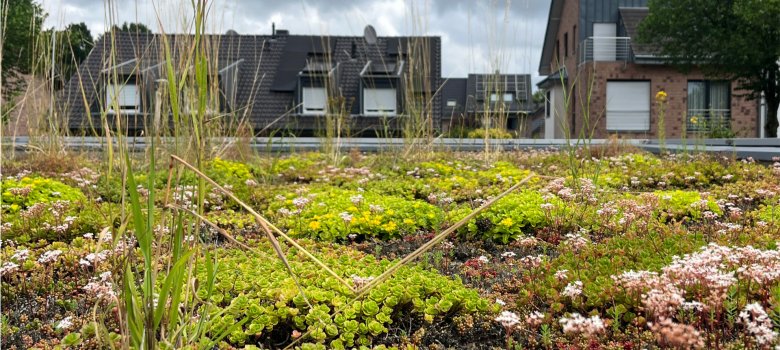
Roof greening

The green roof of a school in Aachen

More About Green Roofs

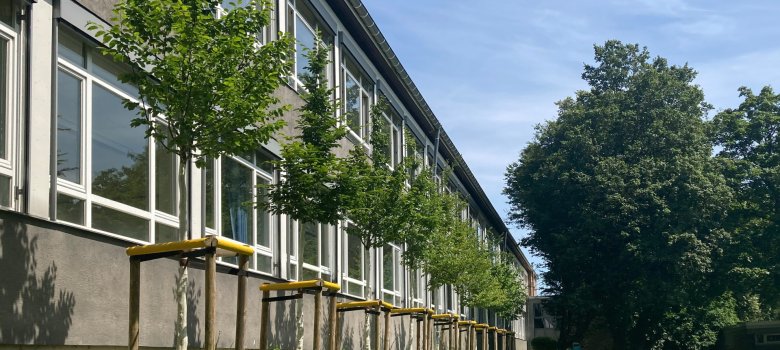
Façade trees

Façade trees on the south façade of GGS Walheim

More About Trees on Building Facades

Facade greening

A completely green façade.

More on greening the barrels


We are a member of the Bundesverband Gebäudegrün

Building Management has been a member of the "Bundesverband GebäudeGrün e.V." (BuGG) on behalf of the City of Aachen since July 1 in accordance with the resolution of the Council and on the recommendation of the BAG.

More about the BuGG


Resolutions and Political Mandate

Help with accessibility

  • General

    We make every effort to ensure that our websites are accessible. You can find details on this in our accessibility statement. You can send us suggestions for improvement using our"Report a barrier" feedback form.

  • Font size

    To adjust the font size, please use the following key combinations:

    Larger

    ⌘command
    +

    Smaller

    ⌘command

    Larger

    Ctrl
    +

    Smaller

    Ctrl
  • Keyboard navigation

    Use TAB and SHIFT + TAB to navigate through next/previous links, form elements and buttons.

    Use ENTER to open links and interact with elements.

  • Contrast mode

    Press the following key combination to reduce or increase the contrast:

    Enlarge

    ⌃control
    ⌥option
    ⌘command
    .

    Decrease

    ⌃control
    ⌥option
    ⌘command
    ,
    Note: The shortcuts must be activated in the system settings of the operating system.

    Press left ALT + left SHIFT + PRINT to quickly switch the high contrast mode on or off.

  • Invert colors

    Press the following key combination to switch the color inversion on and off:

    ⌃control
    ⌥option
    ⌘command
    8
    Note: The shortcuts must be activated in the system settings of the operating system.

    First activate the screen magnifier and then switch the color inversion on and off with the following key combinations:

    1. screen magnifier

    +

    2. invert colors

    Ctrl
    Old
    I
  • Screen magnifier

    Press the following key combinations to use the screen magnifier:

    Switch on/off

    ⌥option
    ⌘command
    8

    Enlarge view

    ⌥option
    ⌘command
    =

    Reduce view

    ⌥option
    ⌘command
    Note: The shortcuts must be activated in the system settings of the operating system.

    Switch on / Enlarge view

    +

    Reduce view