After fifteen years of urban development funding, the final urban development projects were implemented in 2024, bringing the “Social City Aachen-Nord” urban development program to a close in December 2024. With financial support from the funding program, many construction projects were carried out in Aachen-Nord, networks were strengthened, and, in collaboration with all stakeholders, organizations, and residents, much was achieved for Aachen-Nord.
In December 2009, the Aachen-Nord district was included in the “Social City” funding program. The program was originally scheduled to run for ten years, divided into two funding phases: 2010–2014/5 and 2014/5–2019. With the 9th funding phase, an extension of the second funding period until the end of 2021 was requested; the implementation period for the measures still underway was ultimately approved through 2024. This made it possible to successfully complete the redesign of Tal- and Scheibenstraße, Europaplatz, and the redevelopment of the “Zum Kirschbäumchen” area. In total, approximately 23 million euros will be invested in numerous measures and projects by the end of 2024. 70% of this total amount was financed through urban development funding. The City of Aachen’s own contribution to the financing of the overall project amounts to 30%.
"Completion" of Urban Development Funding

Peter Hinschläger

City of Aachen / Jonas Hellmann
Comprehensive Evaluation
After twelve years of the “Social City Aachen-Nord” initiative, most of the funding program had been implemented by 2021, and it was time to take stock.
More

© City of Aachen / Andreas Steindl
When did what happen?
Depot Talstraße Community Center and Surrounding Area, Ludwig Forum Garden, Rehm Squares, Playgrounds, Wiesental Neighborhood, Europaplatz, altbauplus in Aachen-Nord, Discretionary Fund
Today in North Aachen
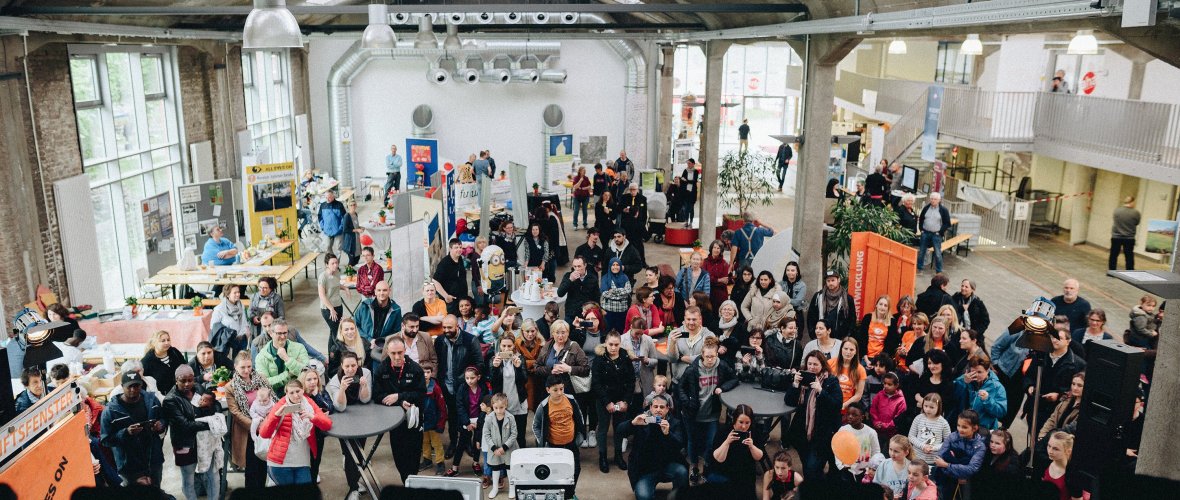
© Tim Siebmanns
Aachen-North district office
After the “Social City” funding program came to an end, the Aachen-Nord Neighborhood Office was transformed into a municipal neighborhood management office. The neighborhood office remains located at DEPOT Talstraße and, as an important point of contact, its doors are open to all residents and stakeholders in the Aachen-Nord neighborhood. The neighborhood office also supports the neighborhood fund’s projects from conception through development and implementation, serving as a link between residents, stakeholders, local politicians, and city administration.
More
The Depot
The Depot, a sociocultural center located in the former streetcar depot on Talstraße, is the flagship project of the “Social City” urban development program in Aachen-Nord. Many clubs, institutions, and organizations have found a home here. The Depot is available for neighborhood festivals, public events, and private gatherings. It has thus become a gathering place in the neighborhood while also offering flexible event spaces for every occasion.
More
Further topics
Downloads
Contact us
Search results are loaded
No employees found.