Diese Seite wurde automatisch übersetzt. Es kann daher zu Abweichungen oder Ungenauigkeiten im Text kommen. Verbindlich ist ausschließlich die Originalfassung. Rechtsansprüche aus Inhalten der übersetzten Version sind ausgeschlossen.

The Aachen bus station in the focus of photography
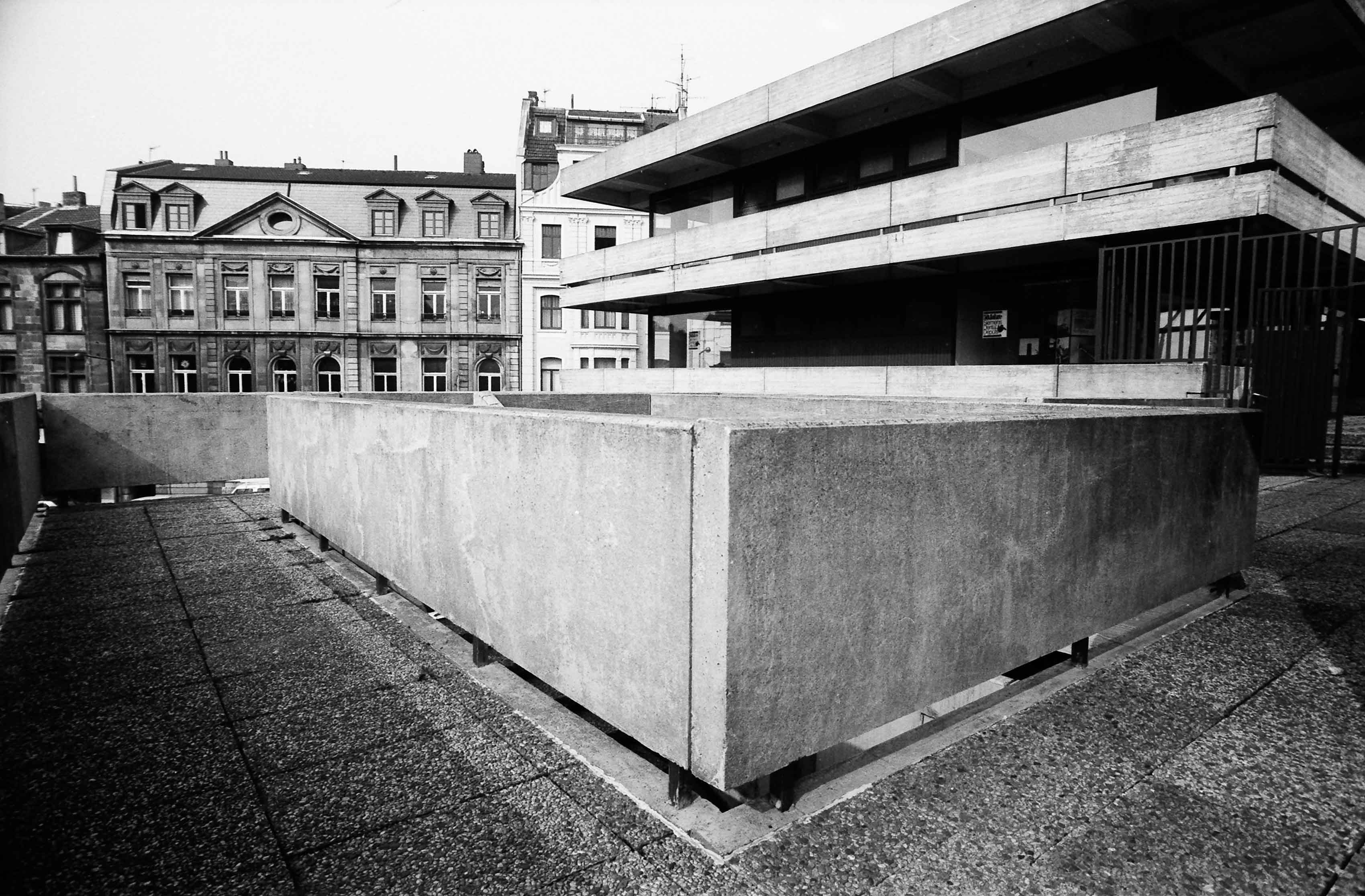
The Aachen bus station in the focus of photography

Modern, irritating, controversial. Hardly any other building of the 1970s has changed the center of Aachen as lastingly as the bus station. Completed in 1973, the extraordinary building can be seen retrospectively as a "child of its time": a multifunctional building in which concrete was used not only for the construction but also for the surface appearance - in combination with its sculptural design language, it unsettled the general sense of taste. Nevertheless, the bus station was and is an impressive statement of new architecture. From the very beginning, the building was a grateful subject for photographers. Aesthetics played less of a role than its non-conformity in the urban context. In a kind of journey through time, Achim Ferrari's pictures document the building and its changing functions very impressively, showing what it originally was, what it was supposed to be and what it has become. Ferrari mainly photographed the building in the early 1980s. Interestingly, the photographs show less the presence of people in the use of the building than its "nooks and crannies", voids and shallows. Ferrari looks at the subject in front of his camera with a particular professionalism, having studied architecture himself. Recognizing spatial relationships leads to the creation of images that redefine the object. The visual results are multi-layered - essayistic when the image section is radically narrowed and writing is included, as is the case in some of Achim Ferrari's photographs.

September 14, 2025, 12:00 to 17:00, Foyer of the vhs Aachen, Peterstraße 21-25

Free of charge

Date:September 14, 2025

Time:12:00 - 17:00

  • Open Monument Day

Help with accessibility

  • General

    We make every effort to ensure that our websites are accessible. You can find details on this in our accessibility statement. You can send us suggestions for improvement using our"Report a barrier" feedback form.

  • Font size

    To adjust the font size, please use the following key combinations:

    Larger

    ⌘command
    +

    Smaller

    ⌘command

    Larger

    Ctrl
    +

    Smaller

    Ctrl
  • Keyboard navigation

    Use TAB and SHIFT + TAB to navigate through next/previous links, form elements and buttons.

    Use ENTER to open links and interact with elements.

  • Contrast mode

    Press the following key combination to reduce or increase the contrast:

    Enlarge

    ⌃control
    ⌥option
    ⌘command
    .

    Decrease

    ⌃control
    ⌥option
    ⌘command
    ,
    Note: The shortcuts must be activated in the system settings of the operating system.

    Press left ALT + left SHIFT + PRINT to quickly switch the high contrast mode on or off.

  • Invert colors

    Press the following key combination to switch the color inversion on and off:

    ⌃control
    ⌥option
    ⌘command
    8
    Note: The shortcuts must be activated in the system settings of the operating system.

    First activate the screen magnifier and then switch the color inversion on and off with the following key combinations:

    1. screen magnifier

    +

    2. invert colors

    Ctrl
    Old
    I
  • Screen magnifier

    Press the following key combinations to use the screen magnifier:

    Switch on/off

    ⌥option
    ⌘command
    8

    Enlarge view

    ⌥option
    ⌘command
    =

    Reduce view

    ⌥option
    ⌘command
    Note: The shortcuts must be activated in the system settings of the operating system.

    Switch on / Enlarge view

    +

    Reduce view