Diese Seite wurde automatisch übersetzt. Es kann daher zu Abweichungen oder Ungenauigkeiten im Text kommen. Verbindlich ist ausschließlich die Originalfassung. Rechtsansprüche aus Inhalten der übersetzten Version sind ausgeschlossen.

MERIAN Scout Aachen

The new MERIAN Scout Aachen, published by Jahreszeitenverlag from Hamburg, shows our city from its young side and, in addition to classic sights, presents selected small cafés, hip pubs and shopping tips from insiders on 116 pages.

Friendly insiders guide you through "their" neighborhoods, point out new spots and give shopping tips. "We are a young, welcoming, urban city. The new MERIAN Scout clearly shows this with its great pictures and lots of tips. It fits in perfectly with the spirit of optimism that currently prevails in Aachen," says Mayor Sibylle Keupen.

Even die-hard Aacheners can still discover many new things here. The MERIAN Scout is mainly aimed at short or spontaneous vacationers. Editor-in-chief Hansjörg Falz is certain that "Aachen will clearly benefit from the currently visible trend towards tourism in Germany."
The magazine is also a good addition to the traditional travel guides that are available about Aachen, and it is also a helpful product in city marketing. Its nationwide reach helps Aachen companies and universities to attract scientists, students and skilled workers to Aachen.
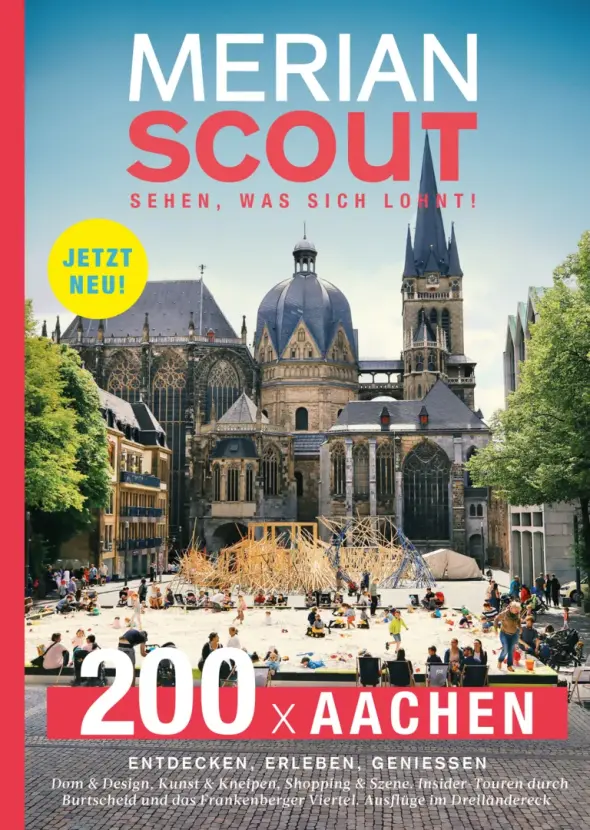

Merian Scout cover picture with image of Aachen Cathedral


Available in well-stocked book and magazine shops.

There is also a MERIAN podcast about Aachen: Journey begins in the mind - the MERIAN podcast

Help with accessibility

  • General

    We make every effort to ensure that our websites are accessible. You can find details on this in our accessibility statement. You can send us suggestions for improvement using our"Report a barrier" feedback form.

  • Font size

    To adjust the font size, please use the following key combinations:

    Larger

    ⌘command
    +

    Smaller

    ⌘command

    Larger

    Ctrl
    +

    Smaller

    Ctrl
  • Keyboard navigation

    Use TAB and SHIFT + TAB to navigate through next/previous links, form elements and buttons.

    Use ENTER to open links and interact with elements.

  • Contrast mode

    Press the following key combination to reduce or increase the contrast:

    Enlarge

    ⌃control
    ⌥option
    ⌘command
    .

    Decrease

    ⌃control
    ⌥option
    ⌘command
    ,
    Note: The shortcuts must be activated in the system settings of the operating system.

    Press left ALT + left SHIFT + PRINT to quickly switch the high contrast mode on or off.

  • Invert colors

    Press the following key combination to switch the color inversion on and off:

    ⌃control
    ⌥option
    ⌘command
    8
    Note: The shortcuts must be activated in the system settings of the operating system.

    First activate the screen magnifier and then switch the color inversion on and off with the following key combinations:

    1. screen magnifier

    +

    2. invert colors

    Ctrl
    Old
    I
  • Screen magnifier

    Press the following key combinations to use the screen magnifier:

    Switch on/off

    ⌥option
    ⌘command
    8

    Enlarge view

    ⌥option
    ⌘command
    =

    Reduce view

    ⌥option
    ⌘command
    Note: The shortcuts must be activated in the system settings of the operating system.

    Switch on / Enlarge view

    +

    Reduce view